Landscape grid step two type and symbol setup
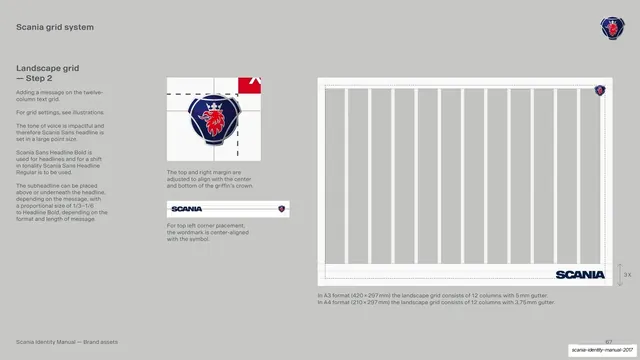
Grey instruction page combining a headline setup note, a crest alignment close-up, a wordmark lockup and a twelve-column landscape grid with specified gutter widths.
Summary
An instruction page for setting type and the symbol on the landscape grid, with a twelve-column layout and gutter sizes given in millimetres.
Visual description
Left column text describes the headline and subheadline sizing. Top centre, a close-up crop of the crest has red alignment guides and a red corner marker. A wordmark lockup sits beneath with the symbol centred against it. On the right, a large landscape page shows twelve grey column bars separated by white gutters, a small crest in the top right and a wordmark in the bottom right. A 3X callout marks the bottom margin, and a caption gives the A3 and A4 column and gutter values.
Key takeaway
The grid is specified in real units next to the drawing, which makes it directly buildable. Alignment crops show exactly which part of the symbol lines up with the margin.
Reuse notes
A strong reference for a grid specification slide where a diagram and written rules must agree. Pair the crop with the drawn grid so the alignment is explicit. The column count and gutter values are format-specific, so restate them for any new size.
More like this
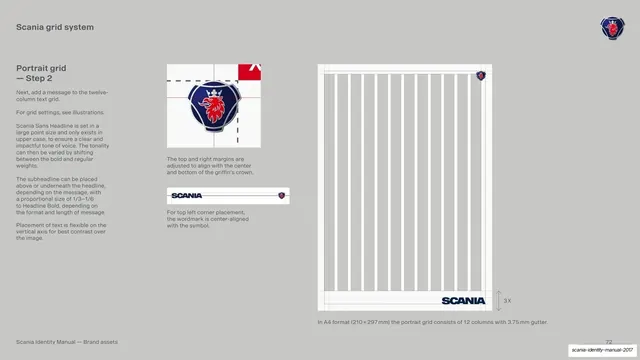 Portrait grid step two type and symbol setup
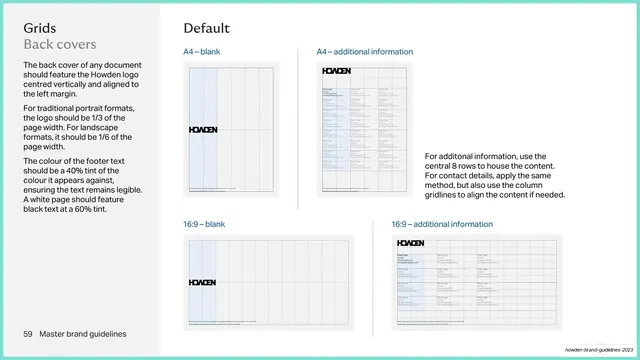 Back cover layouts for A4 and 16x9
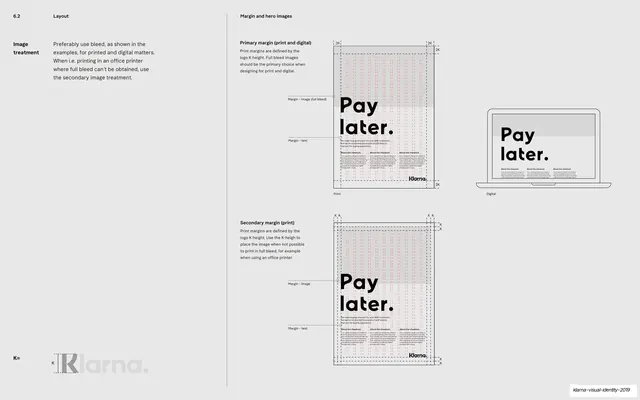 Full-bleed versus secondary image margins
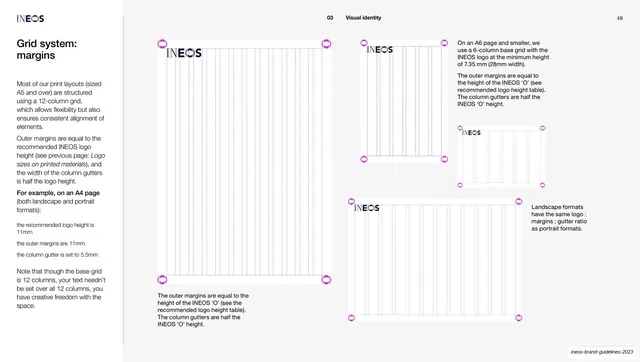 Margin and gutter grid tied to logo height
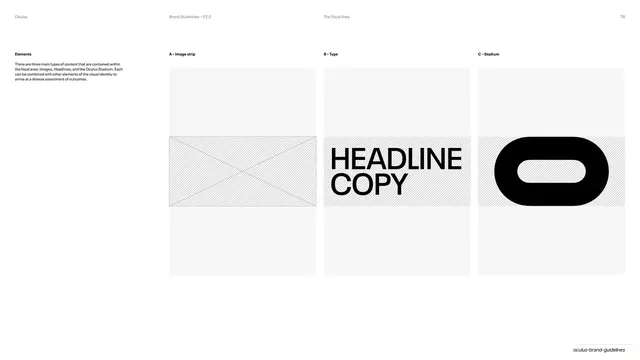 Three content types inside the focal area
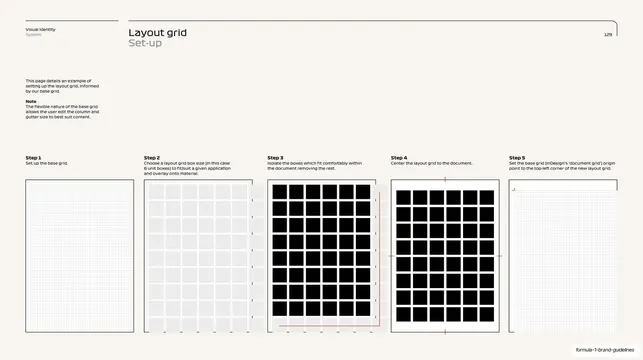 F1 layout grid five-step set-up
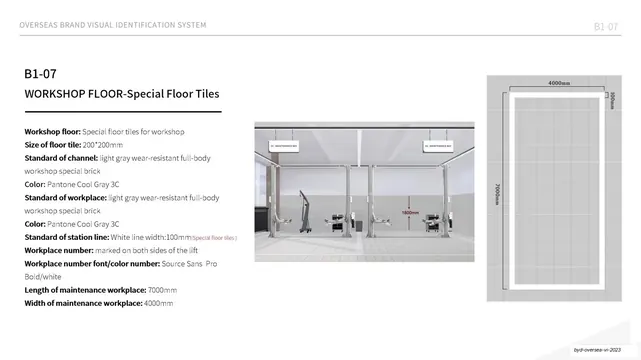 Workshop floor tile and bay plan
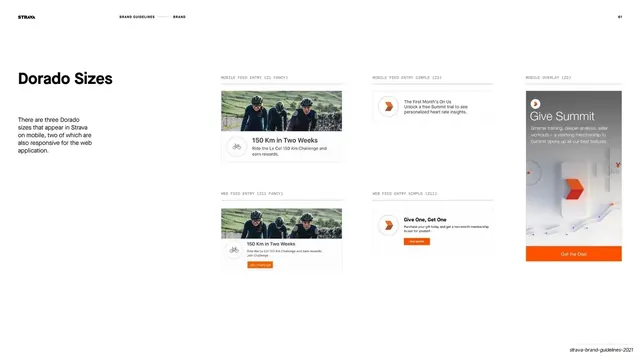 Dorado feed entry size overview
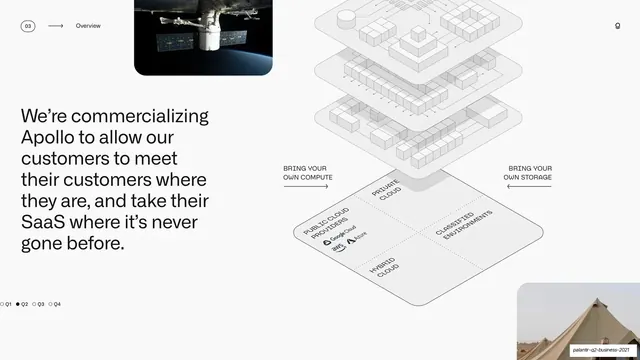 Apollo deployment isometric layers diagram
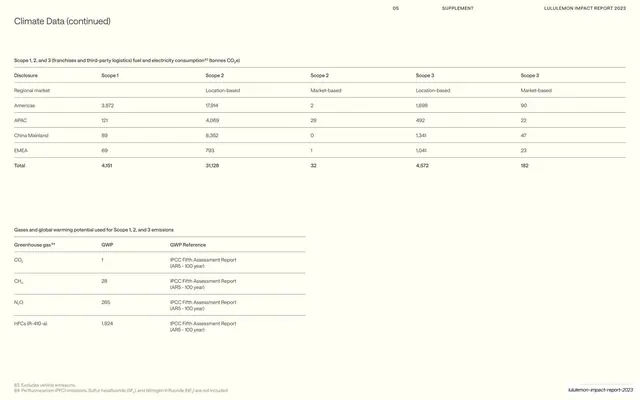 Scope 1, 2, 3 emissions and GWP reference tables
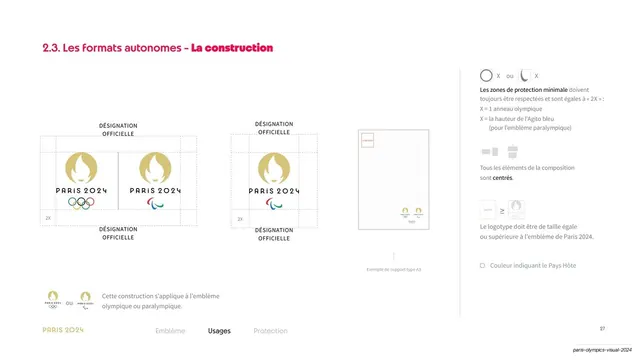 Standalone emblem construction with poster example
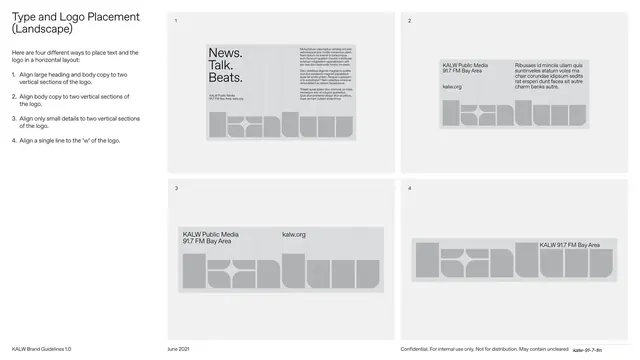 Landscape type and logo placement
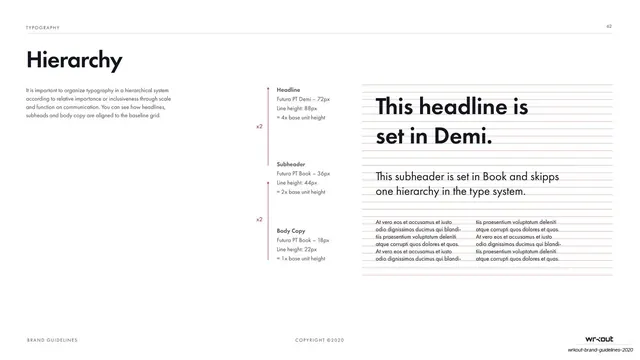 Baseline grid hierarchy with ruled lines
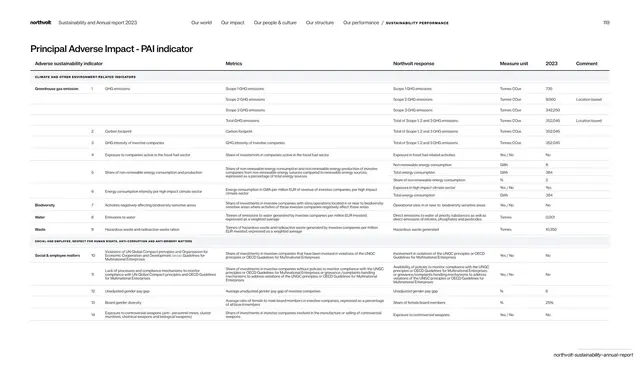 Principal adverse impact indicator table
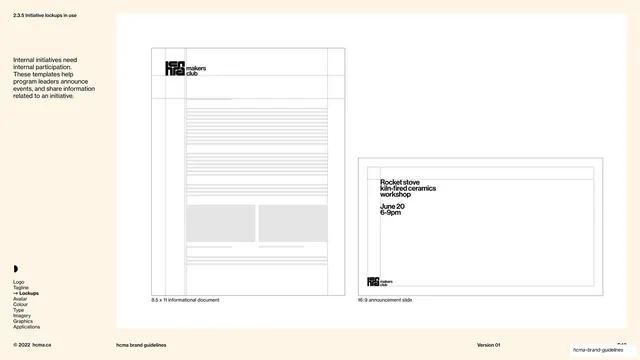 Initiative lockups in use
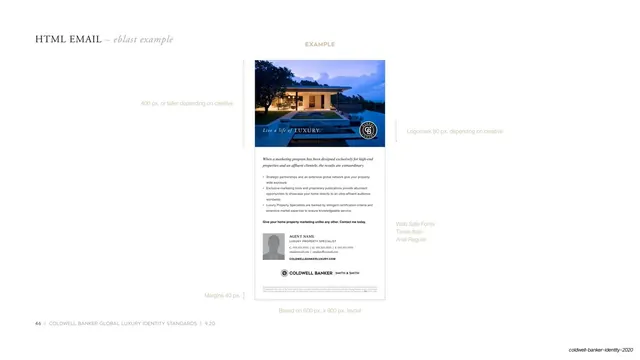 Eblast layout specs and dimensions
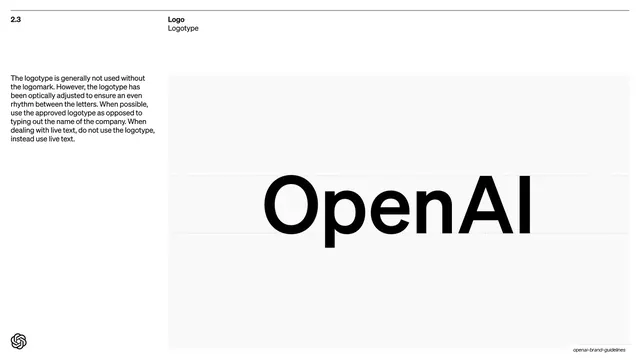 Logotype usage on light panel
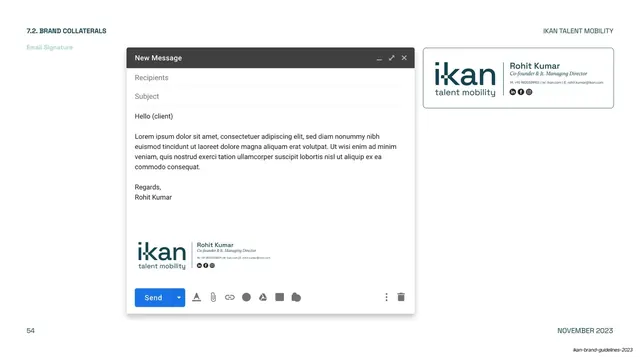 IKAN email signature spec
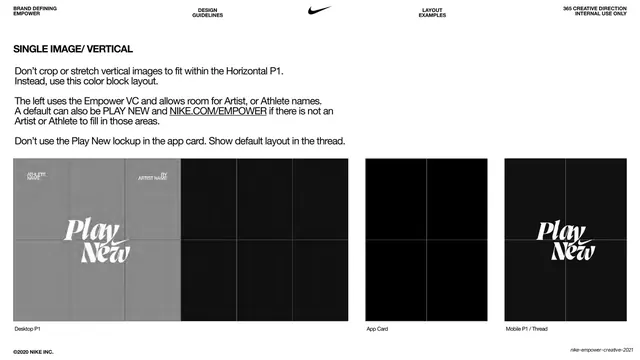 Single image vertical layout spec
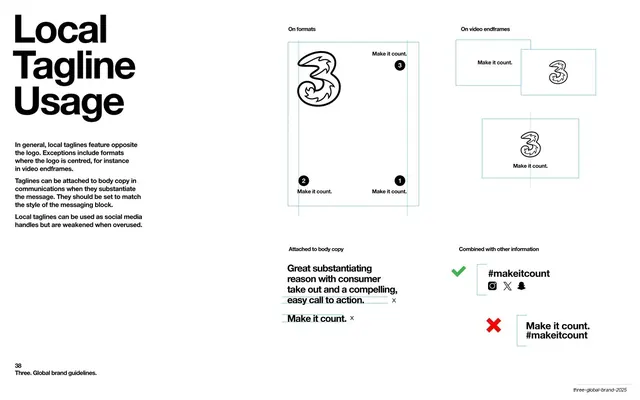 Local tagline placement rules
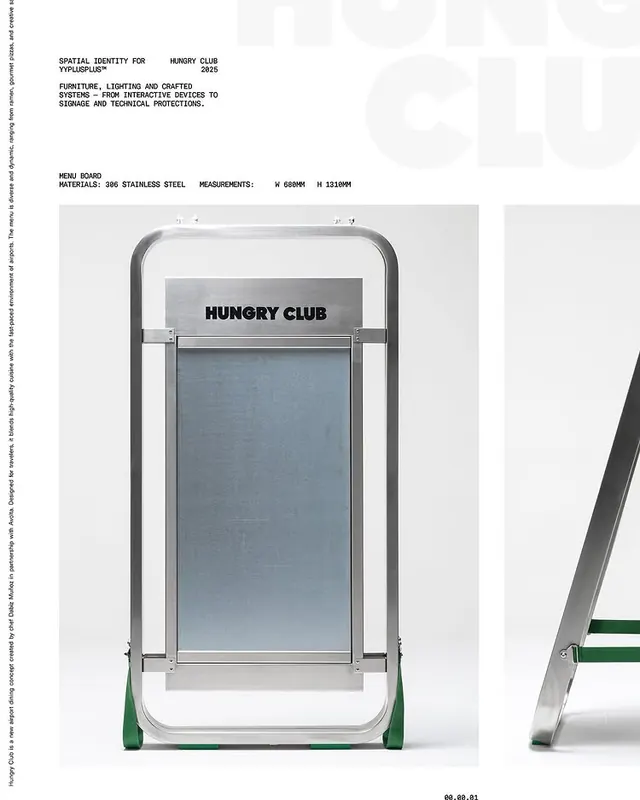 Hungry Club Spatial Identity Design Reference
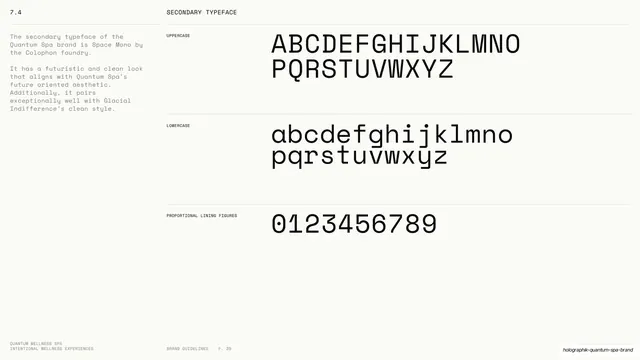 Secondary typeface monospace character set rows
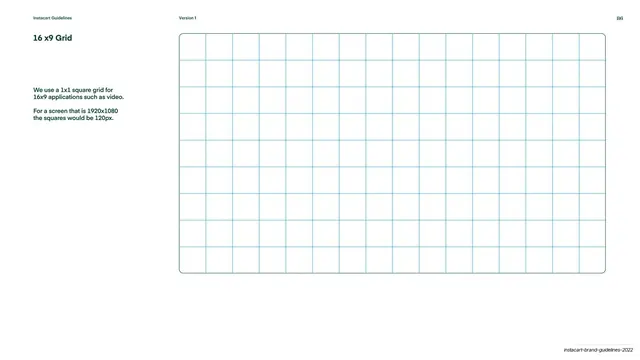 16 x 9 square grid specification
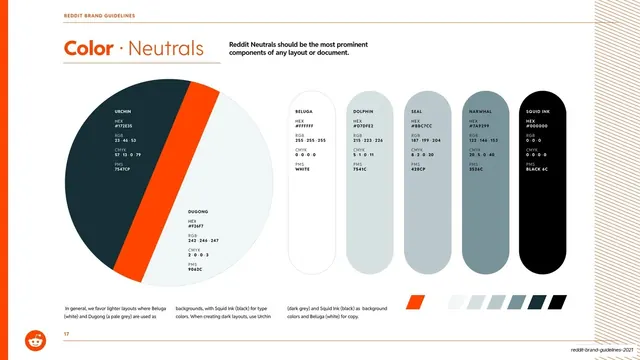 Neutral palette with pie chart and swatches