Back cover layouts for A4 and 16x9
Back-cover templates place the Howden logo on a grid, with contact-detail layouts shown for A4 and landscape 16x9 formats, both blank and with additional information.
Summary
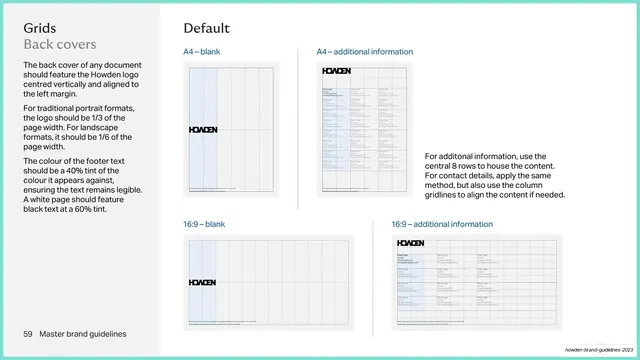
Four grid-based back-cover templates show where the Howden logo and contact details sit on A4 and 16x9 formats, both blank and with additional information. The logo keeps the same position across formats.
Visual description
A narrow left column carries a bold "Back covers" heading and paragraphs on logo size, footer tint and placement. The right area shows a "Default" heading above four pale grey thumbnails. A4 blank is a portrait sheet with a column grid, a pale blue left-hand column and a black Howden logo at left-centre. A4 additional information fills the lower part with a grid of small contact cards showing names, job titles and phone numbers. The 16x9 blank and 16x9 additional information thumbnails repeat the idea in landscape, with the logo at upper left and contact cards in a three-column grid.
Key takeaway
The back cover uses the same logo position on every format, with a rigid grid that keeps contact details aligned. The optional contact block uses the same grid, so extra information never breaks the layout.
Reuse notes
A practical template for brochure, report and presentation back covers. Keep legal text in the footer at the tint the guidelines specify. The sample contact names are placeholders and should be replaced with real details when producing a document.
More like this
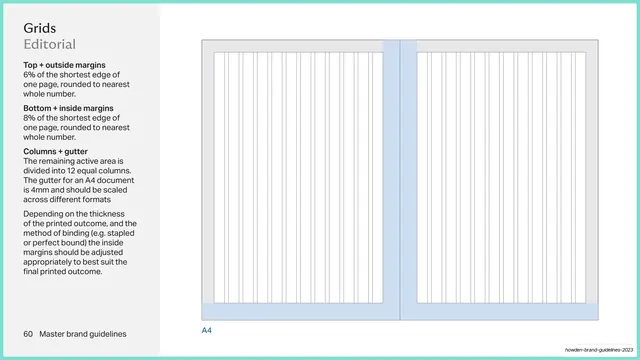 Editorial grid margins and twelve columns
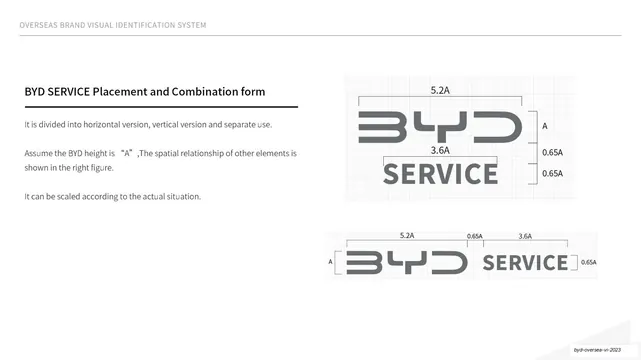 BYD SERVICE lockup proportion diagram
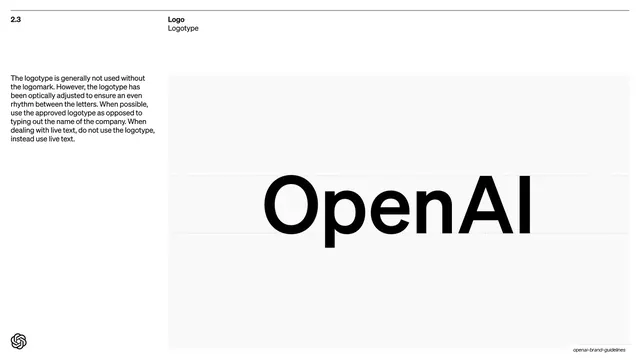 Logotype usage on light panel
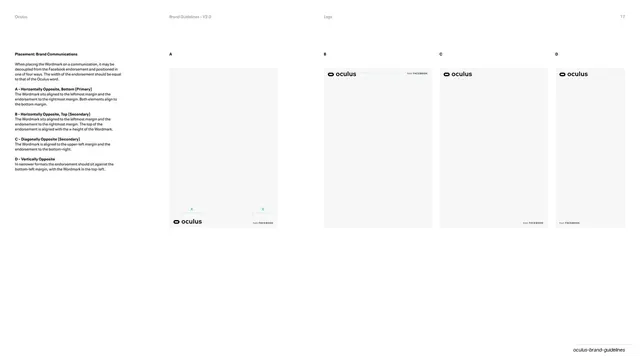 Four wordmark placement options
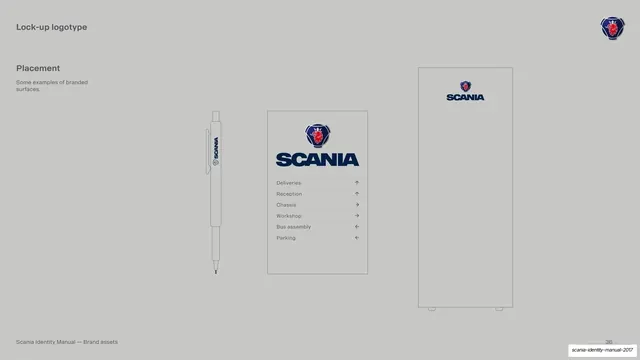 Lock-up placement on branded surfaces
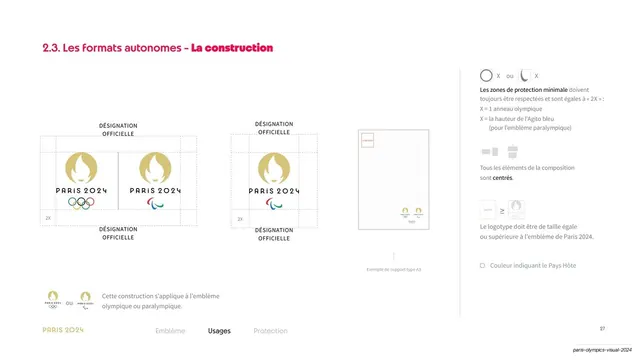 Standalone emblem construction with poster example
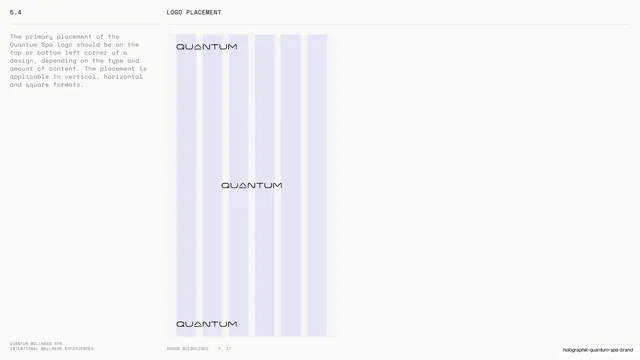 Wordmark placement in vertical formats
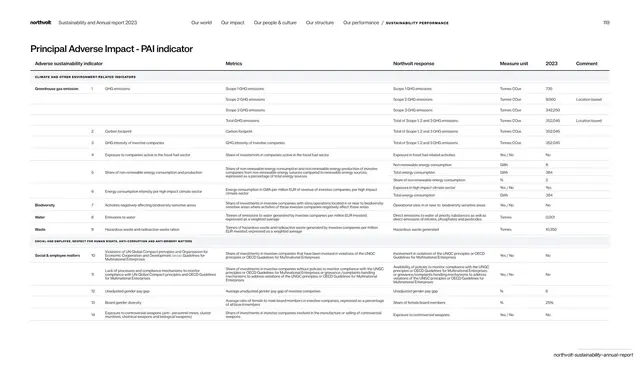 Principal adverse impact indicator table
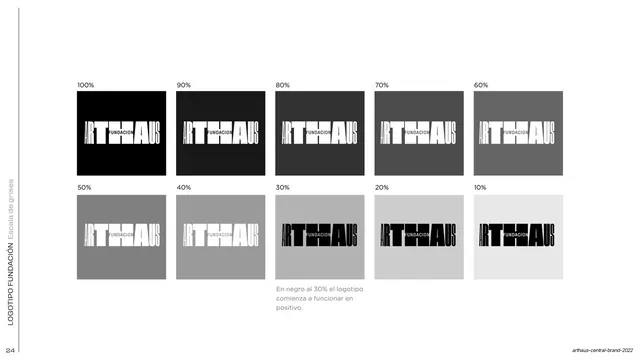 ARTHAUS Fundacion grayscale contrast scale
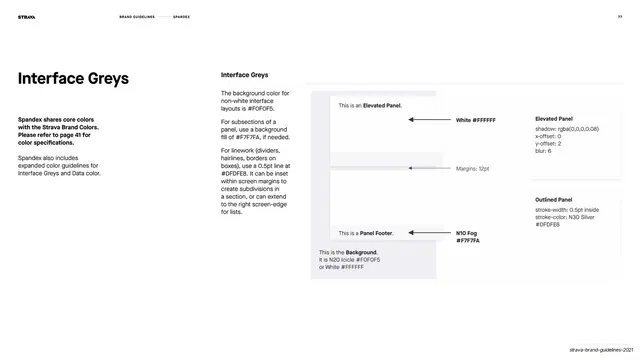 Interface greys and panel elevation
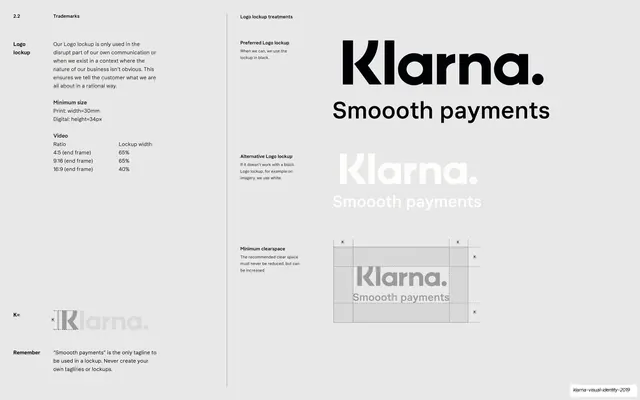 Logo lockup with Smoooth payments tagline
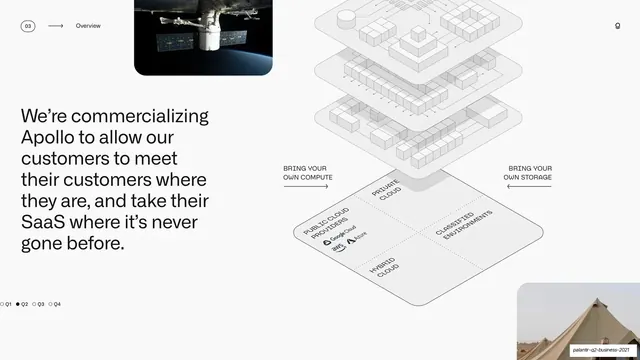 Apollo deployment isometric layers diagram
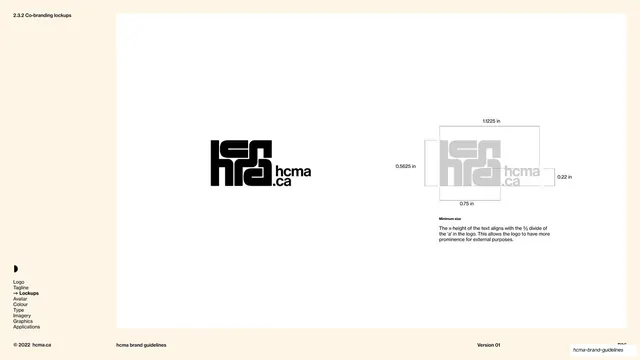 Co-branding lockup spec
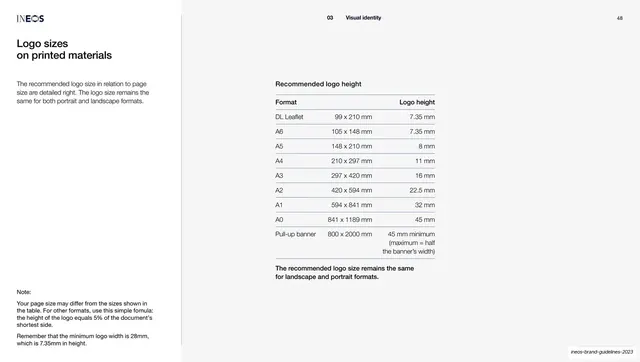 Printed logo height table by page format
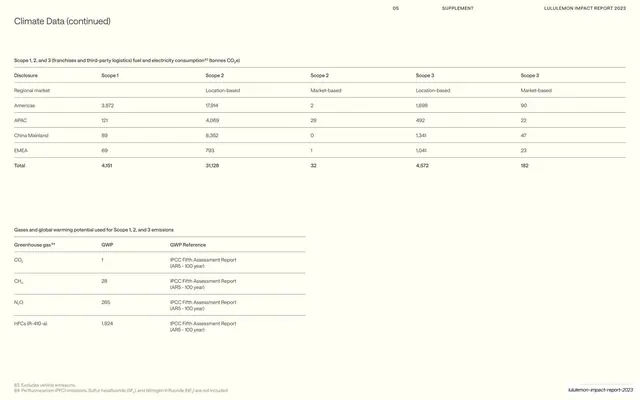 Scope 1, 2, 3 emissions and GWP reference tables
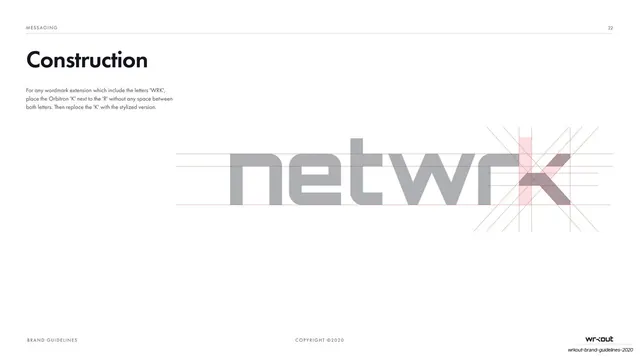 Wordmark construction grid for WRK extensions
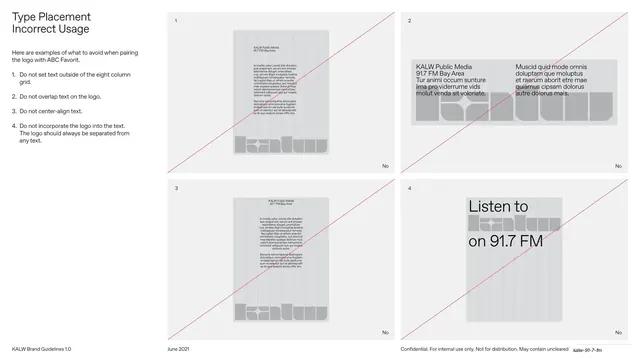 Incorrect type placement examples
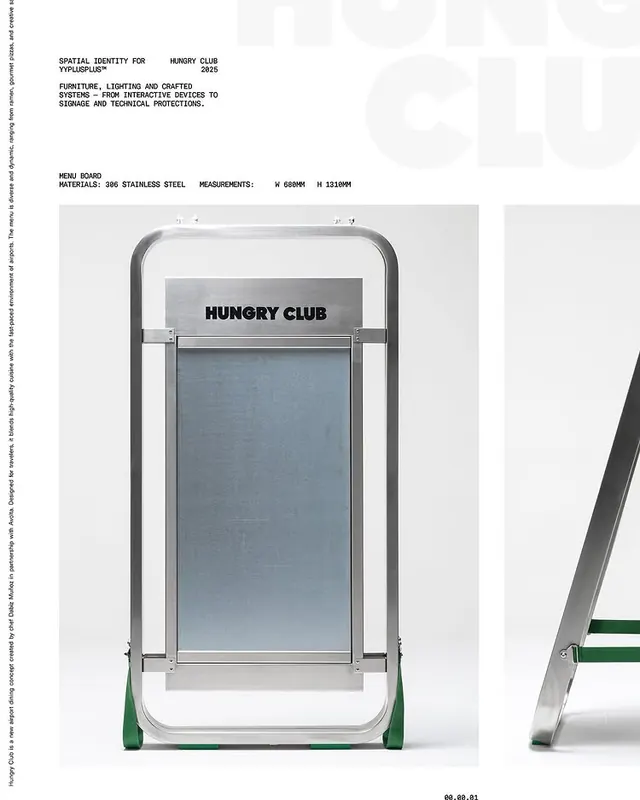 Hungry Club Spatial Identity Design Reference
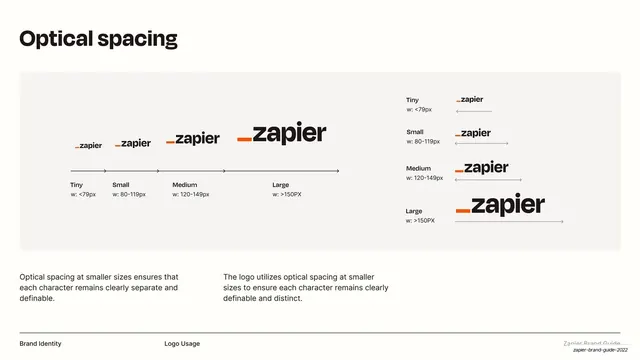 Optical spacing across logo size ranges
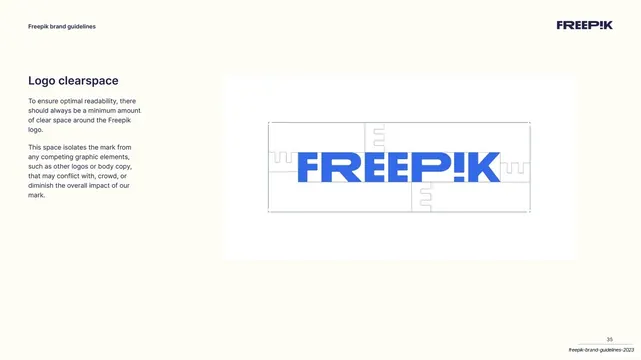 Logo clear space construction diagram
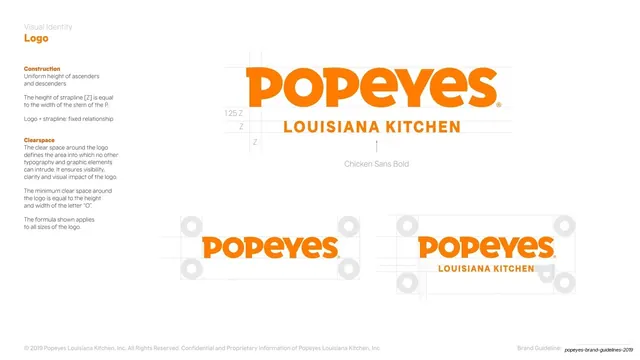 Logo construction and clear space diagram
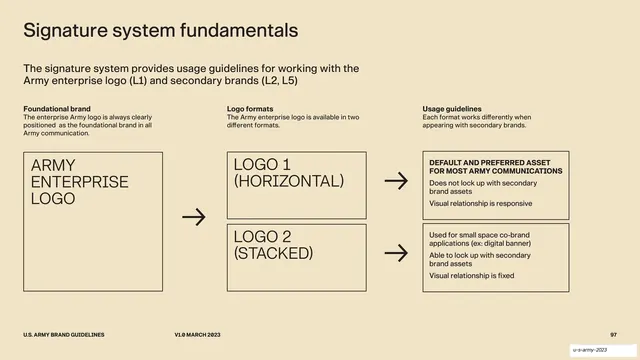 Signature system three-column logo framework
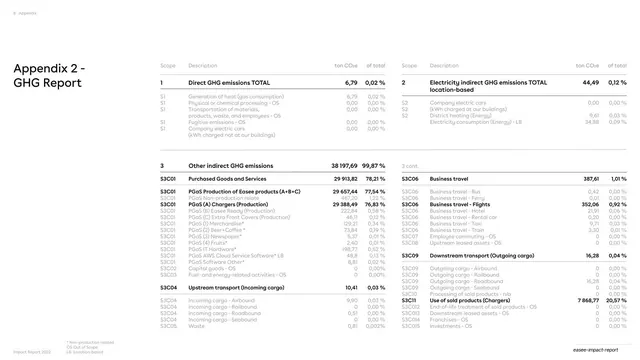 Appendix greenhouse gas emissions reference tables
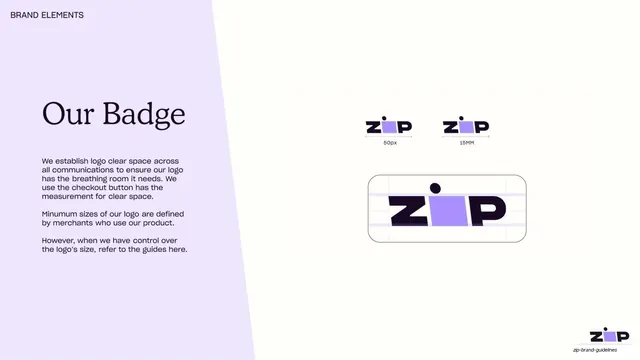 Logo clear space and minimum size