F1 layout grid five-step set-up
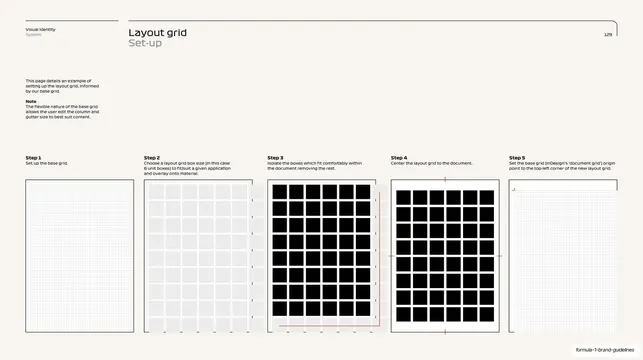
A layout-grid set-up page laying out a five-step workflow as five labelled columns, the boxes filling in and a red registration mark appearing as the steps progress.
Summary
A step-by-step layout-grid set-up page where five captioned panels run left to right, each adding one move so the grid is built up box by box and centered with red registration marks by the final step.
Visual description
Warm off-white background, thin top rule with the "Visual Identity / System" kicker, "Layout grid" title, outlined "Set-up" subtitle and "129" at right. The upper-left margin carries a short intro plus a bold "Note". Across the lower two-thirds are five equal vertical panels labelled "Step 1" to "Step 5", each with a one-line caption and a square diagram below. The diagrams progress: Step 1 a faint base grid; Step 2 light-grey unit boxes overlaid; Step 3 the boxes that fit isolated as solid black squares with a red bracket on the right; Step 4 the same black-box grid centered with small red registration ticks on the sides; Step 5 the cleaned base grid with a small red corner mark at top left. The recurring black boxes and the single red accent track the build sequence.
Key takeaway
Telling a multi-step process as a row of equal panels that each add exactly one change, so the reader sees the system assemble itself. Using one red accent (brackets, registration ticks) purely to mark progress keeps the otherwise monochrome sequence easy to follow.
Reuse notes
A clean format for any "set it up in N steps" page in documentation or a brand book. The progressive-panel approach reads instantly and scales to four or six steps. The single spot color for guidance marks is a tidy device worth reusing.
More like this
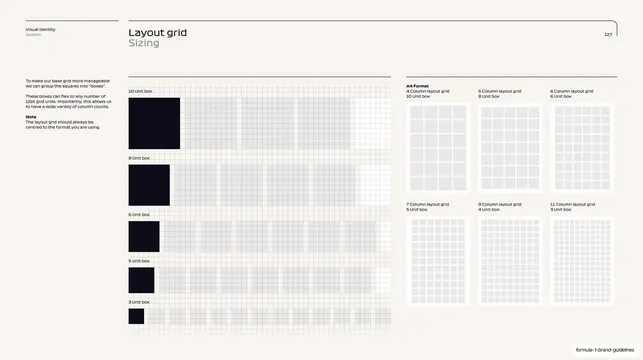 F1 layout grid sizing
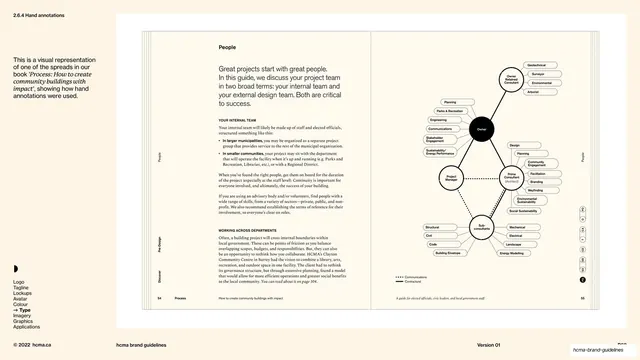 HCMA book spread with hand annotations
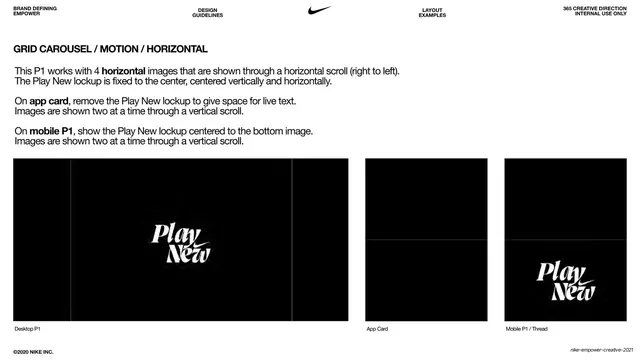 Grid carousel horizontal motion layout spec
 Design and Code Venn diagram
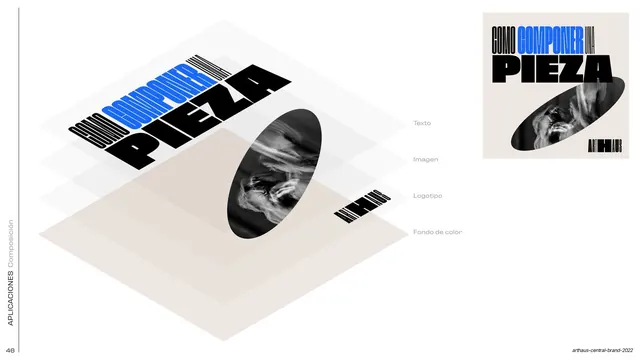 Rotated-portrait composition layer diagram
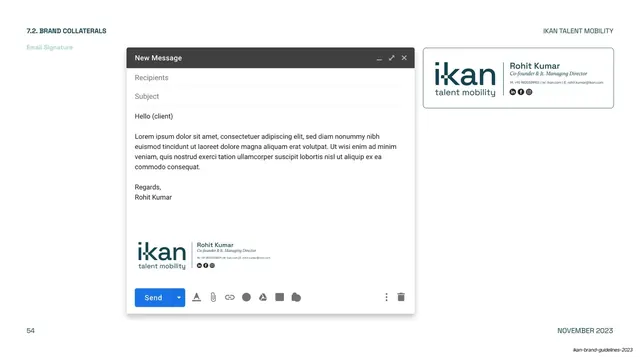 IKAN email signature spec
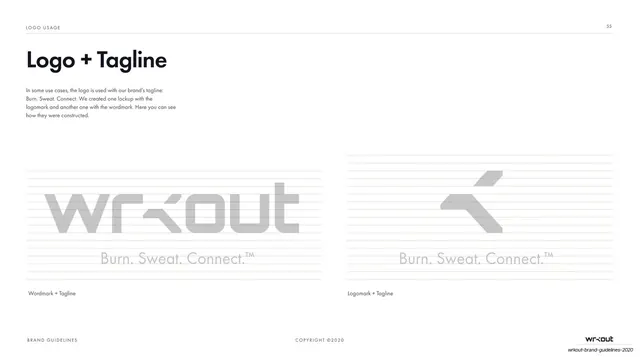 Wordmark and logomark tagline construction grids
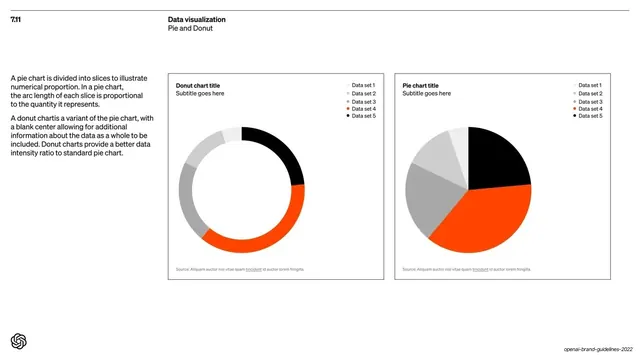 Data visualization pie and donut charts
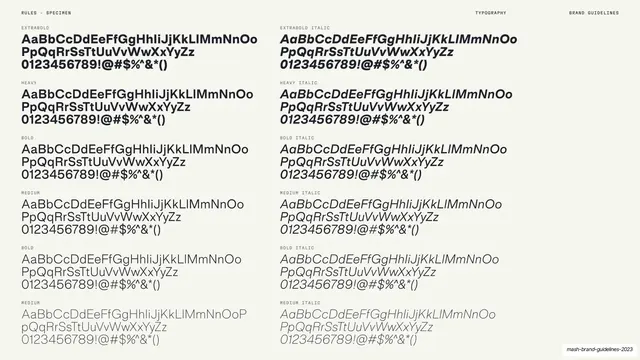 Mash Rules weights and italics specimen
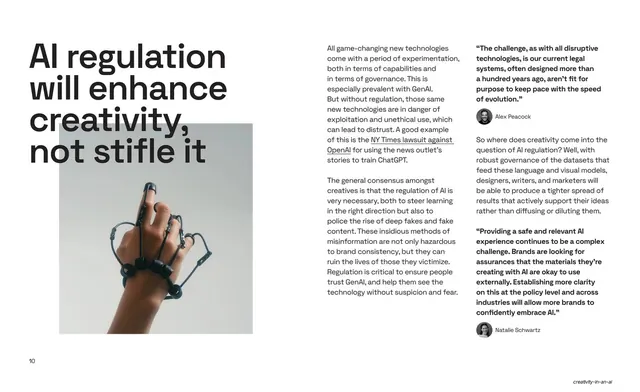 AI regulation will enhance creativity, not stifle it
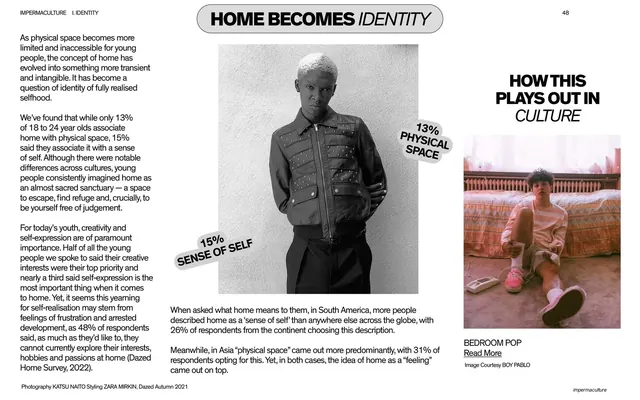 Home becomes identity essay spread
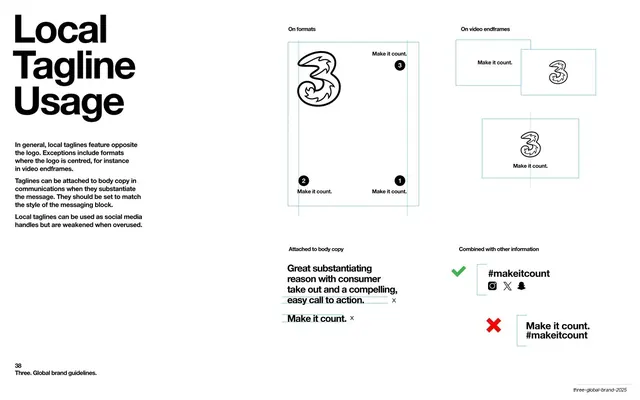 Local tagline placement rules
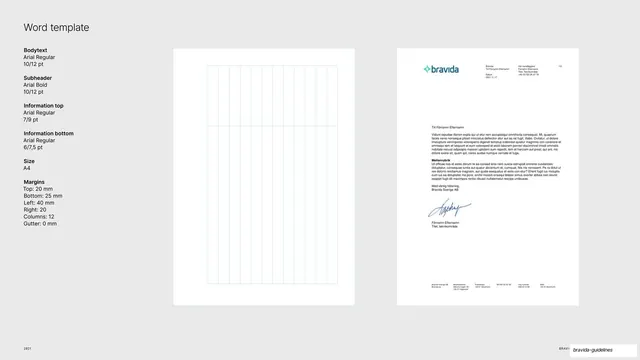 Word letter template and grid
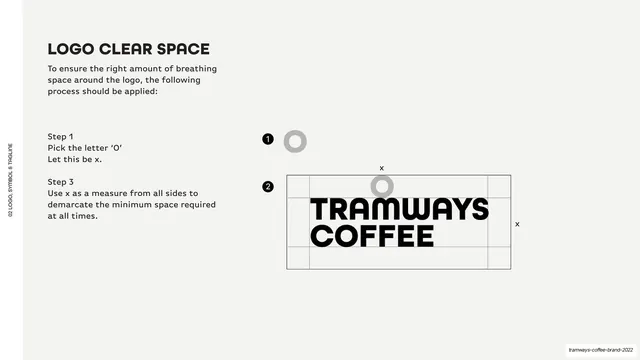 Logo clear space construction
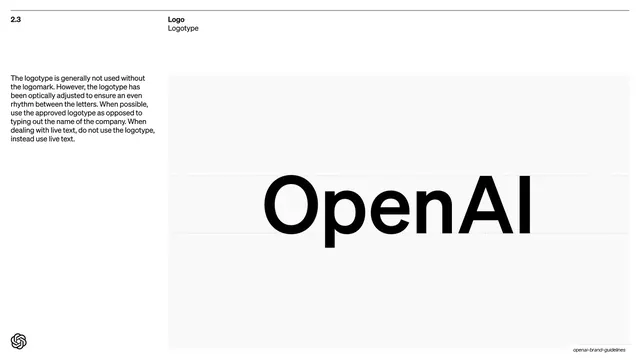 Logotype usage on light panel
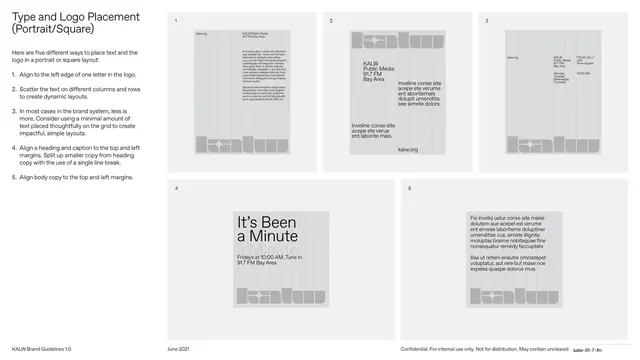 Portrait and square type placement
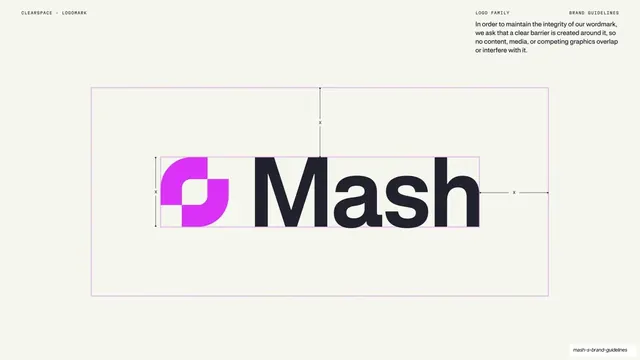 Mash logo clearspace rules
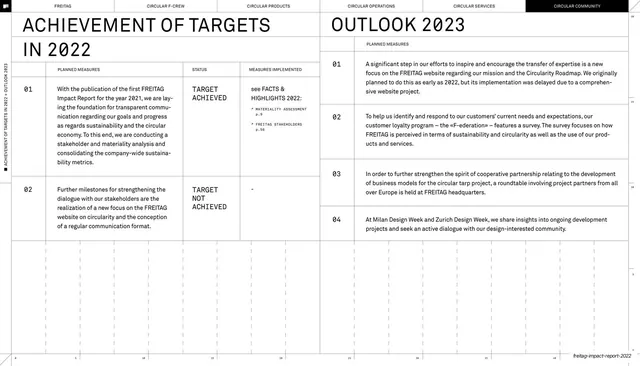 Achievement of targets 2022 and outlook 2023
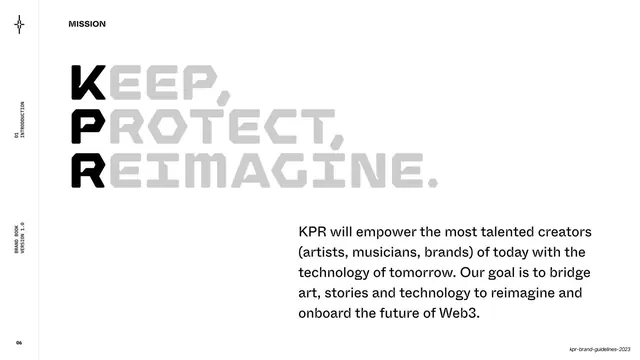 Mission - Keep, Protect, Reimagine
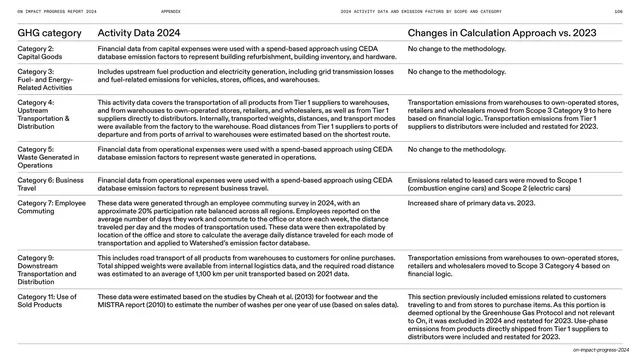 Activity data table continued, categories 2 to 11
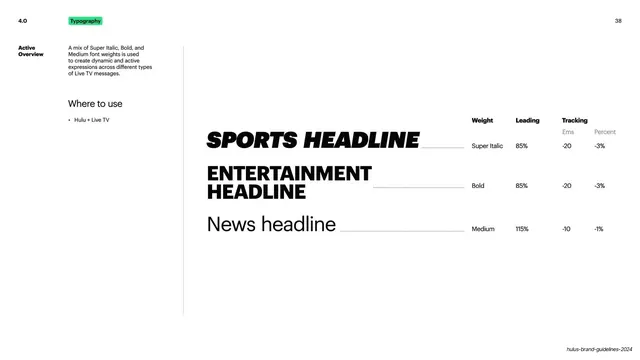 Hulu active typography weights
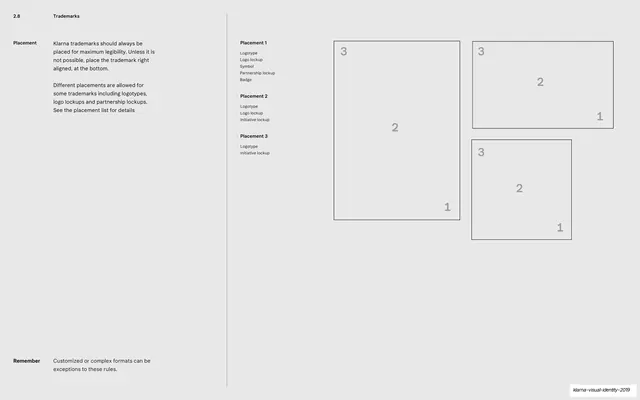 Trademark placement preferred positions
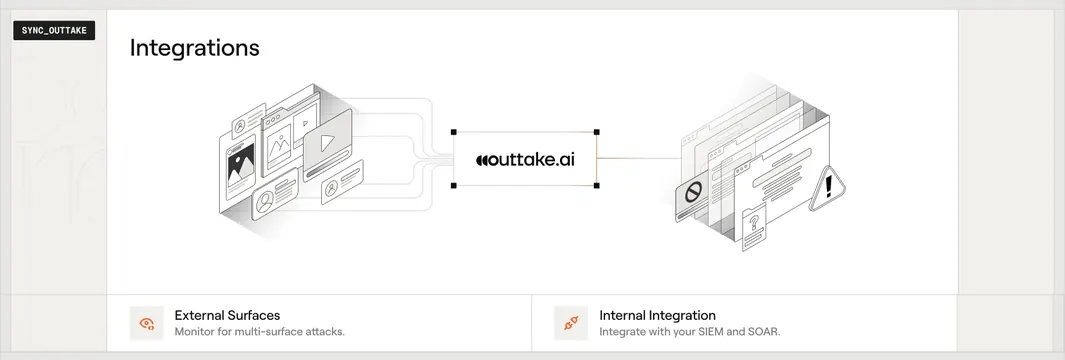 Outtake integrations hub diagram
 Section 3 divider with keyboard wireframe