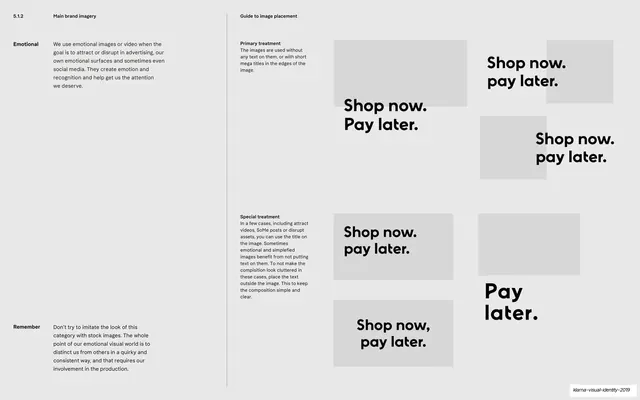
Text placement on emotional imagery diagram
Placement diagram showing emotional imagery with headlines overlapping the image edges or set outside the frame.
Summary
A placement diagram that shows where headlines can sit on emotional imagery: over the edges by default, or outside the frame when the photo needs to stay clean.
Visual description
Light grey page with a text column at left and a wide diagram at right. Mid-grey rectangles stand in for photographs. In the primary treatment, black headlines reading "Shop now. Pay later." sit at the edges of the boxes, some crossing the frame boundary. The special treatment shows the same copy placed outside the boxes, including a centred two-line version and a larger stacked version offset to the right.
Key takeaway
Text can be pushed to the edge of a photo by default, and moved entirely outside the frame when the image must stay uncluttered. Placeholder rectangles make the rule clear without needing the photographs themselves.
Reuse notes
Use when a guideline must control text on photography. The placeholder-box method is cheap to rebuild and keeps the rule legible before final imagery exists.
More like this
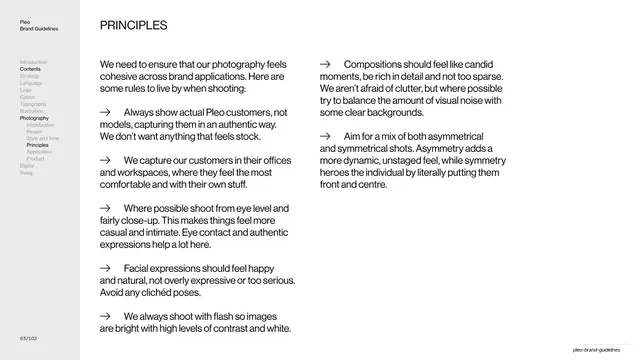 Photography principles as a text-only rules list
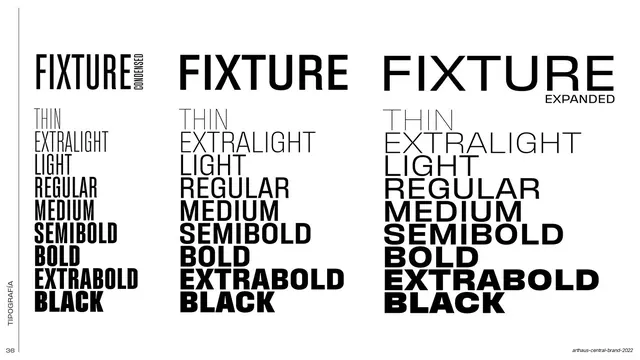 Fixture family weights across three widths
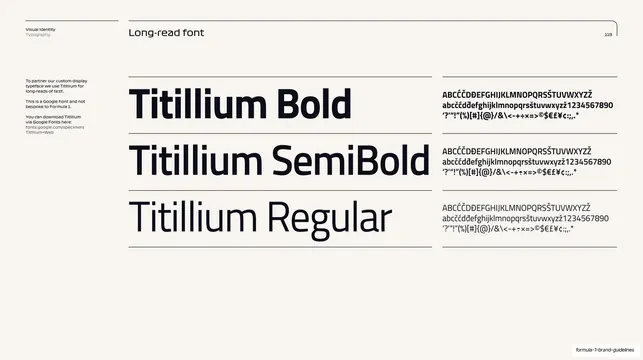 Titillium long-read font specimen
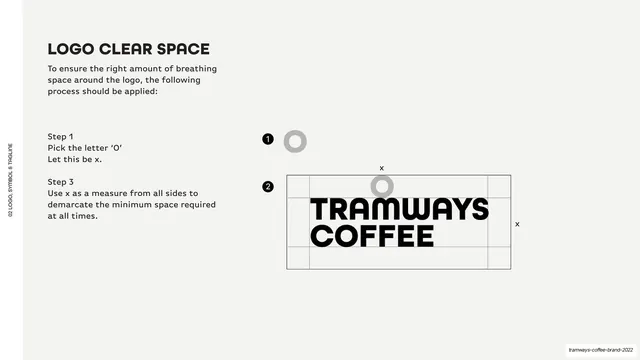 Logo clear space construction
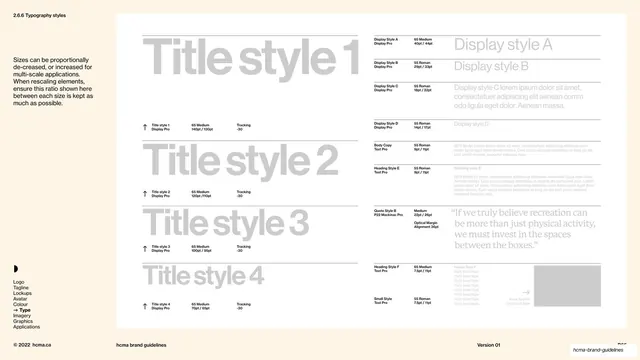 HCMA typography styles and hierarchy
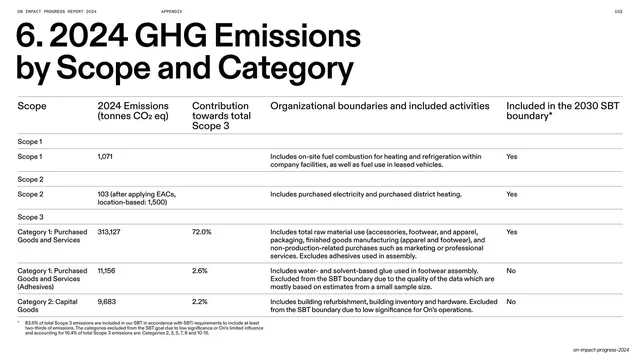 2024 GHG emissions by scope and category table
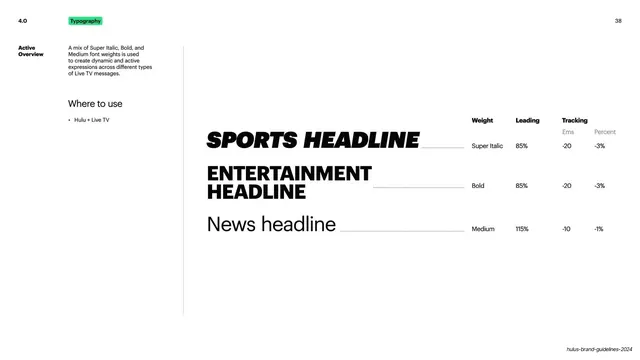 Hulu active typography weights
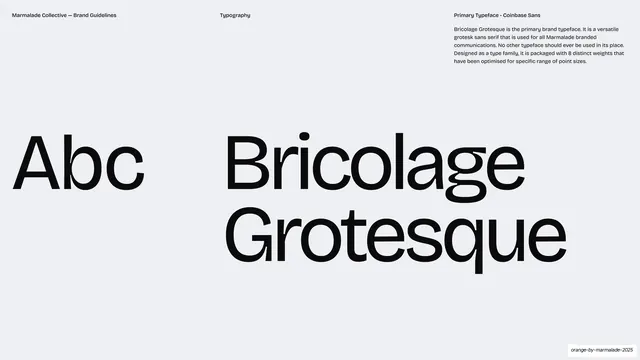 Bricolage Grotesque primary typeface specimen
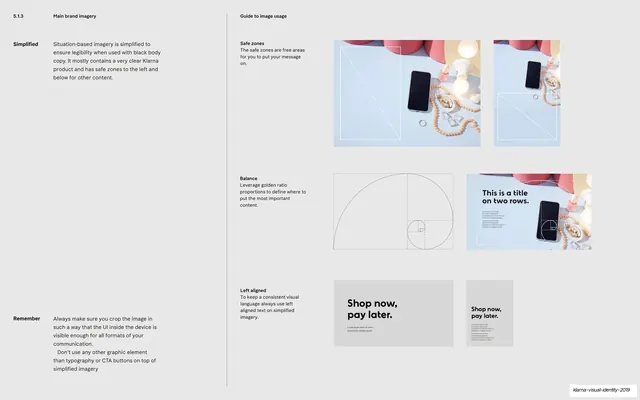 Simplified product imagery safe zones and golden ratio
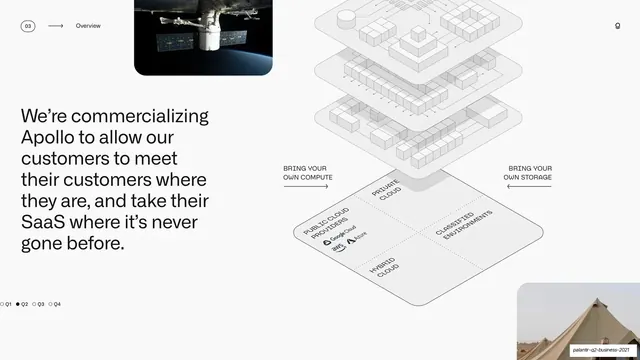 Apollo deployment isometric layers diagram
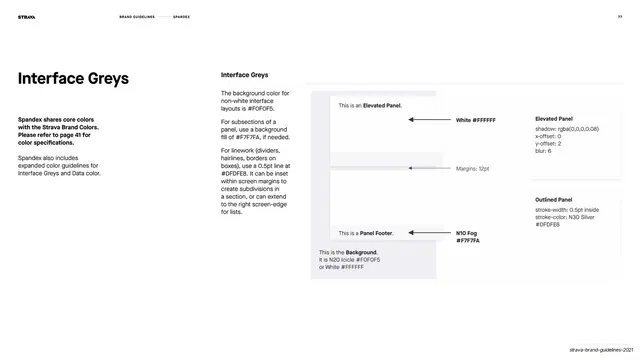 Interface greys and panel elevation
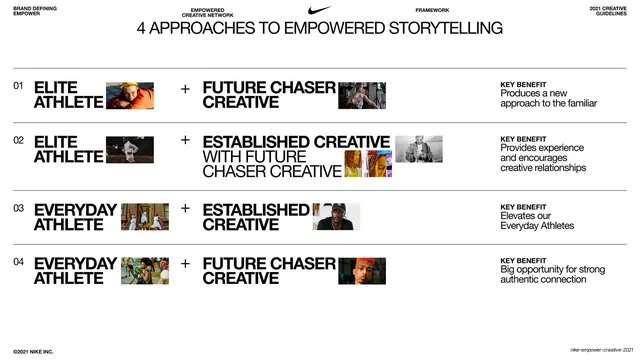 4 Approaches to Empowered Storytelling (summary table)
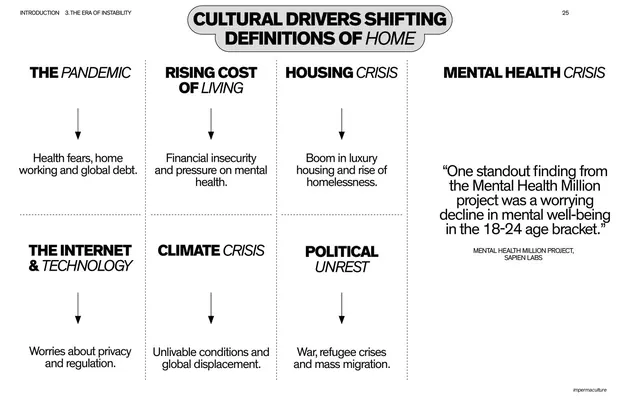 Cultural Drivers Shifting Definitions of Home - 6-cell grid
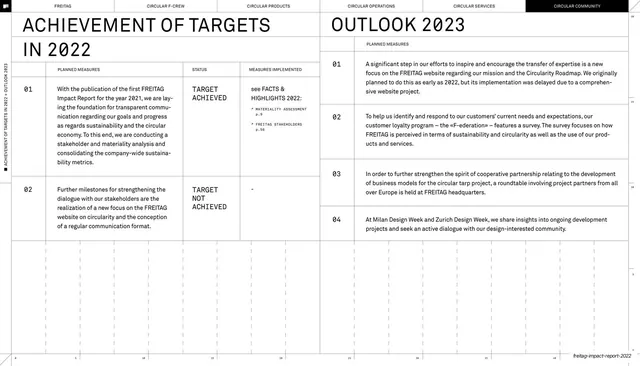 Achievement of targets 2022 and outlook 2023
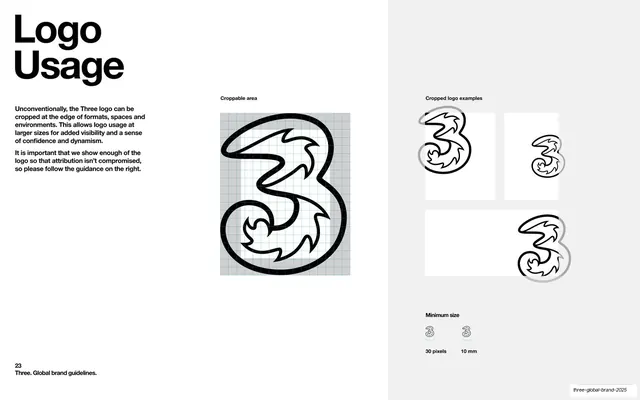 Logo cropping and minimum sizes
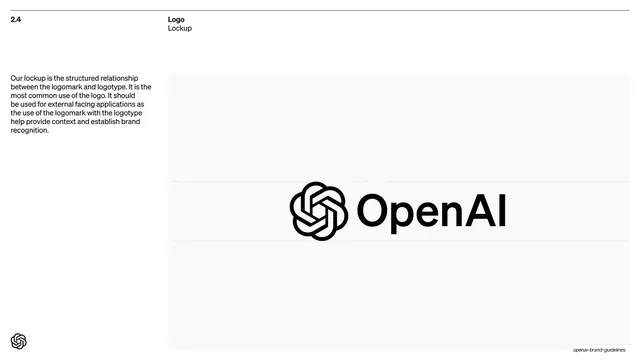 Lockup of mark and logotype
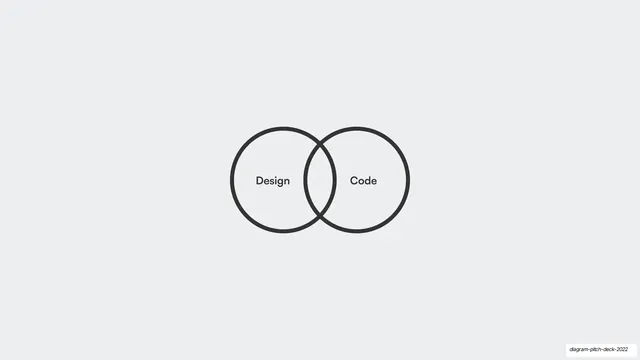 Design and Code Venn diagram
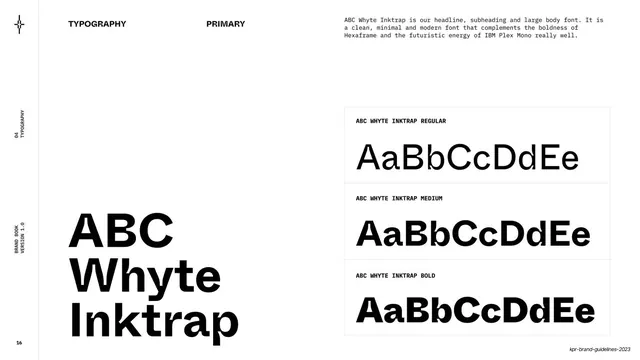 Primary typeface - ABC Whyte Inktrap
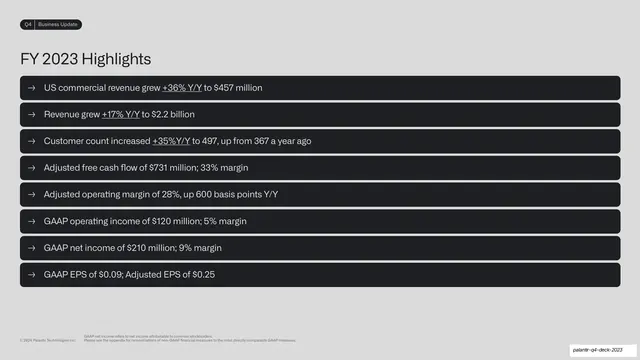 FY 2023 performance highlights list
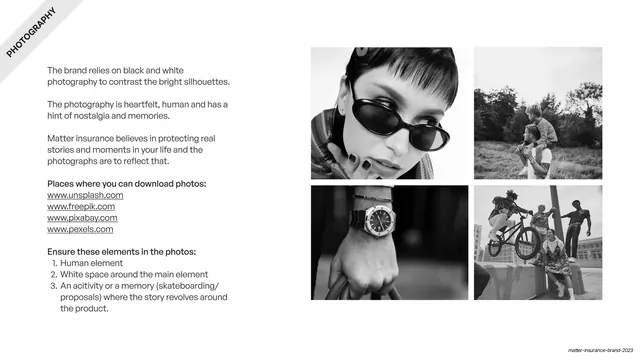 Matter photography direction
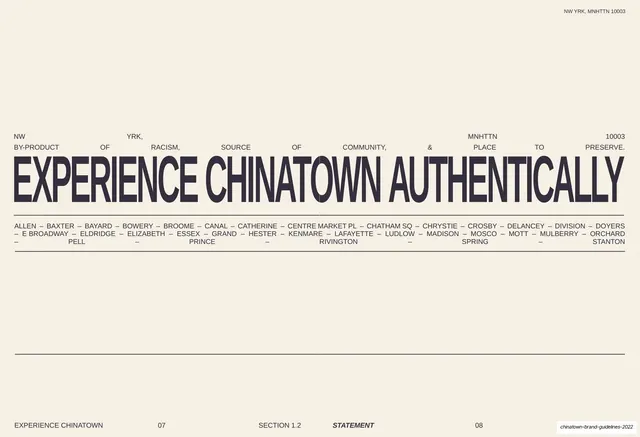 Experience Chinatown authentically statement spread
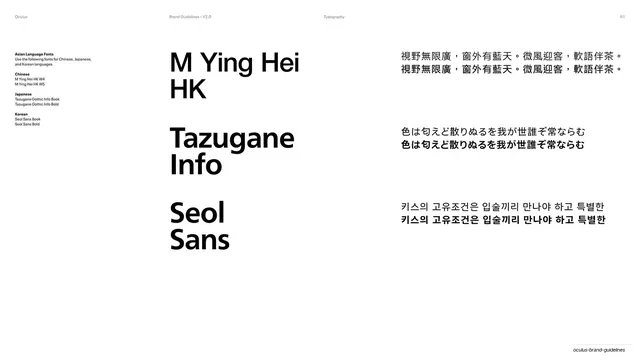 Asian-language brand font specimen
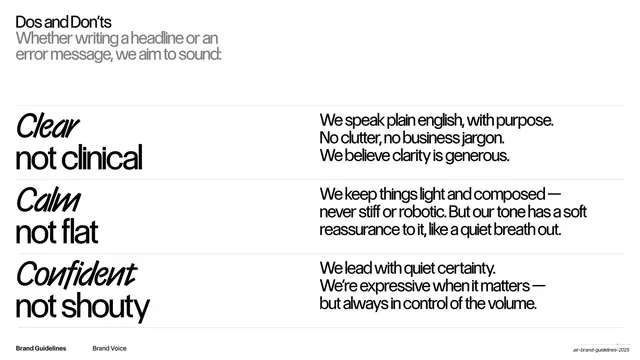 Voice dos and don'ts: clear, calm, confident
 Logo elements mark section divider