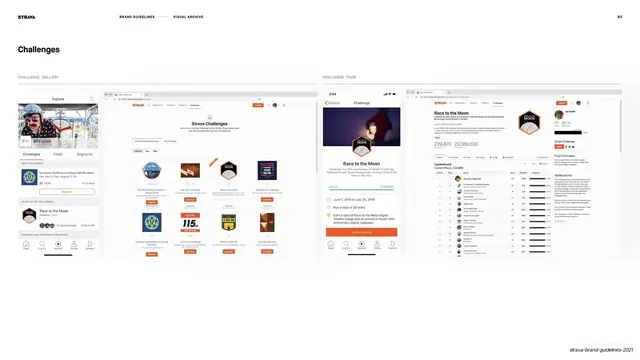
Challenge gallery and challenge detail app and web screens
Paired mobile and desktop screens of a challenge discovery grid and a challenge detail page with progress bar and leaderboard.
Summary
Paired screen sets for challenge discovery and a single challenge's detail page, each with a phone view beside a desktop window. It shows how challenges are browsed, joined and tracked.
Visual description
Monospace labels CHALLENGE GALLERY and CHALLENGE PAGE sit above each pair. The gallery pair shows a phone list of new and active challenges with register buttons, next to a desktop grid of challenge cards with orange Join Now buttons. The detail pair shows a phone challenge hero with a hexagon medal, a progress bar and an orange Invite Friends button, next to a desktop page with a large headline, a leaderboard table with progress bars and a prize panel. Most of the interface is white and gray, with orange on actions and progress.
Key takeaway
A hexagon medal becomes the visual anchor of each challenge, so the reward is easy to recognize across the list and the detail page. Progress bars and orange actions give users an immediate read on status and next step.
Reuse notes
Use for challenge, event or goal features that need both a discovery grid and a tracked detail view. The leaderboard table is dense, so it works best on desktop. Keep one clear orange action per screen.
More like this
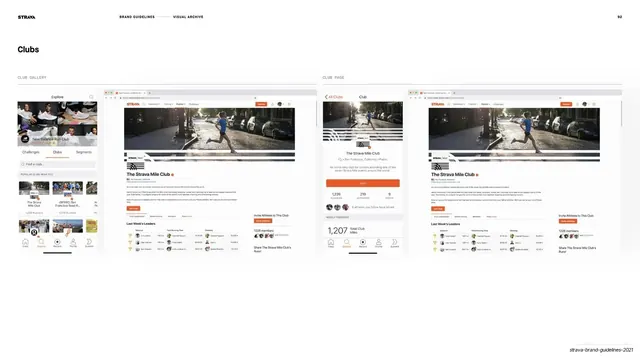 Club gallery and club page app and web screens
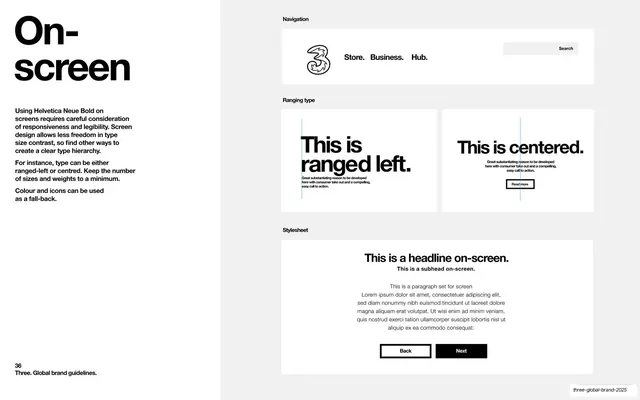 On-screen typography rules and stylesheet
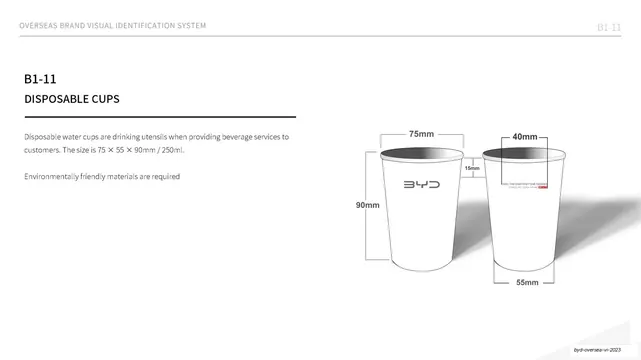 Disposable water cups specification
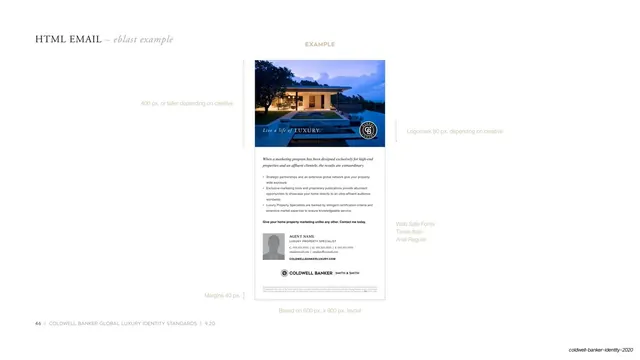 Eblast layout specs and dimensions
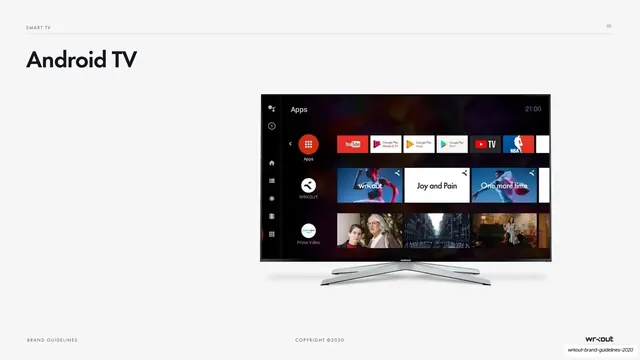 WRKOUT in the Android TV app row
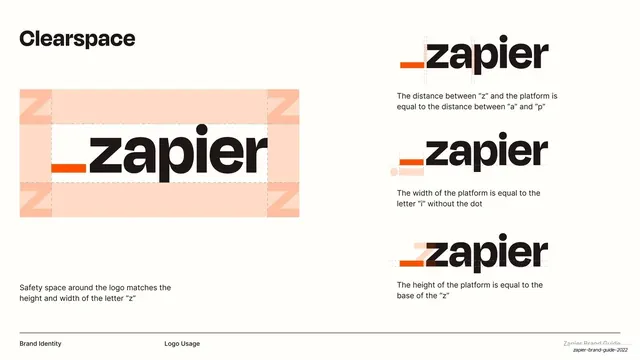 Clearspace construction diagram for logo
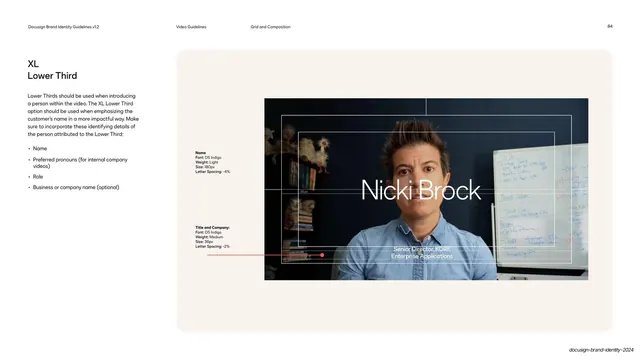 XL lower third spec example
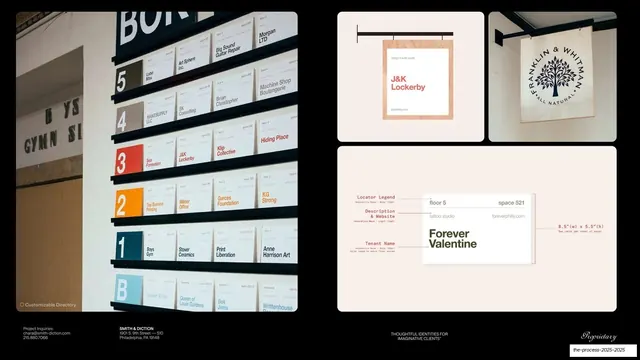 Bok Building customizable tenant directory and card spec
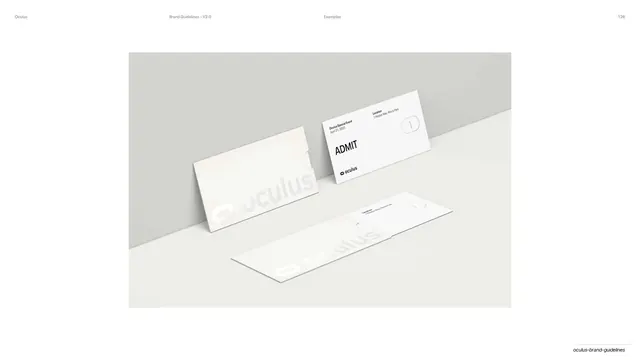 Admission ticket and sleeve
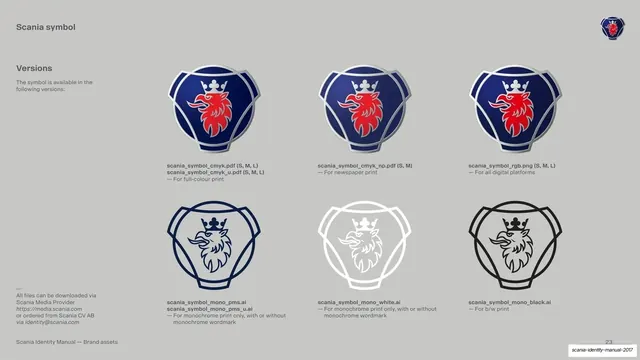 Symbol file versions grid
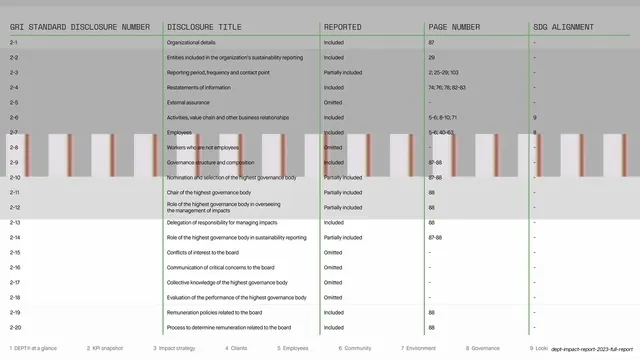 GRI disclosure index table, opening rows
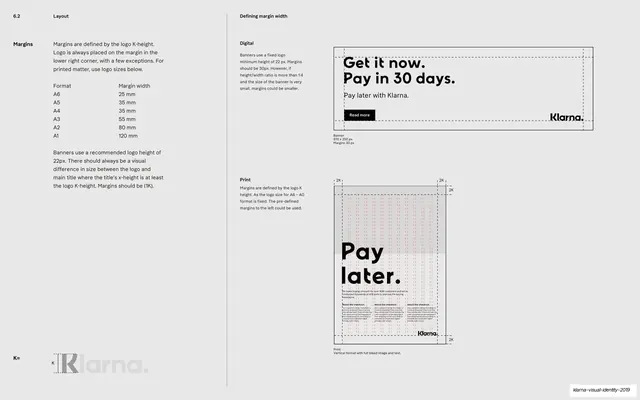 Logo K-height margin widths by format
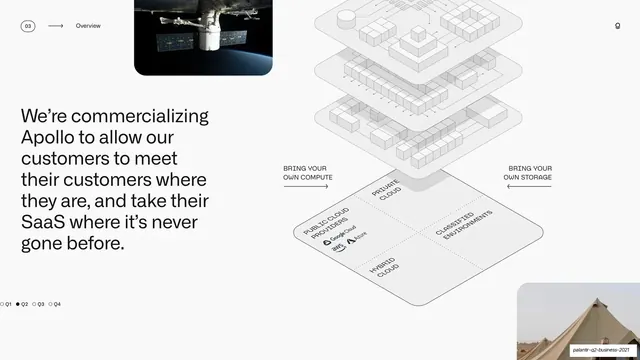 Apollo deployment isometric layers diagram
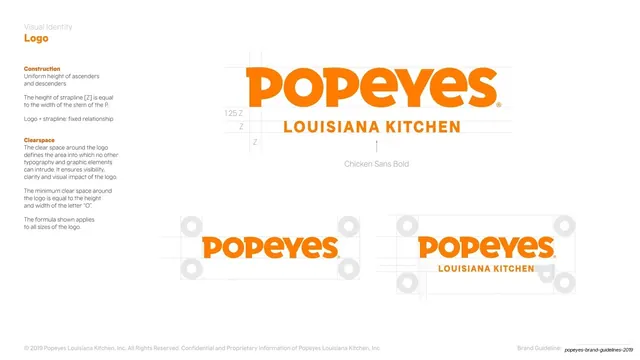 Logo construction and clear space diagram
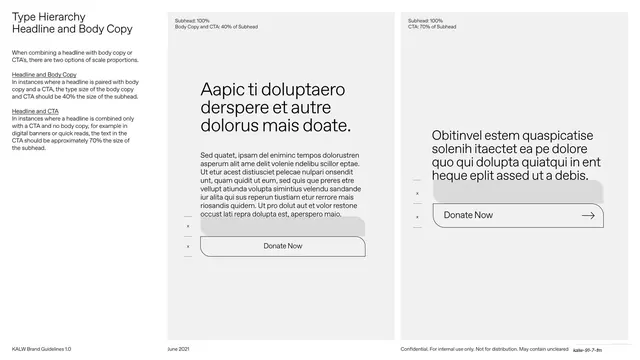 Headline to body and CTA scale ratios
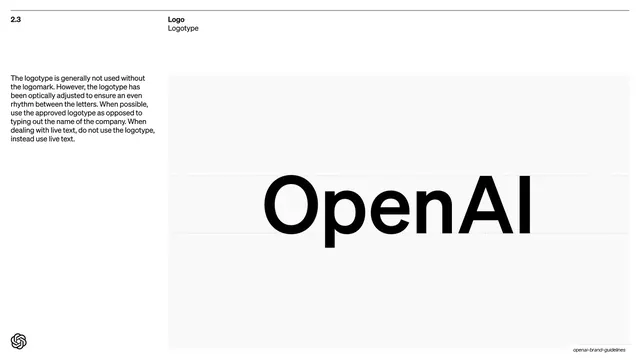 Logotype usage on light panel
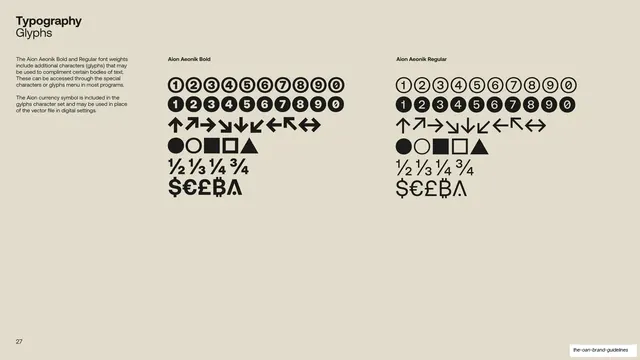 Aion Aeonik glyph set
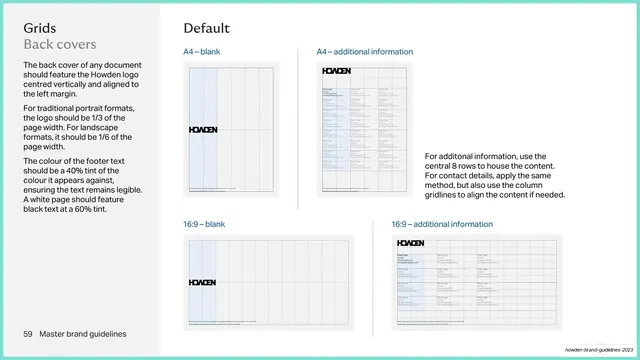 Back cover layouts for A4 and 16x9
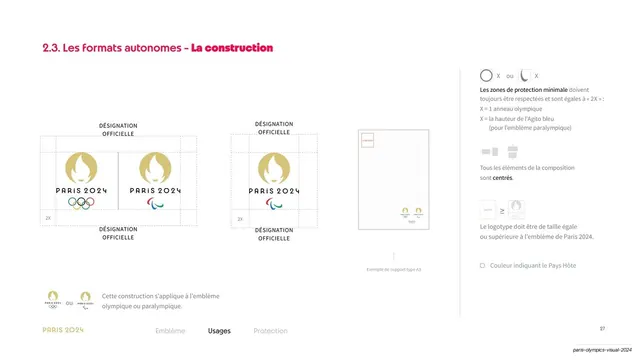 Standalone emblem construction with poster example
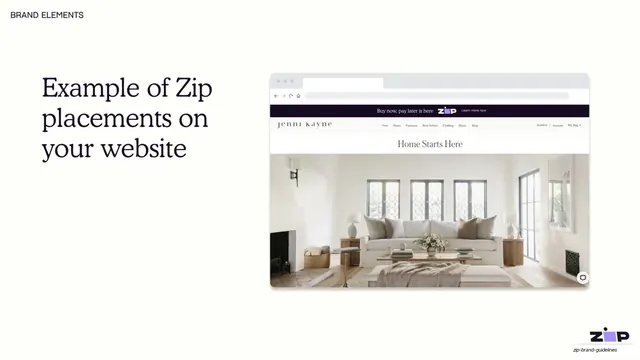 Homepage banner placement example
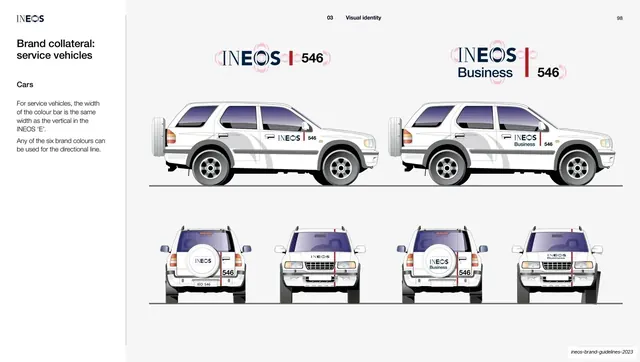 Service car livery across views
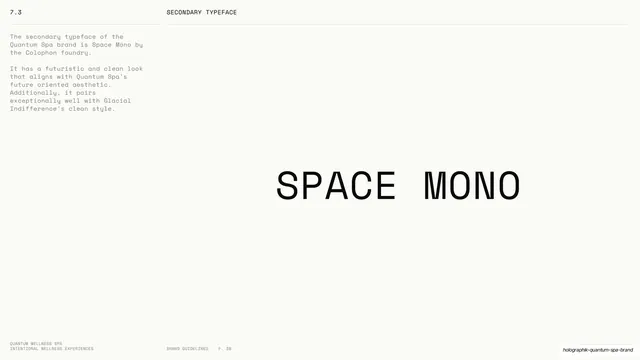 Secondary typeface monospace name specimen
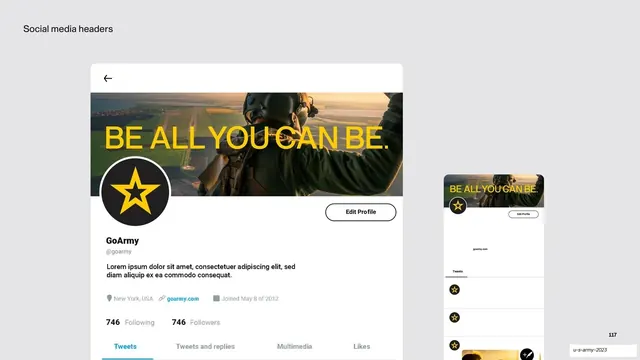 Social profile header mockup at two widths
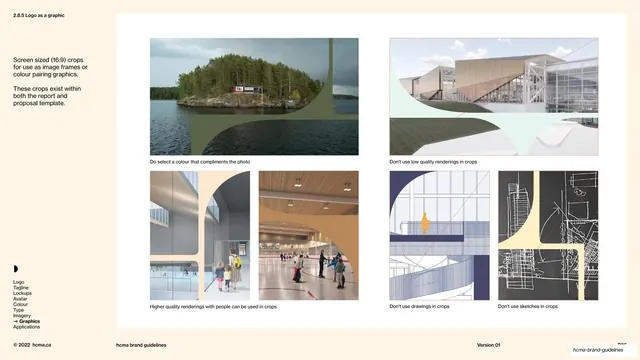 Logo as a graphic crop dos and donts