Z11 Fancy web feed entry anatomy
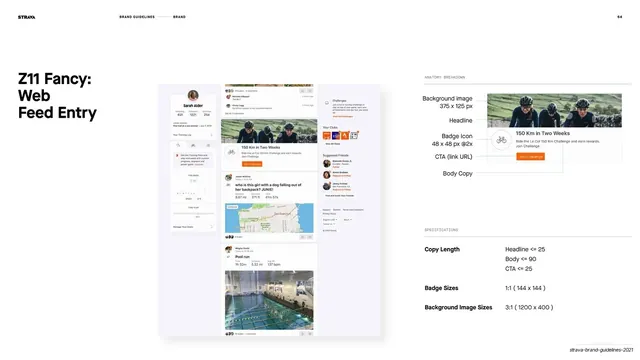
Anatomy and spec for the Z11 Fancy web feed card, shown inside a three-column desktop feed with sidebar and profile column.
Summary
Anatomy and spec for the Z11 Fancy web feed card, shown inside a three-column desktop feed with sidebar and profile column.
Visual description
The centre shows a wide desktop screenshot on a pale lavender-grey canvas. A profile card and training widgets sit on the left, the feed runs through the middle with the Fancy entry near the top, and a clubs and suggested friends column sits on the right. The Fancy entry has a photo banner, a circular badge, a headline, body copy and an orange "Join Challenge" button. The right side has an anatomy diagram calling out background image, headline, badge icon, CTA link and body copy, plus a specification list for copy length, badge size and background ratio. Small monospace labels mark each part.
Key takeaway
The web version keeps the mobile anatomy but adds a visible CTA, so the card works as a standalone call to action. The stated 3:1 background ratio tells designers how to crop an image for the wider web card.
Reuse notes
Use for promoted modules inside a web dashboard or feed. The desktop context makes the card's relative size clear, which helps when reviewing density. The pixel values belong to this product's layout, so treat them as a starting point.
More like this
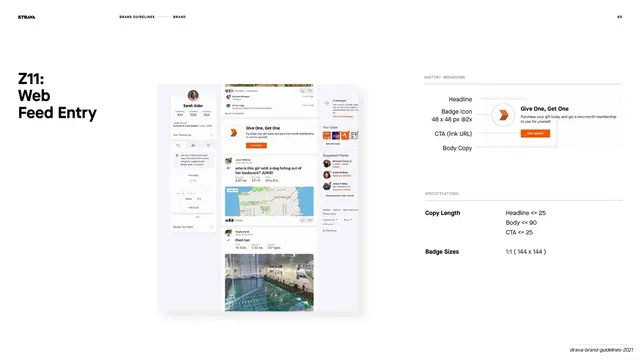 Z11 simple web feed entry anatomy
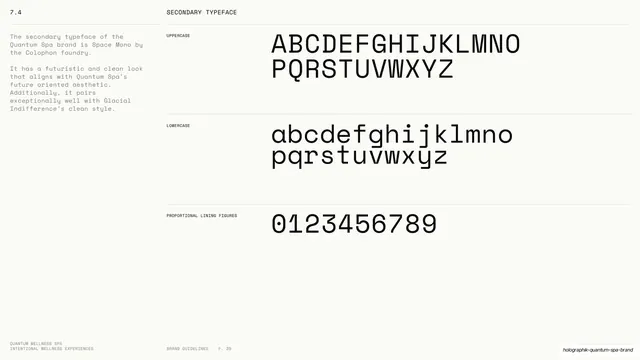 Secondary typeface monospace character set rows
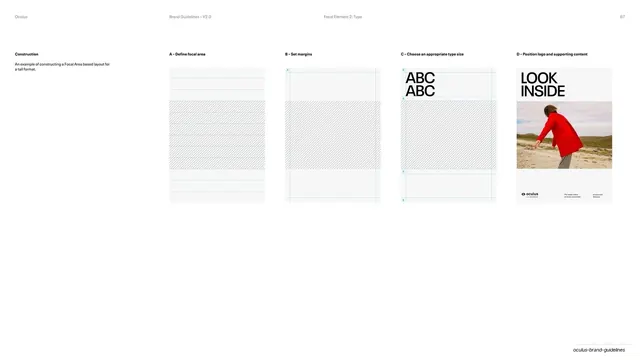 Tall format focal area construction steps
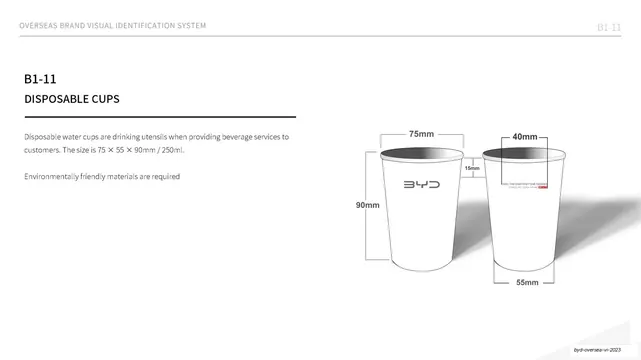 Disposable water cups specification
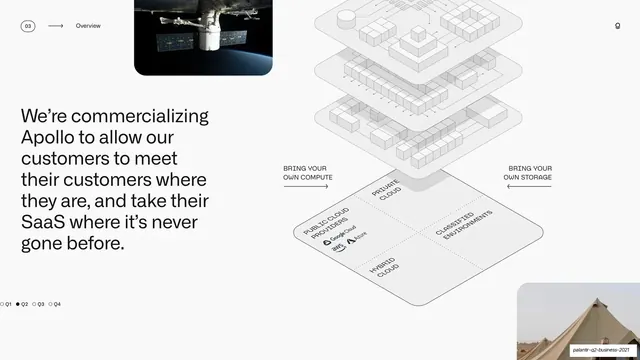 Apollo deployment isometric layers diagram
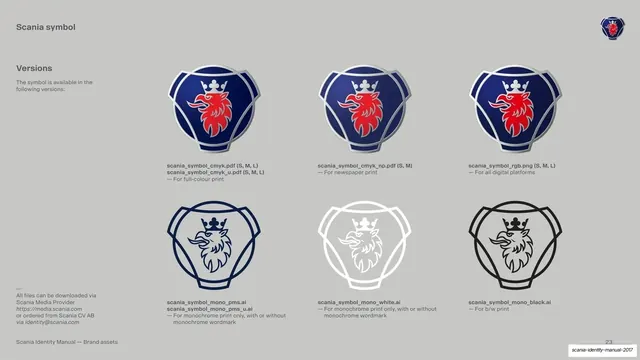 Symbol file versions grid
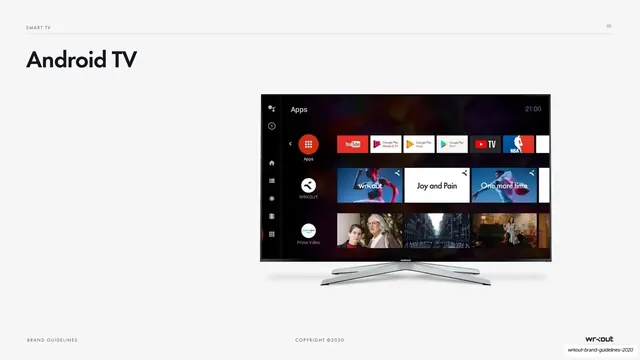 WRKOUT in the Android TV app row
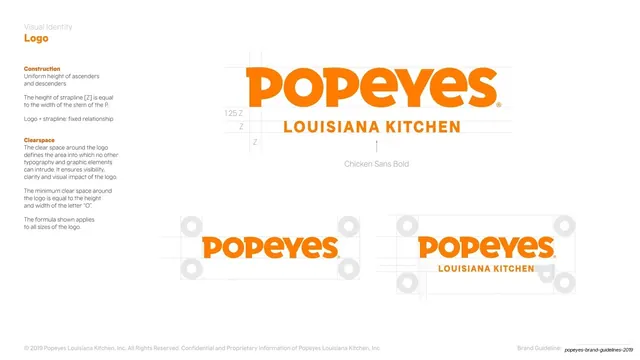 Logo construction and clear space diagram
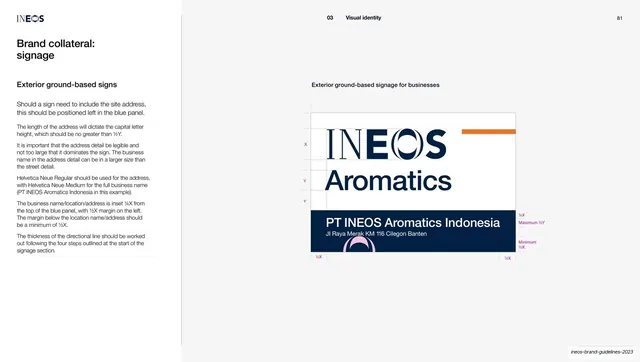 Exterior sign address placement guideline
 Logotype usage on light panel
 Primary logo on light panel
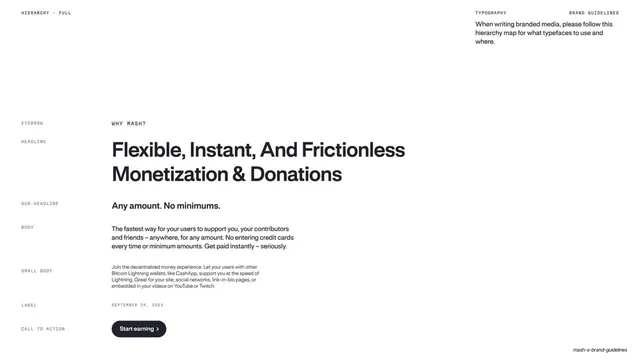 Mash type hierarchy full specimen
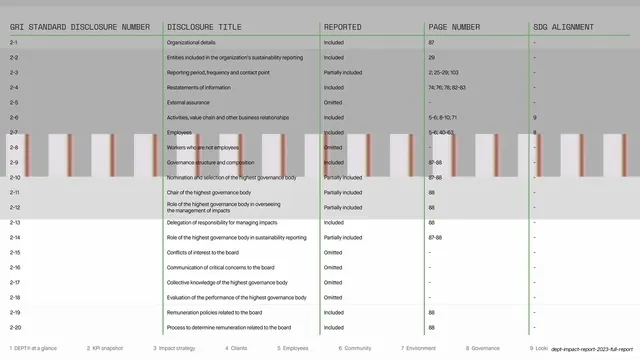 GRI disclosure index table, opening rows
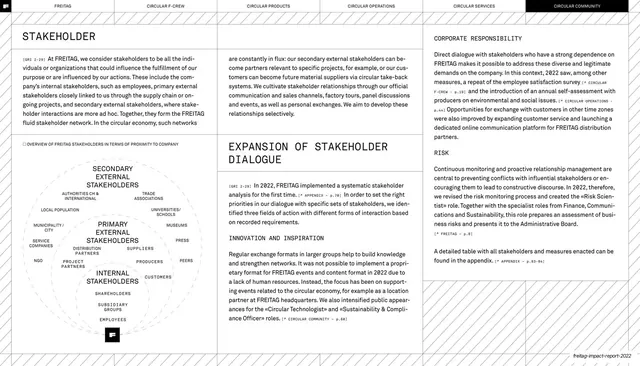 Expansion of stakeholder dialogue
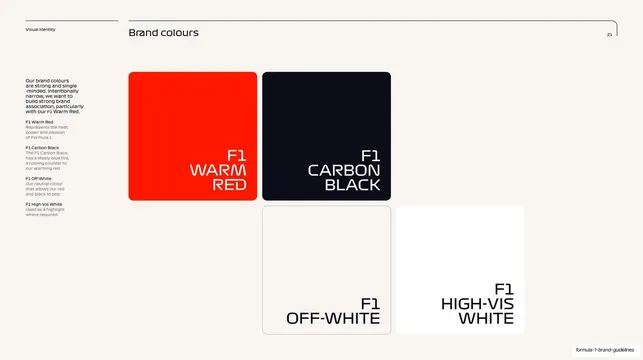 F1 brand colours swatch page
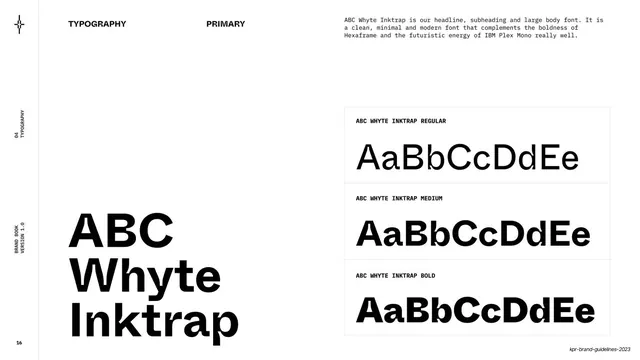 Primary typeface - ABC Whyte Inktrap
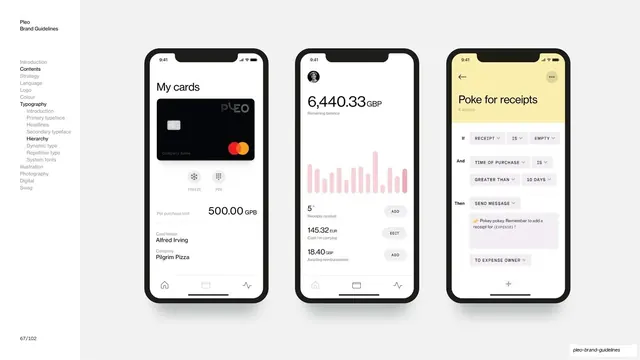 Three phone screens showing product scale
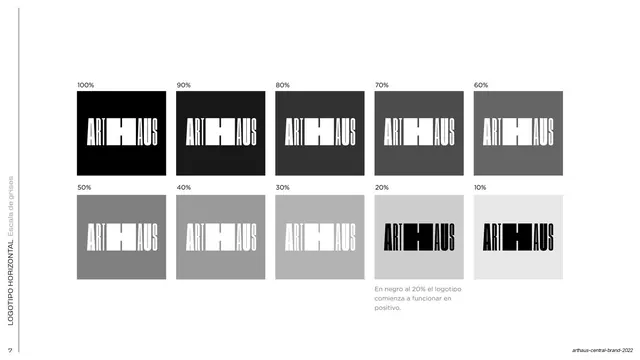 Horizontal logotype grayscale scale
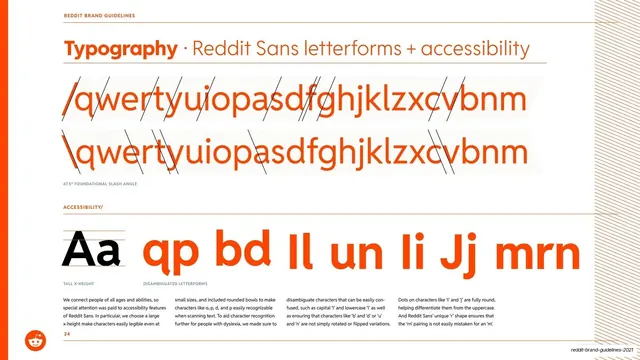 Letterforms and accessibility notes
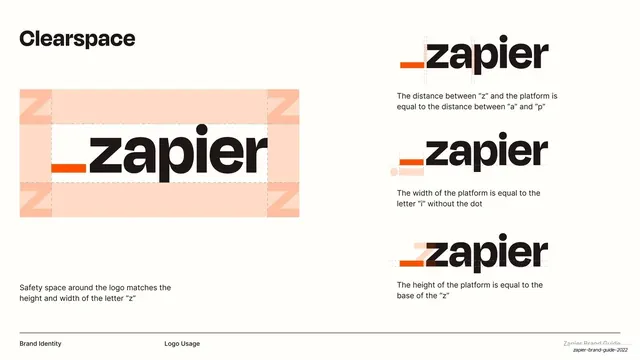 Clearspace construction diagram for logo
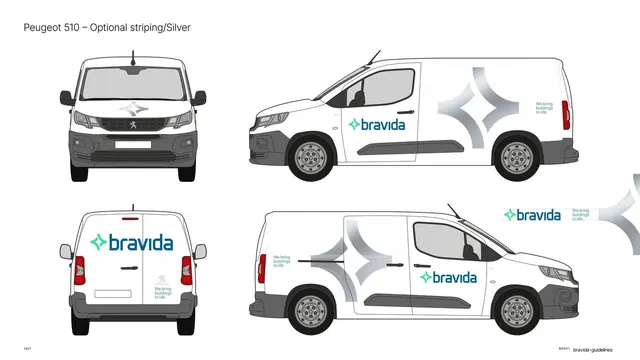 Peugeot van optional silver striping
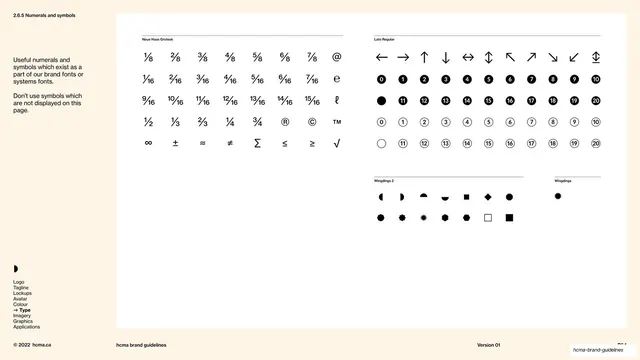 HCMA numerals and symbols
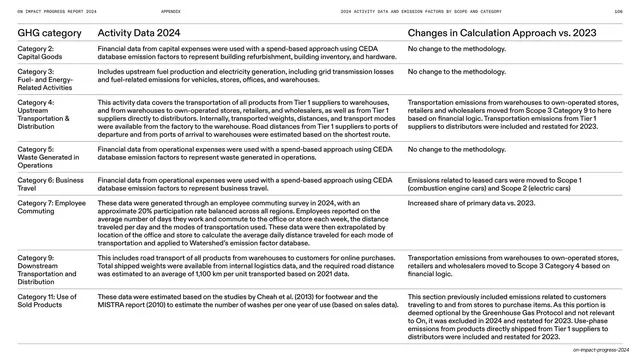 Activity data table continued, categories 2 to 11
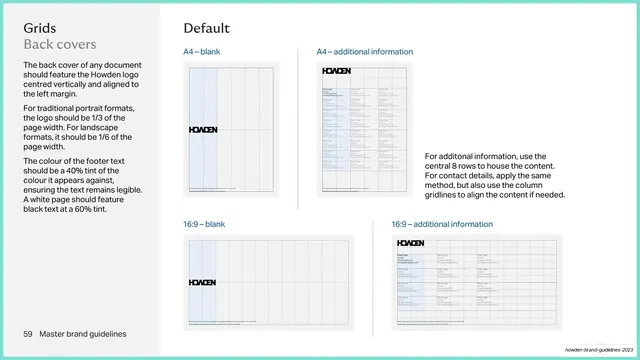 Back cover layouts for A4 and 16x9