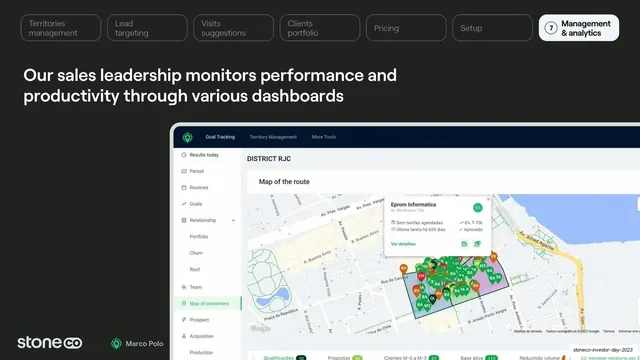
Route map with customer pop-up card
Dark slide with a headline above a dashboard screenshot of a street map with clustered customer pins, territory outlines and an open customer pop-up card.
Summary
A dark slide with a dashboard screenshot of a street map, where colored customer pins cluster inside outlined territories and a pop-up card shows one customer's details.
Visual description
The section pills and white headline sit at the top, with the screenshot cropped at the bottom right. The map fills the lower panel in a light, muted base style with parks and water in soft colors. Green, red and purple pins sit in dense clusters within two outlined territory polygons, each labeled with a short code. A white pop-up card floats above the cluster, with a customer name, an address, a status line, a metric and two small icon buttons. A bottom tab row lists count chips for each filter.
Key takeaway
A floating pop-up card anchors detail to a single pin without leaving the map. Pins are colored by status, so a manager can scan the cluster before opening any card.
Reuse notes
Use this as a reference for any map-based account view with a detail card. Dense pin clusters need a clear legend and a pop-up that does not hide the neighbouring pins. Map tiles are third-party imagery, so note the attribution when reusing the layout.
More like this
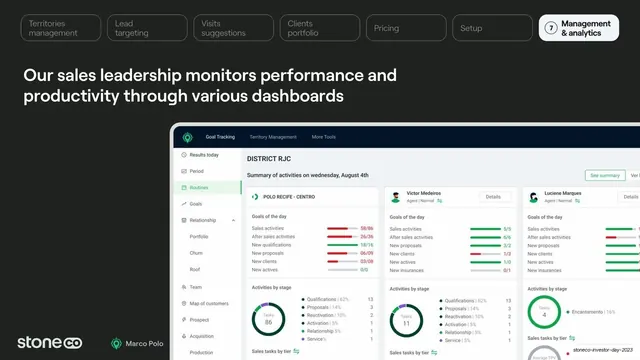 Sales leader goals and activities dashboard
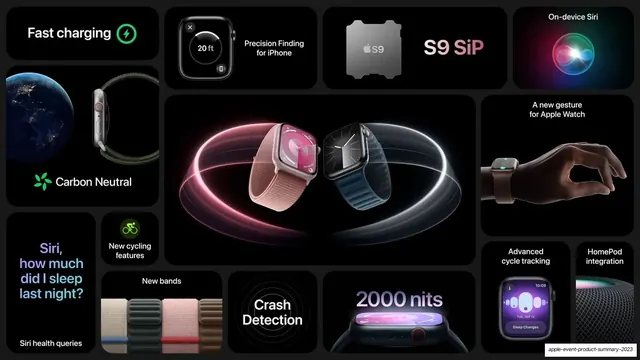 Apple Watch Series 9 feature bento (dark)
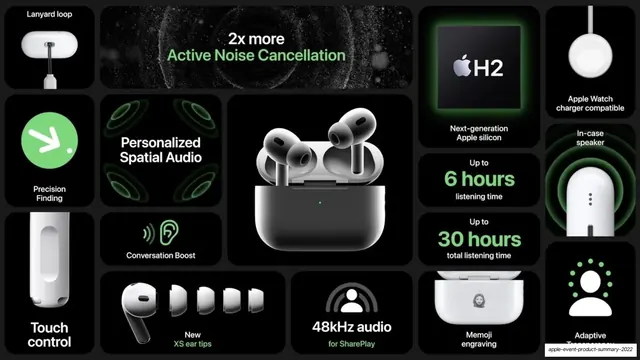 Apple Event Product Summary 2022
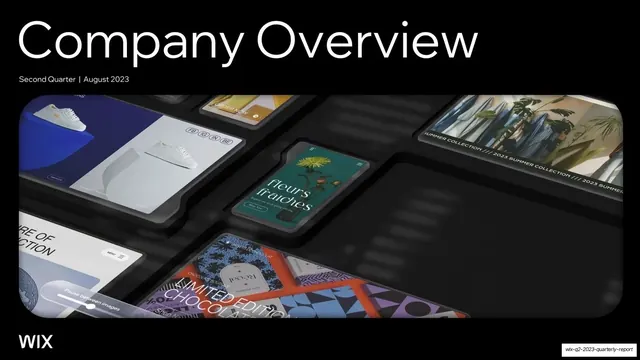 Wix Q2 2023 Quarterly Earnings Report
 Palantir Q1 2023 Business Update
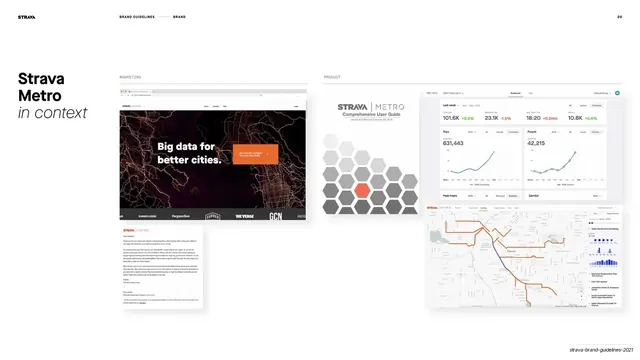 Metro in web, document, and dashboard
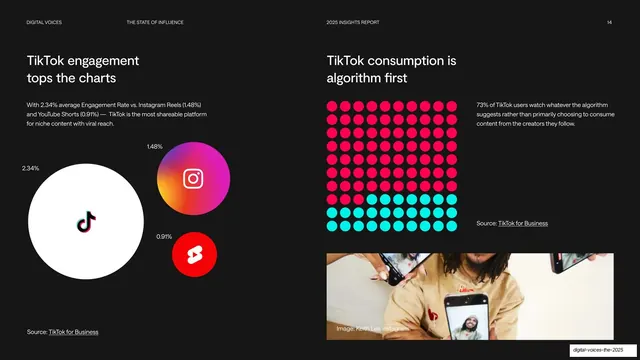 TikTok engagement and algorithm-first
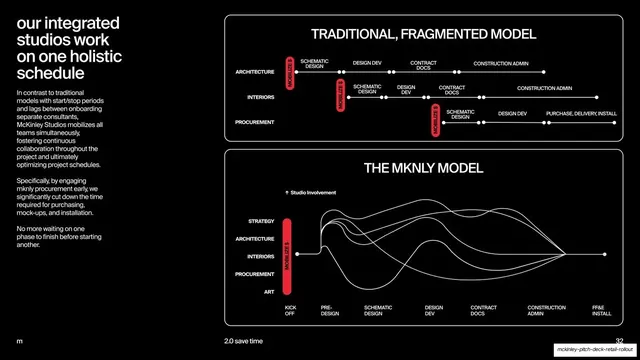 Fragmented vs mknly model timeline diagram
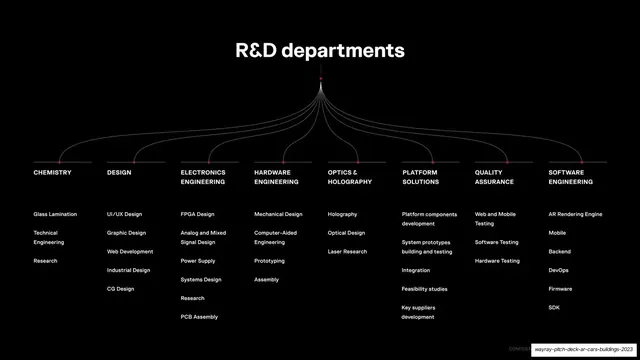 R&D departments fan diagram
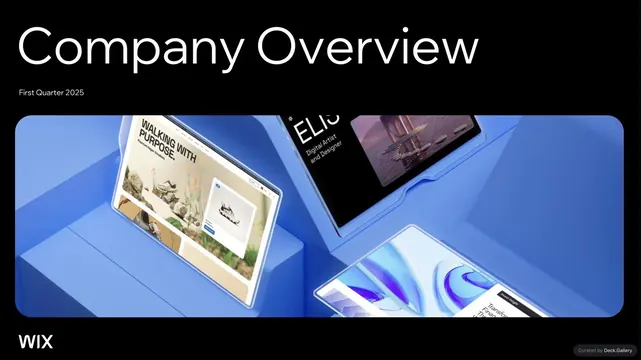 Wix Company Overview Q1 2025
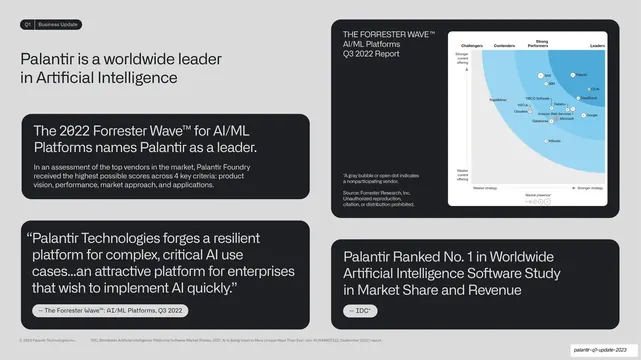 AI leadership proof points
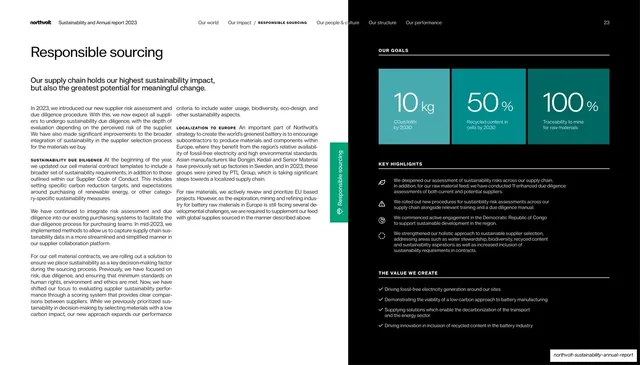 Responsible sourcing goals and highlights
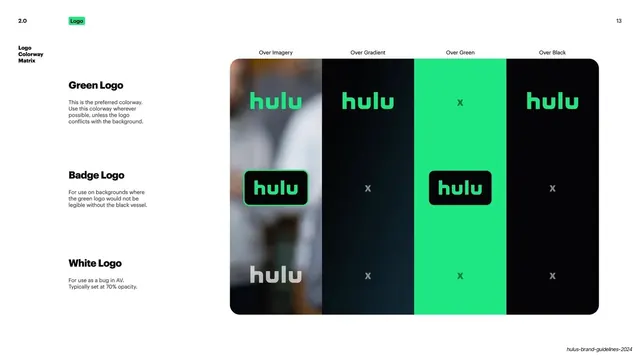 Logo colorway matrix
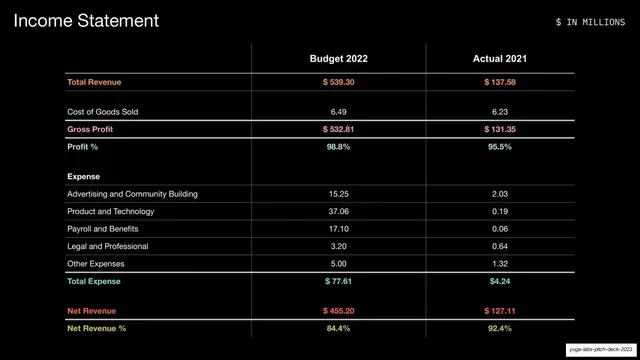 Income statement table
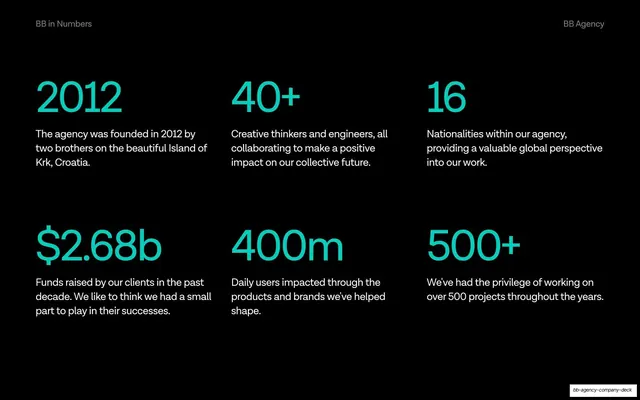 BB in Numbers stat grid
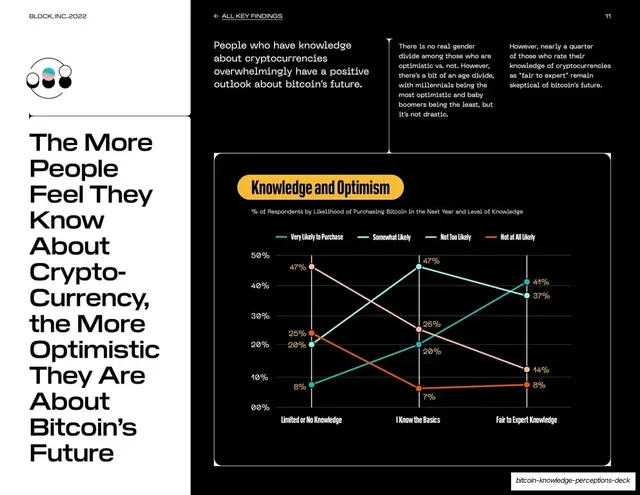 Knowledge and optimism, line chart
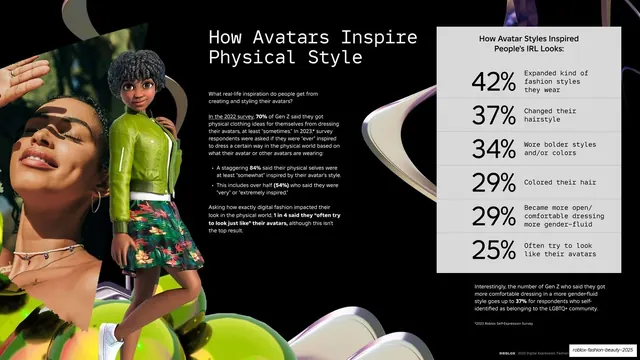 Black stat panel slide with photo and percentage list
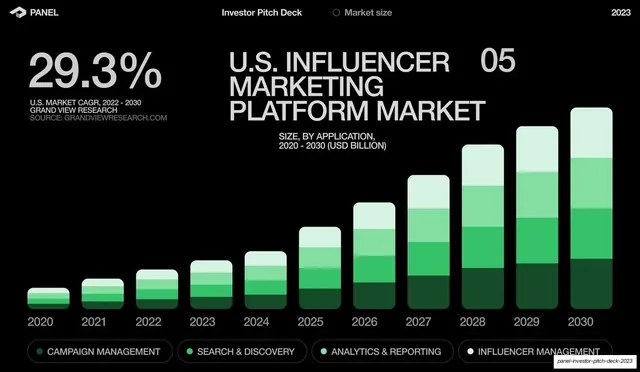 Market size growth chart
 Docusign Brand Identity Guidelines 2024
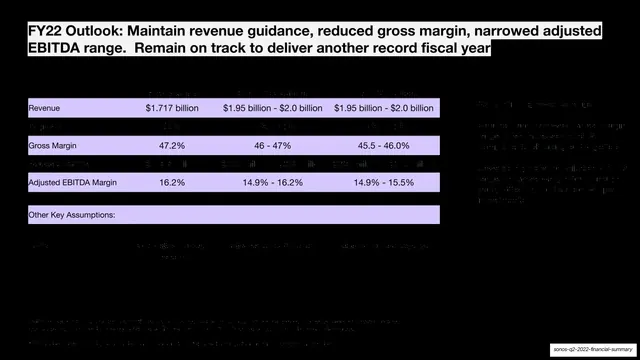 FY22 Outlook guidance table
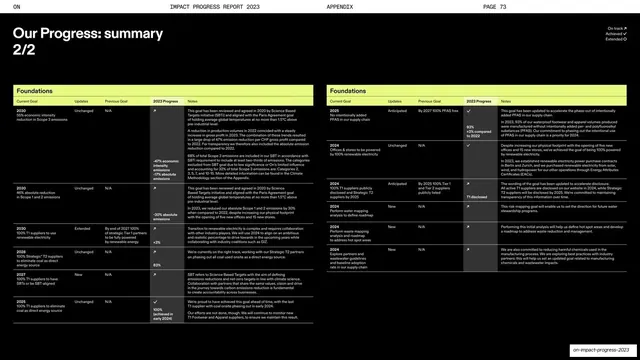 Progress summary tables for foundations goals
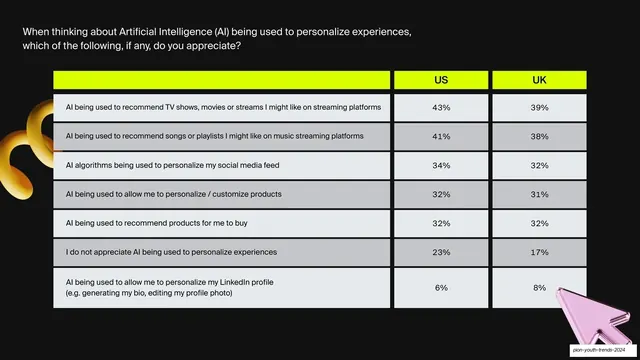 Survey table of AI personalization preferences
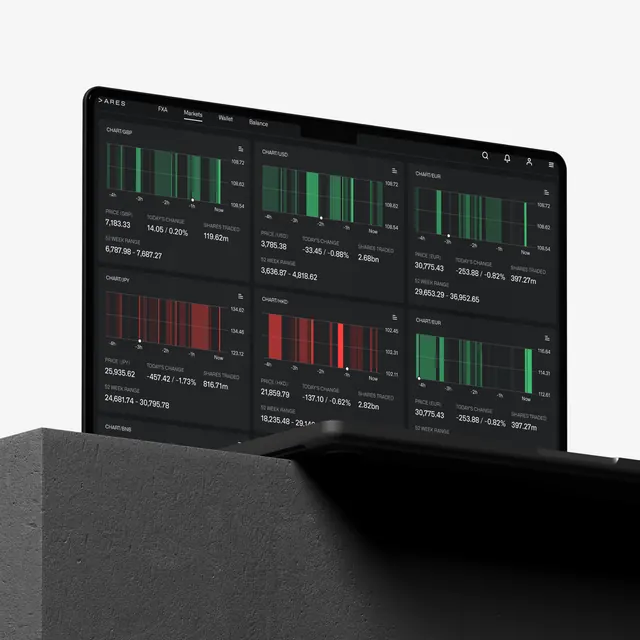 Data Dashboard Interface
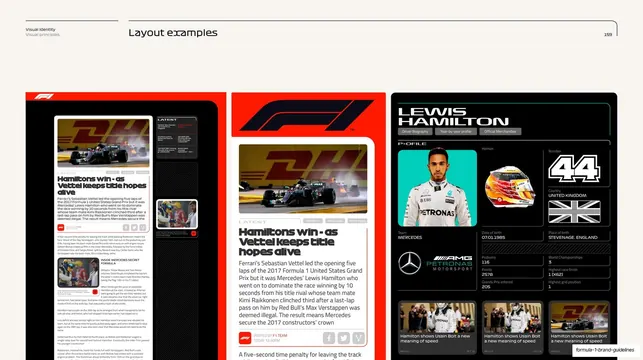 Layout examples applied templates