Territory metrics product screenshot
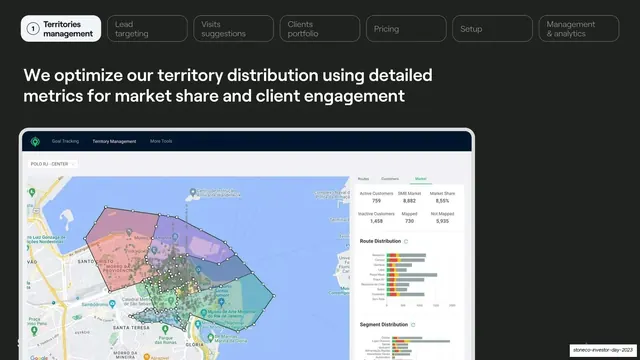
A product screenshot of the territory management view, with a route map and side panel, under a two-line headline about using detailed metrics.
Summary
A product screenshot of the territory management view, with a route map and a side panel of charts, under a two-line headline about detailed metrics.
Visual description
Near-black background with the same seven-pill navigation row at top, and Territories management active. A two-line white headline reads "We optimize our territory distribution using detailed metrics for market share and client engagement." Below it sits a rounded browser-style screenshot cropped at the bottom edge. On the left, a city map shows translucent colored territory polygons and small dots. On the right, a white side panel has tabs for Routes, Customers and Market, with a route distribution bar chart.
Key takeaway
Showing the real interface, cropped at the edge, puts the product in front of the audience instead of describing it. The stacked bars in the side panel show the data behind the map at a glance.
Reuse notes
Strong pattern for proving a product claim with real UI. The screenshot is cropped at the bottom and the map carries third-party labels, so trim the frame and check licensing before reuse.
More like this
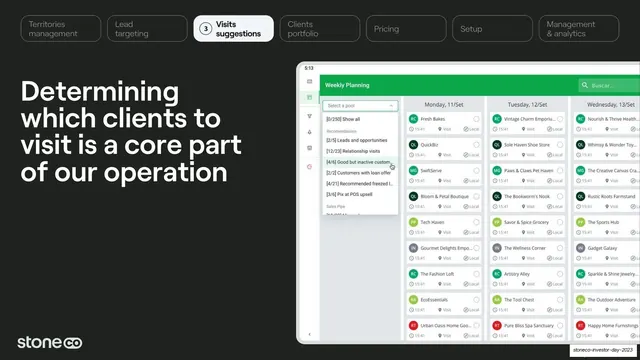 Visit suggestions pool dropdown expanded
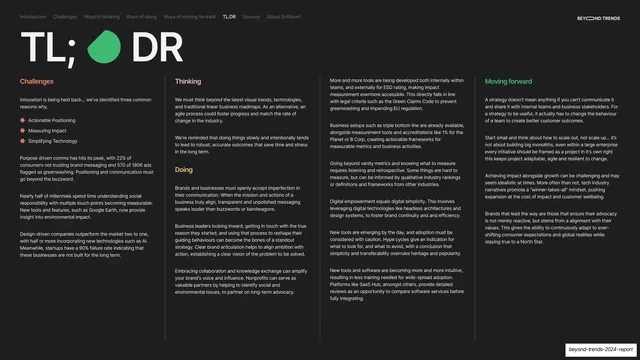 TL;DR four-column recap
 Black stat panel slide with photo and percentage list
 Palantir Q1 2023 Business Update
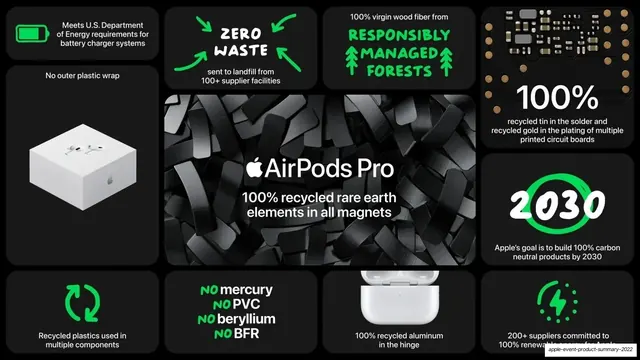 AirPods Pro sustainability bento (dark)
 Logo colorway matrix
 Emerging influencers growth ranking on dark
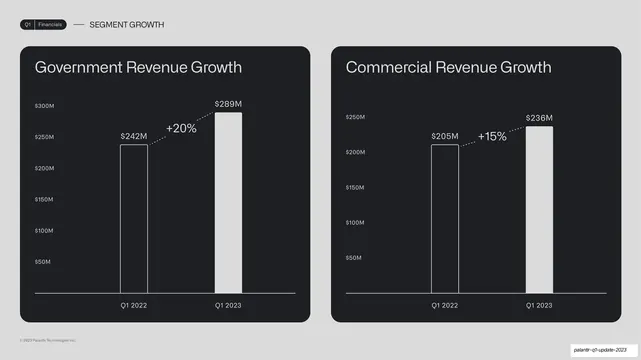 Global government vs commercial revenue two-up
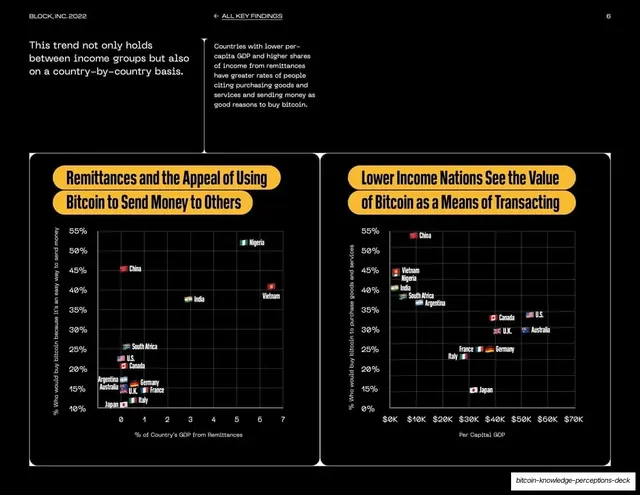 Remittances and transacting, twin scatter plots
 What We Do services matrix
 Why Dev Mode feature with version history
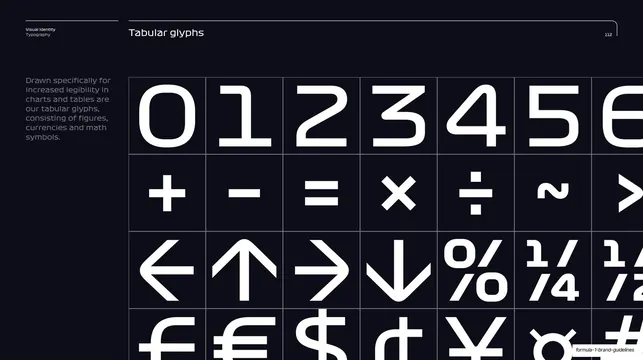 F1 tabular glyphs grid
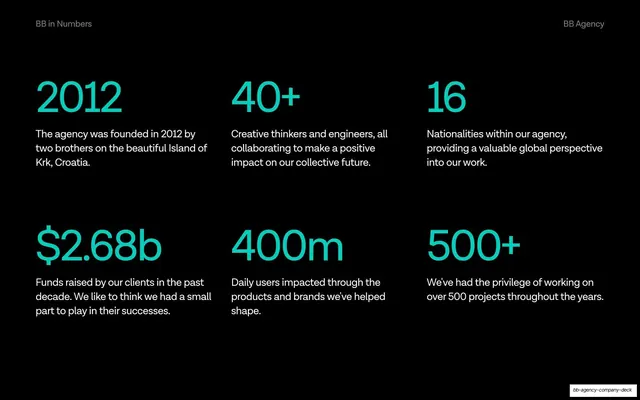 BB in Numbers stat grid
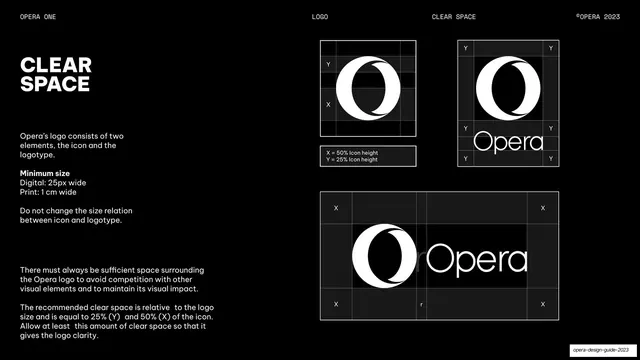 Logo clear space and minimum size
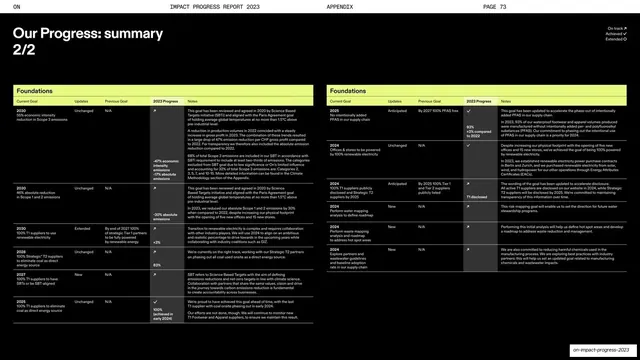 Progress summary tables for foundations goals
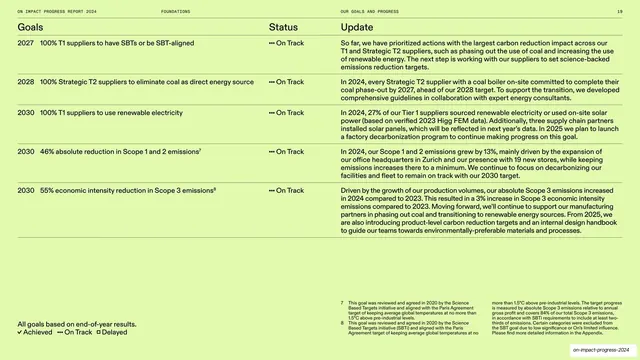 On-track goals table on black
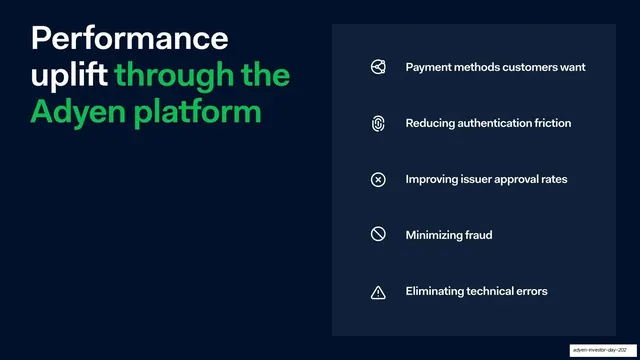 Performance uplift five-point list panel
 Private Life article spread
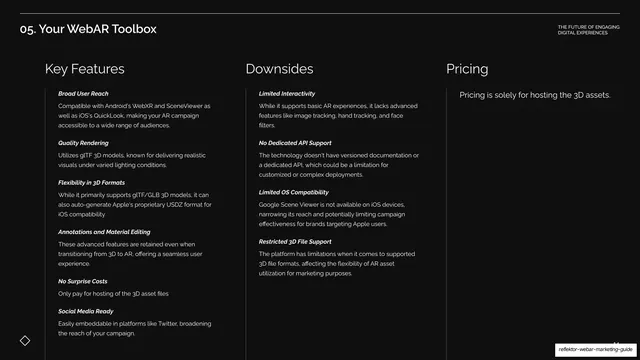 Model Viewer features, downsides, pricing
 Market size growth chart
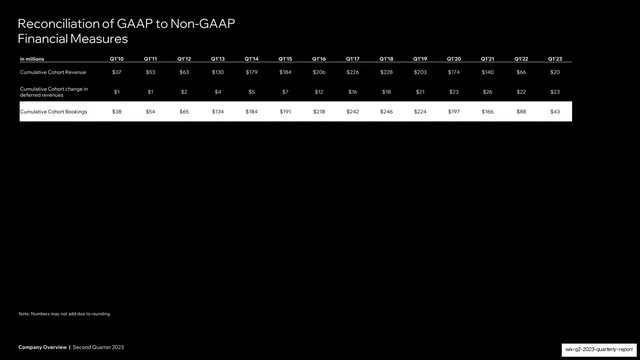 GAAP to Non-GAAP reconciliation table (cumulative cohort)
 FAQs page - questions continued
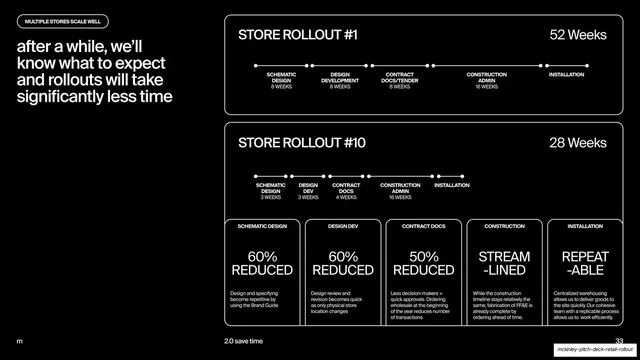 Store rollout 1 vs 10 timeline comparison
 Letter document print rules, two layouts