Visit suggestions pool dropdown expanded
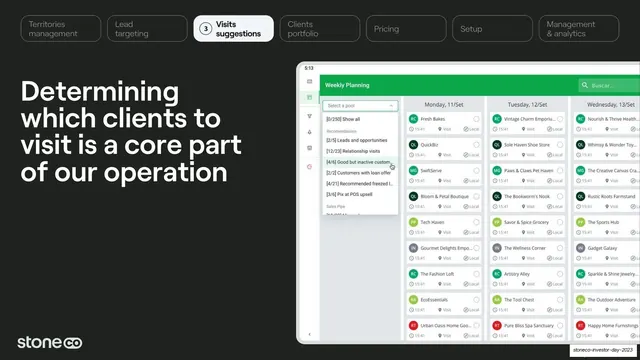
The planning headline stays fixed while the pool selector expands to show ranked recommendation groups with bracketed counts.
Summary
The same visit-planning headline now shows the pool selector opened, revealing a list of recommendation groups. It explains how the planning view is filtered.
Visual description
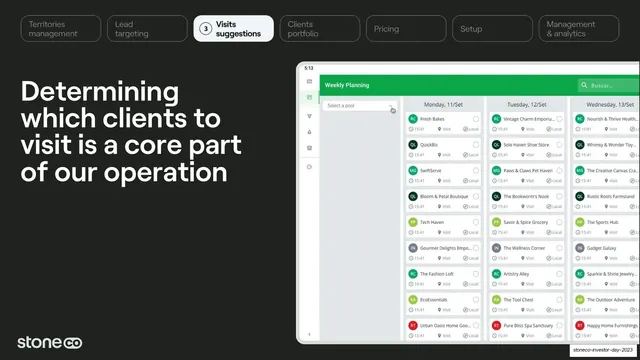
The headline and tab bar match the previous slide. On the planning board, the Select a pool field is expanded into a white panel with dark text. The panel lists Show all with a bracketed total, a Recommendations group with entries such as Leads and opportunities and Relationship visits, each with a bracketed count, and a partly visible Sales Pipe group below. The client columns behind it are unchanged, and the device still runs off the right edge.
Key takeaway
Showing the dropdown open exposes how recommendations are grouped, and the counts make the ranking tangible. Holding the headline steady across build steps makes the change read as a reveal.
Reuse notes
Good for a product walkthrough that moves from a closed state to an open filter. Repeat the same headline on consecutive build steps so the progression stays easy to follow.
More like this
 Visit planning problem statement with board
 Why Dev Mode feature with version history
 BB in Numbers stat grid
 Apple Event Product Summary 2022
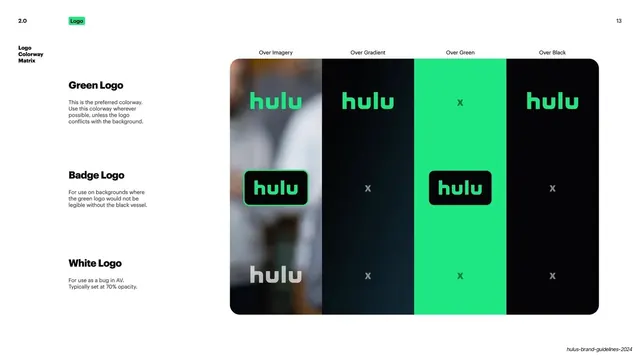 Logo colorway matrix
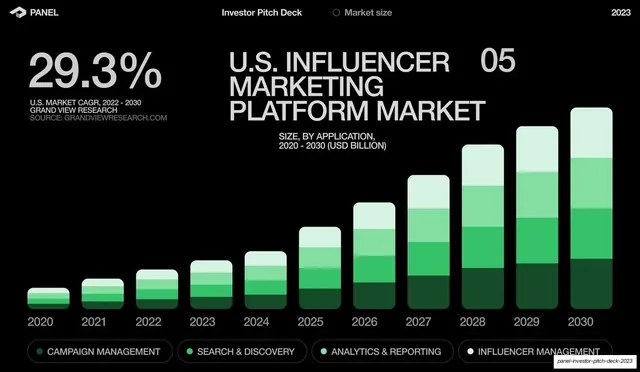 Market size growth chart
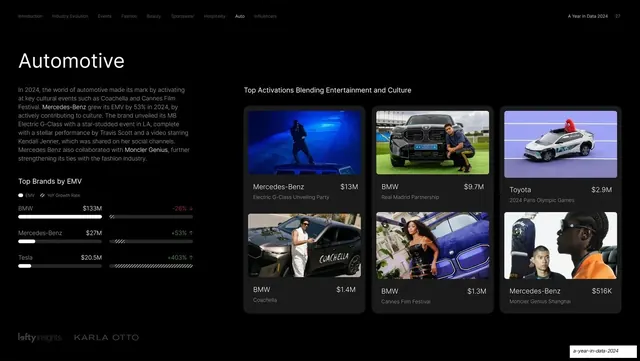 Automotive activations case study on black
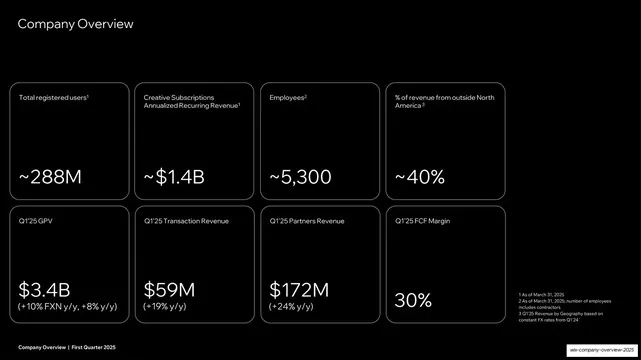 Key metrics grid of eight outlined tiles
 Block Bitcoin Knowledge and Perceptions Report
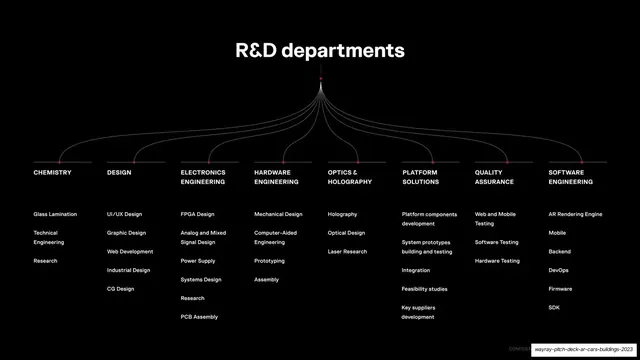 R&D departments fan diagram
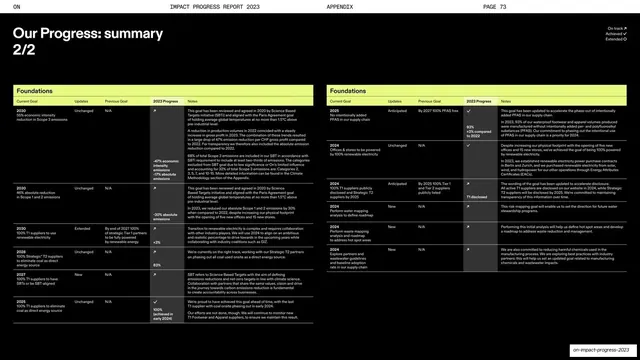 Progress summary tables for foundations goals
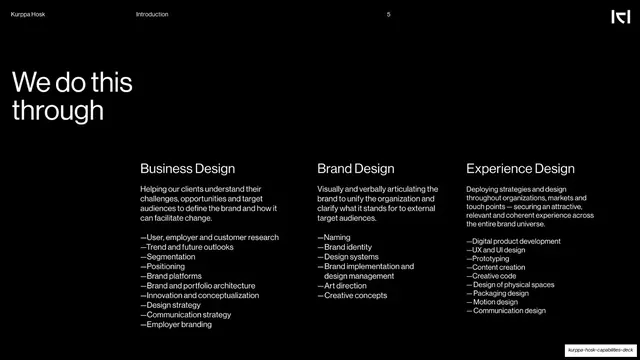 Three service pillars in parallel columns
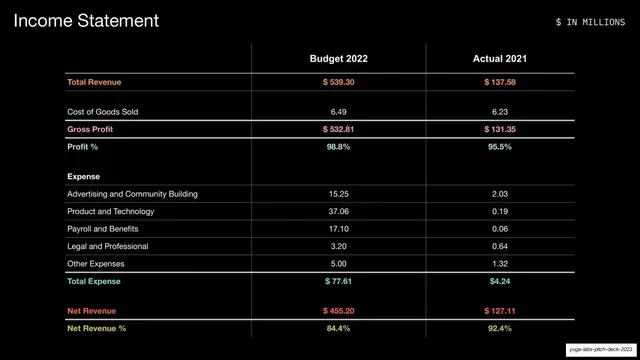 Income statement table
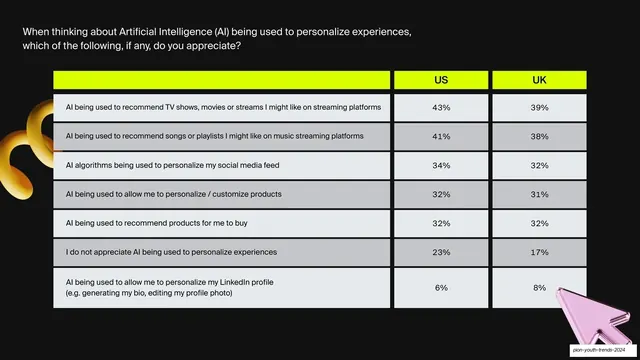 Survey table of AI personalization preferences
 The New York Times Investor Day 2022
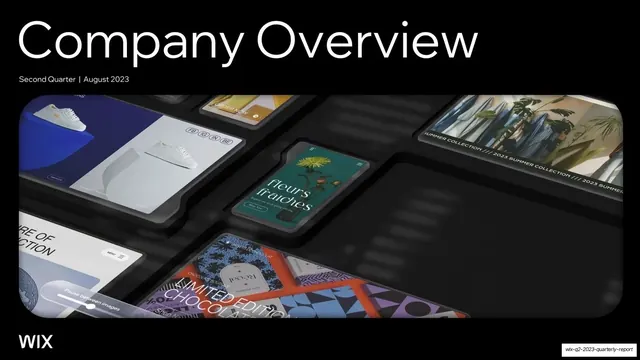 Wix Q2 2023 Quarterly Earnings Report
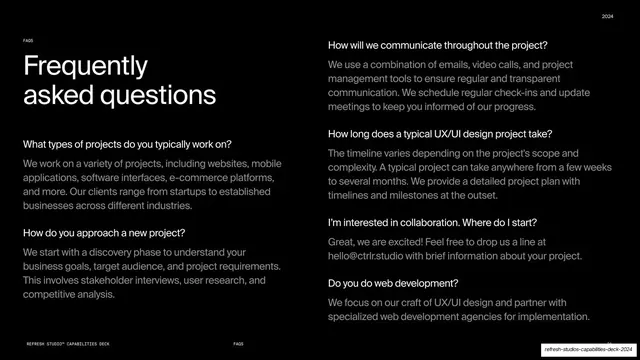 FAQs page - questions continued
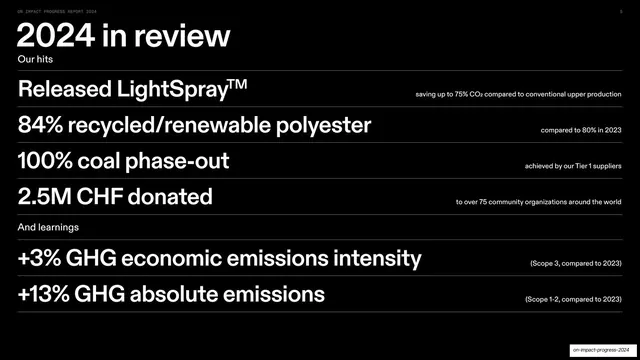 2024 in review, hits and learnings
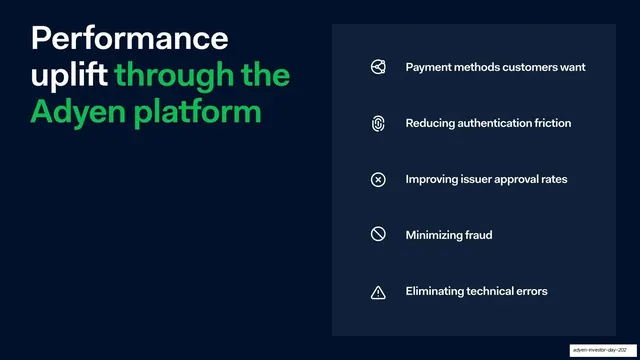 Performance uplift five-point list panel
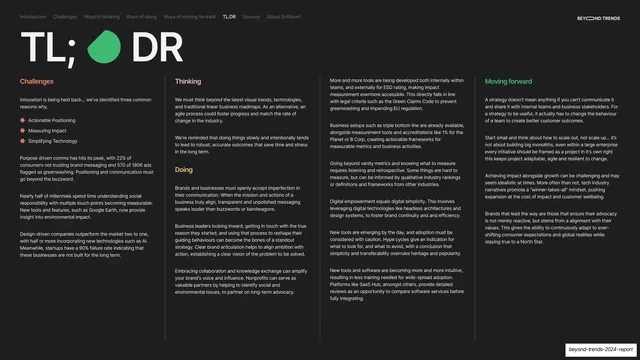 TL;DR four-column recap
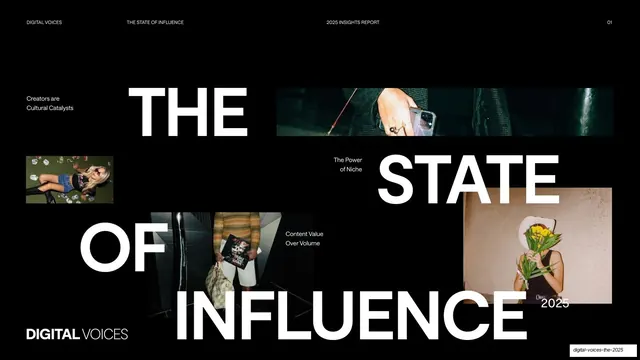 Digital Voices: The State of Influence 2025
 Palantir Q1 2023 Business Update
 Palantir Q1 2025 Investor Update
 WRKOUT Brand Guidelines 2020