Wide format focal area construction steps
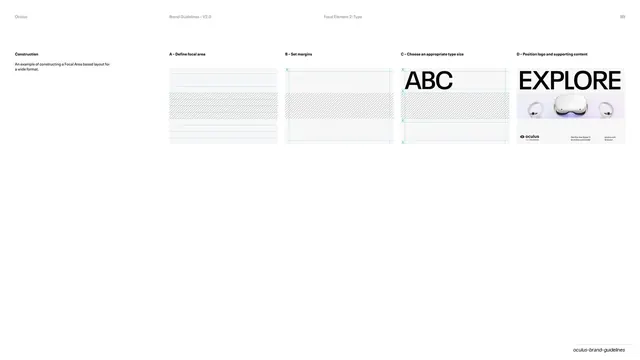
Four construction steps for a focal area on a wide format, ending with an EXPLORE banner that pairs a headline with a product band.
Summary
A four-step construction of a focal area for a wide format, ending with a banner. The banner stacks a large headline above a product band and a footer line.
Visual description
Four wide panels run left to right, labeled A Define focal area, B Set margins, C Choose an appropriate type size and D Position logo and supporting content. The first two show hatched horizontal bands with blue guides and X markers at the margins. The third places a large ABC in black sans-serif above the band. The final panel is a finished banner with EXPLORE across the top, a headset and two controllers on a pale lavender band in the middle, and the Oculus logo and small web copy along the bottom. A text block at left has the heading Construction.
Key takeaway
The horizontal focal band runs the full width, so the headline sits in one strip above and the product sits in the band below. Keeping the type to the top margin stops the banner from looking crowded.
Reuse notes
Use for wide formats such as web headers, event slots and cover images. The headline and product band pair well on a pale background. Check that the footer copy stays readable at the smallest size the banner will display.
More like this
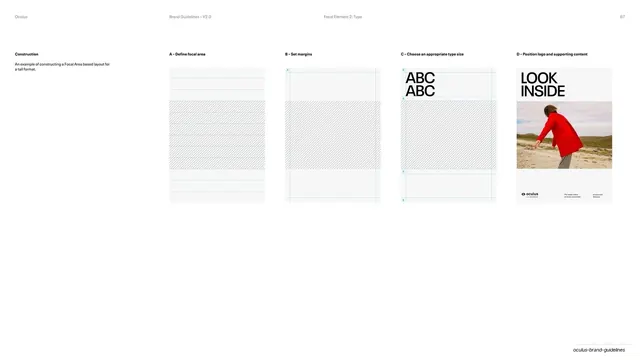 Tall format focal area construction steps
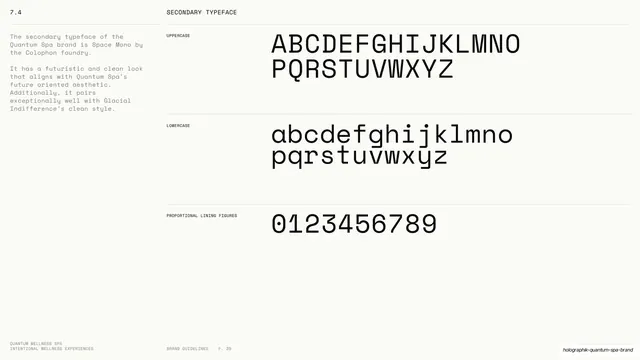 Secondary typeface monospace character set rows
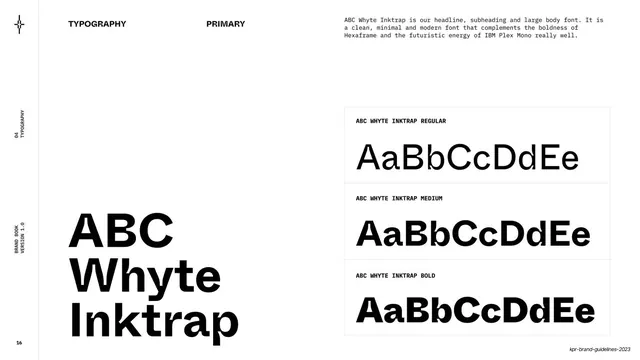 Primary typeface - ABC Whyte Inktrap
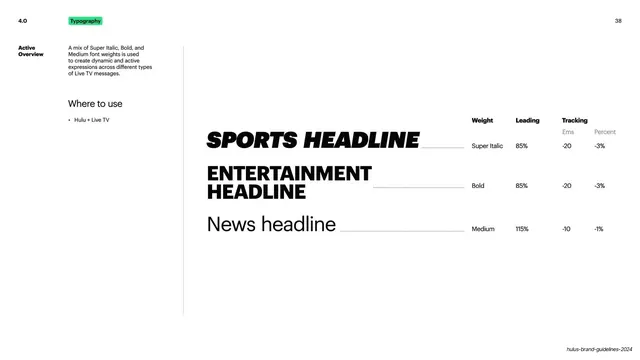 Hulu active typography weights
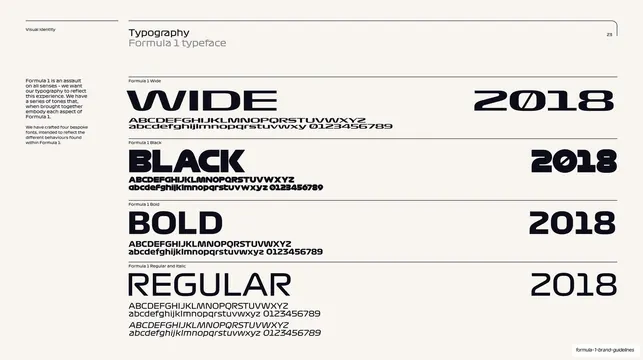 Formula 1 typeface weights specimen
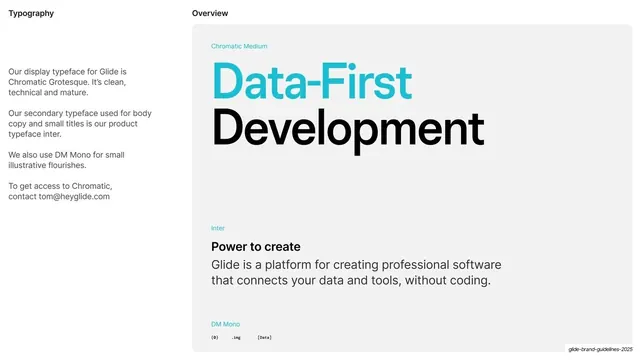 Typography overview specimen
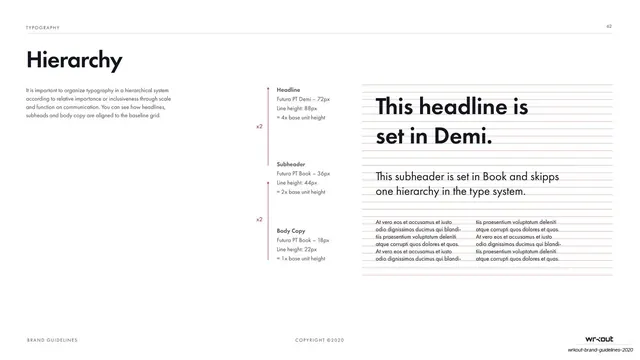 Baseline grid hierarchy with ruled lines
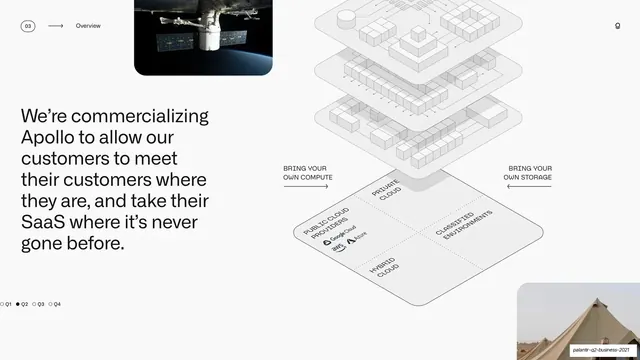 Apollo deployment isometric layers diagram
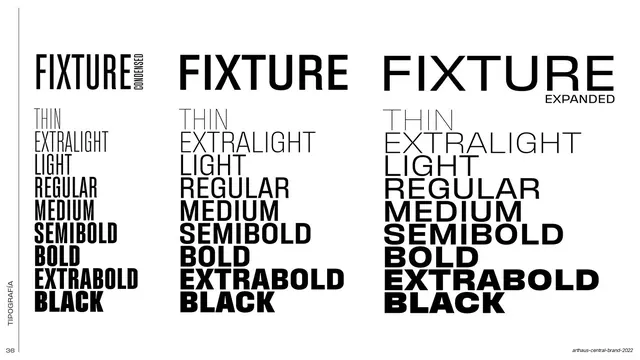 Fixture family weights across three widths
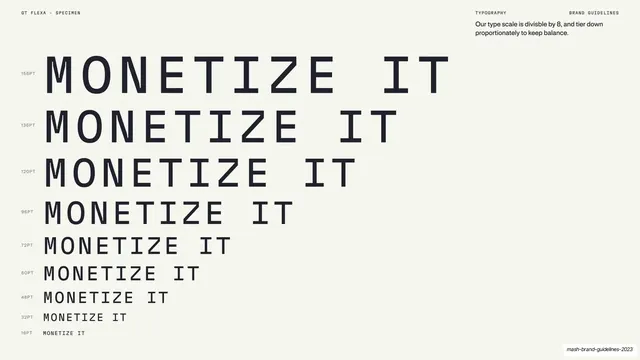 Mash GT Flexa type scale specimen
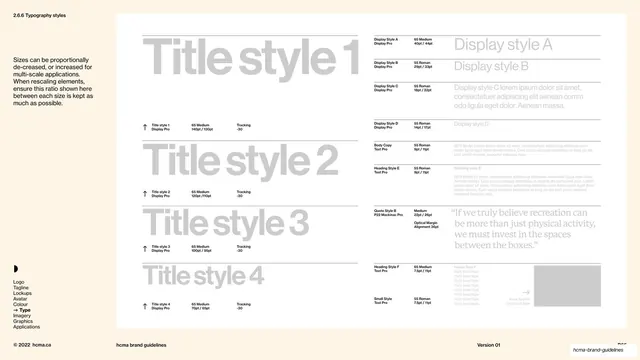 HCMA typography styles and hierarchy
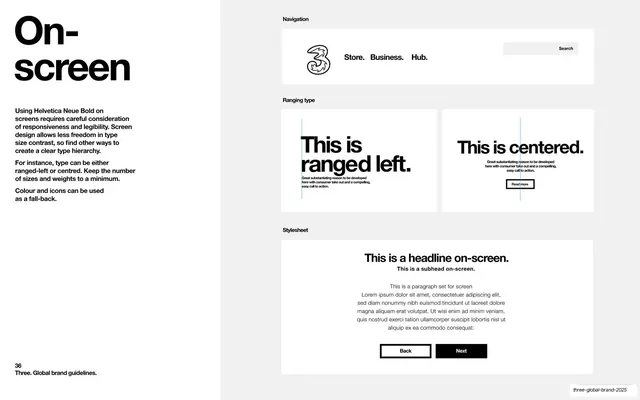 On-screen typography rules and stylesheet
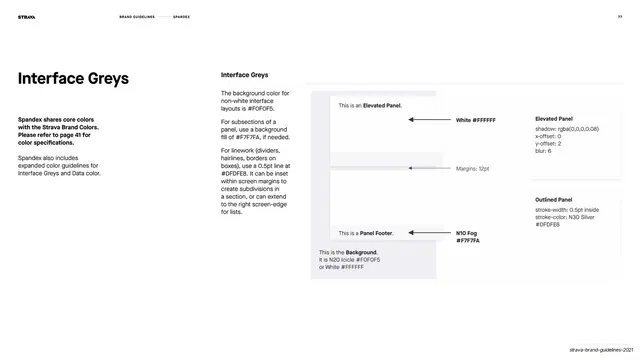 Interface greys and panel elevation
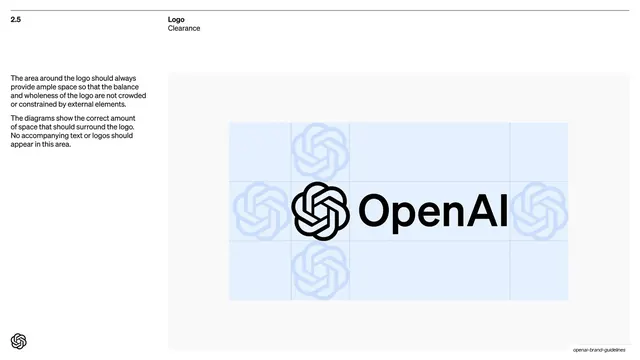 Logo clear space diagram
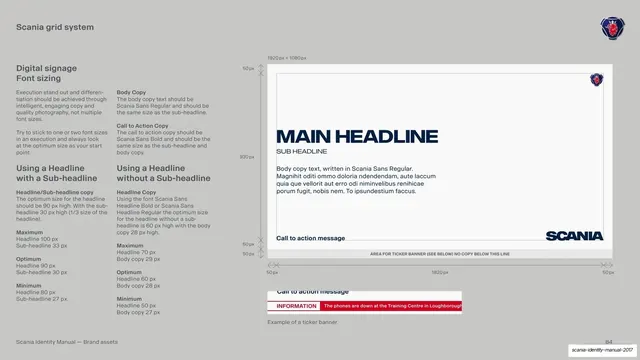 Digital signage font size specs
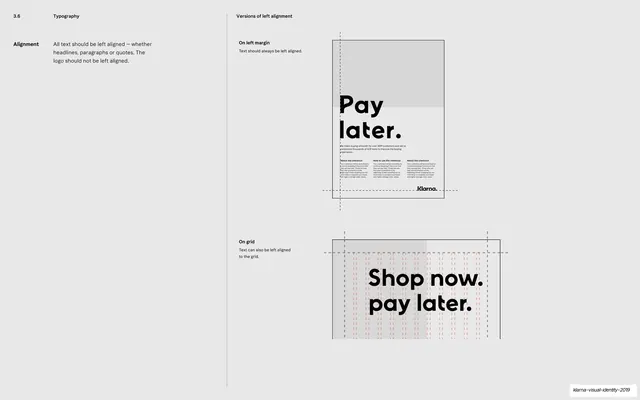 Left-aligned type with column guide overlay
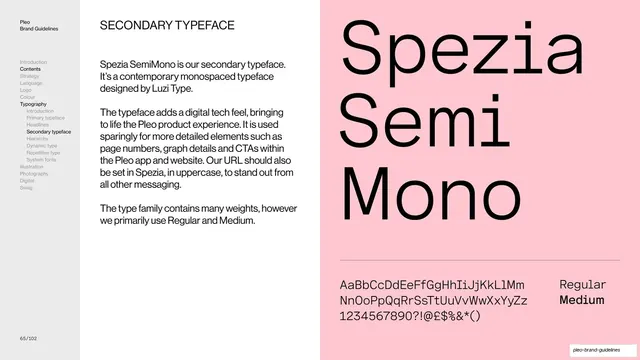 Secondary monospace typeface specimen
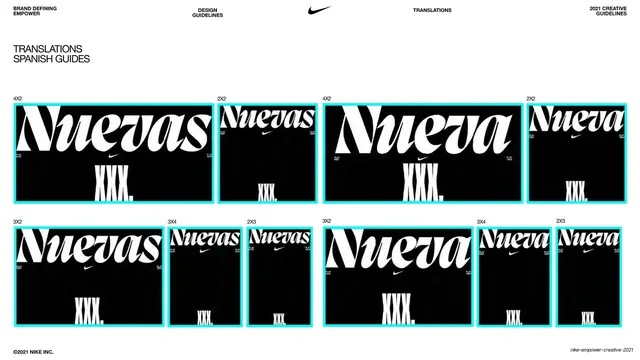 Spanish masthead guides
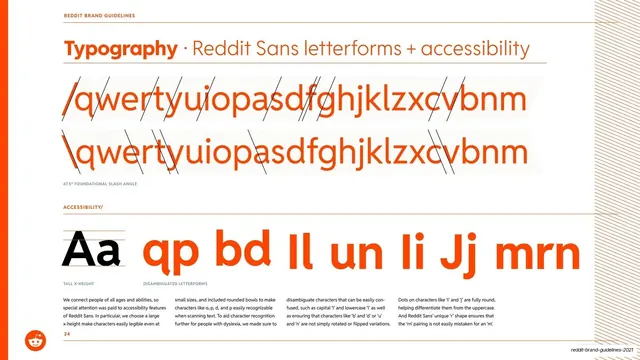 Letterforms and accessibility notes
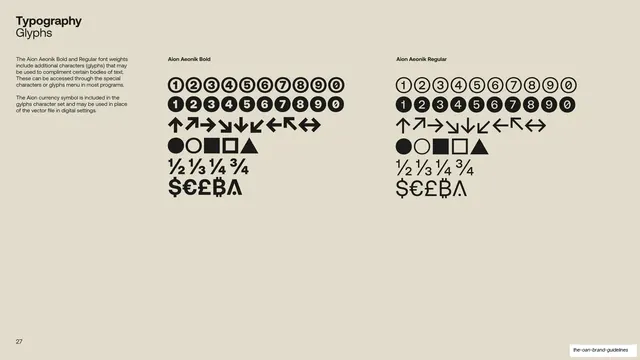 Aion Aeonik glyph set
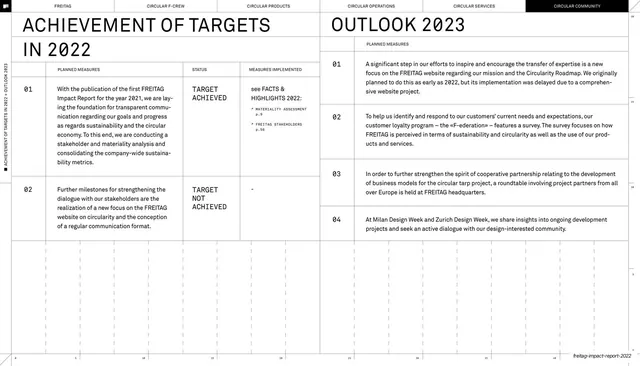 Achievement of targets 2022 and outlook 2023
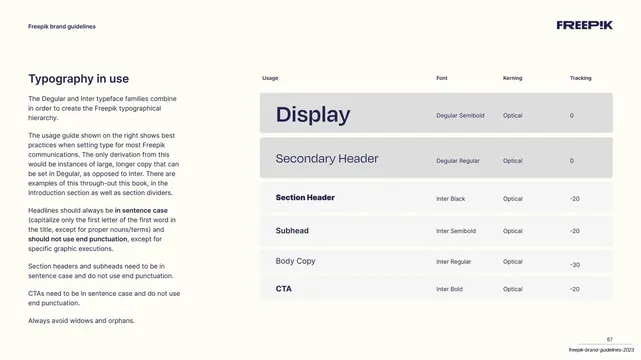 Typography in use usage table
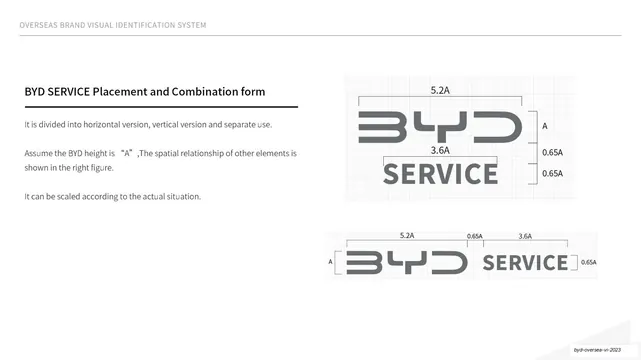 BYD SERVICE lockup proportion diagram
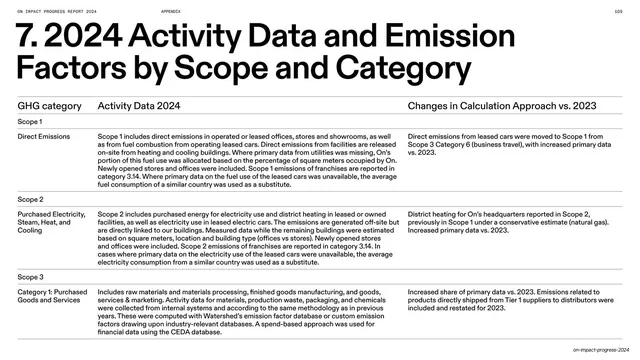 2024 activity data and emission factors table