First draft step with custom GPT cards
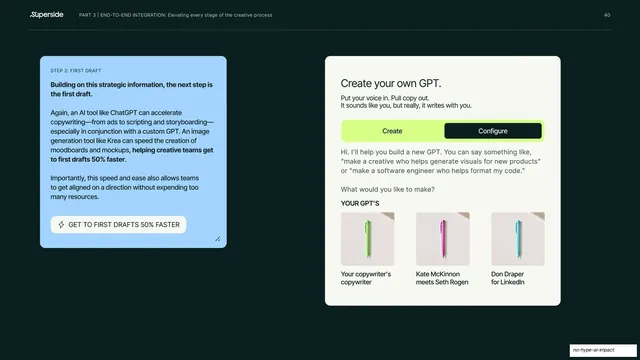
A dark slide with a light blue step card at left describing the first draft stage and a cream custom GPT panel with three pen photos at right.
Summary
A process slide for step two, first draft, showing how an AI writing tool and an image tool speed up early drafts. A custom GPT builder panel illustrates the setup.
Visual description
A near-black green background holds two cards side by side. The left card is pale blue with a small all-caps label, Step 2: First draft, a bold opening sentence and a paragraph of dark sans-serif copy. A pill button at its base reads Get to first drafts 50% faster, with a lightning icon. The right card is cream and titled Create your own GPT, with a lime Create and Configure tab switch, a short prompt line and three product-style photos of pens, each captioned with a playful GPT name.
Key takeaway
Pairing a text step with a product mock-up shows the tool in use, not just described. The pale blue card and cream panel separate the instruction from the example cleanly.
Reuse notes
Use for a process slide that needs an example of the tool's setup or output. The two-card layout suits any step that has both a method and a preview. The pen photos are generic product shots, so swap them for real outputs when the tool is shown.
More like this
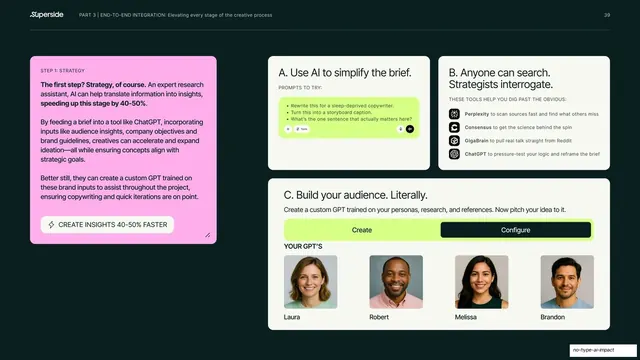 AI strategy tools and custom GPT cards
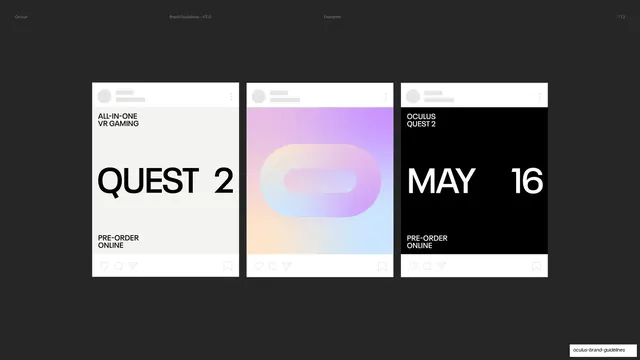 Instagram feed post mockups
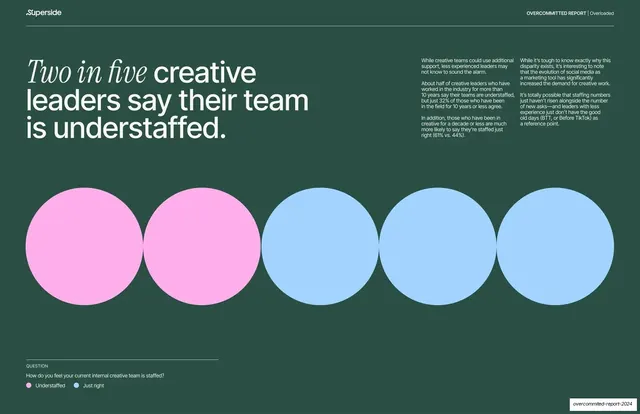 Understaffing pictogram with five equal circles
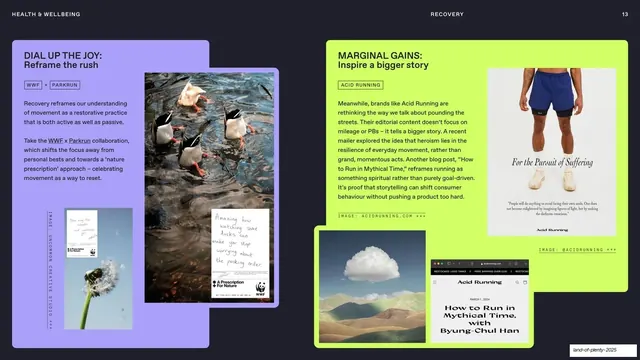 Lavender and lime case cards with photo collage
 Featured clients logo wall two
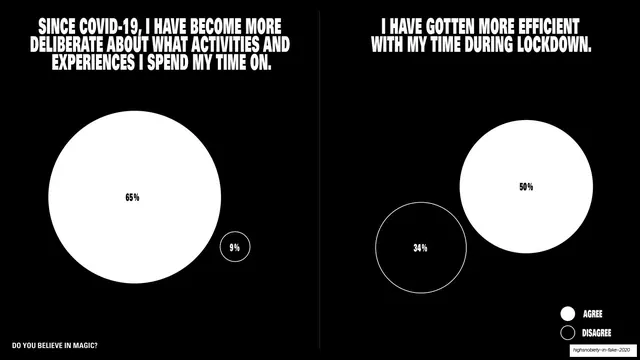 Deliberate and efficient bubble chart
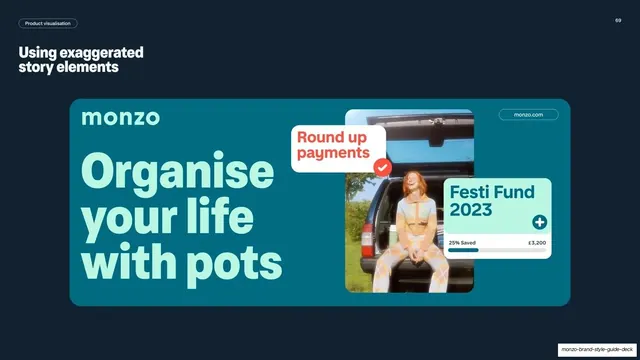 Monzo using exaggerated story elements teal
 Zip Brand Guidelines
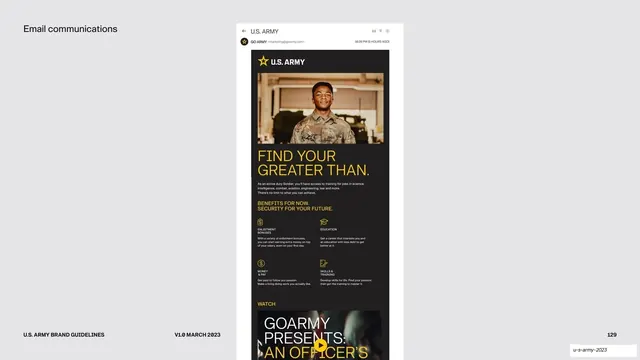 Benefits email template: Find Your Greater Than
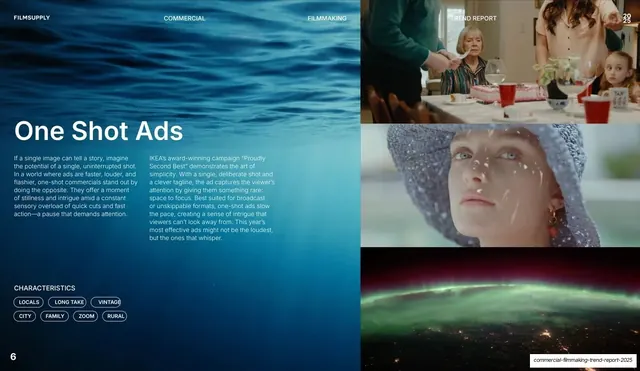 One Shot Ads trend
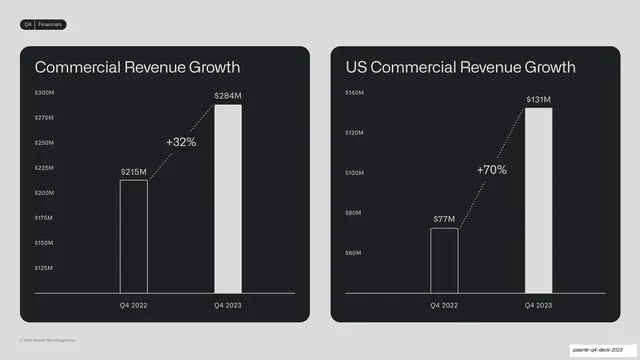 Commercial revenue paired bar charts
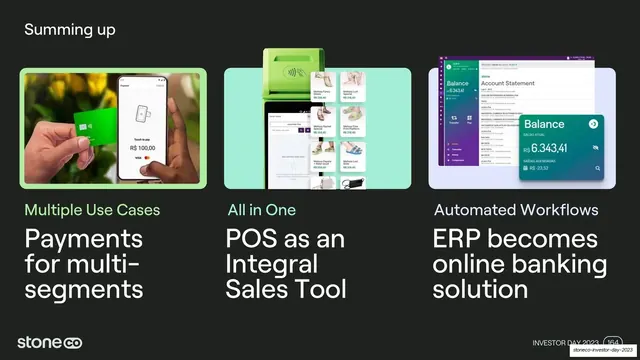 Three-column payments POS ERP recap
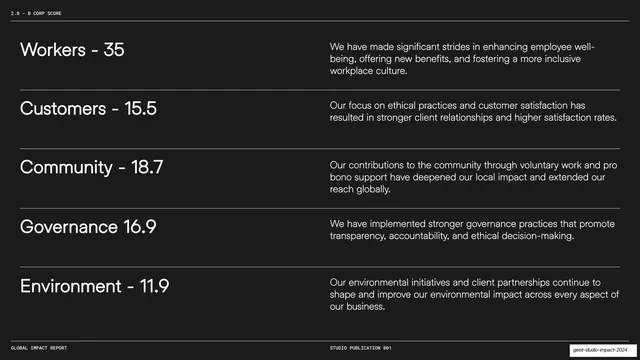 B Corp category score breakdown
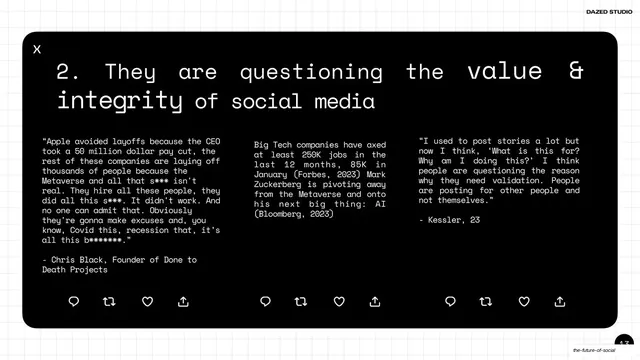 Questioning the value of social media
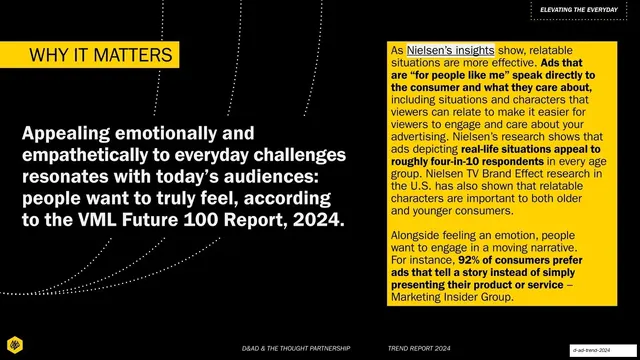 Black statistic slide with research panel
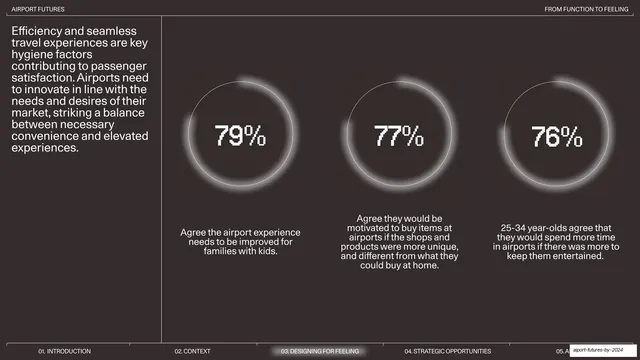 Three survey stats on airport experience
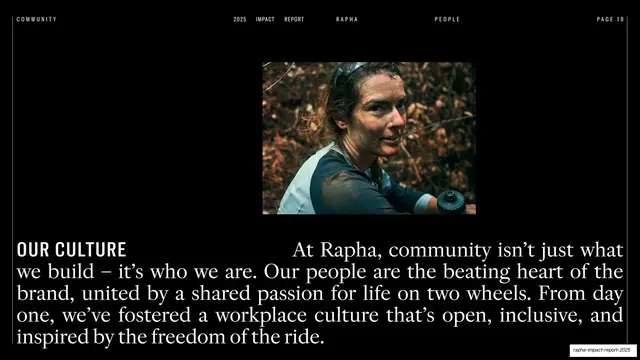 Culture statement with portrait inset
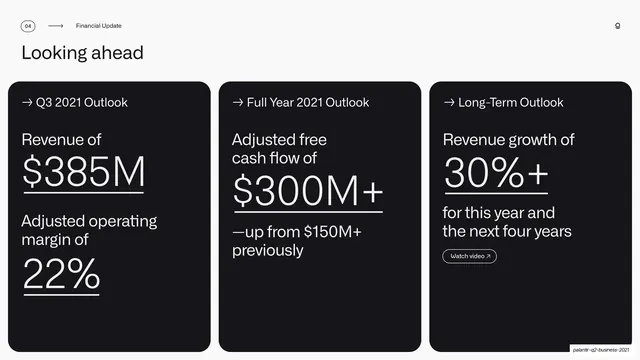 Q3 and full-year 2021 outlook cards
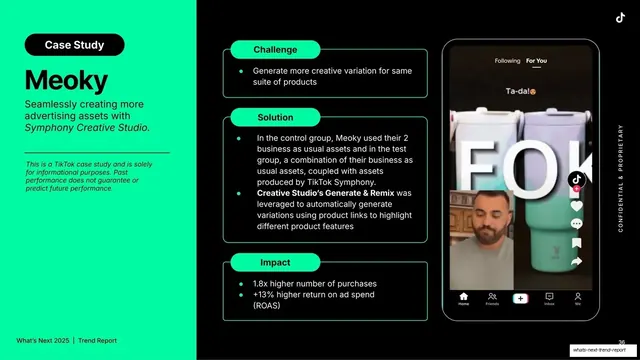 Meoky case study results slide
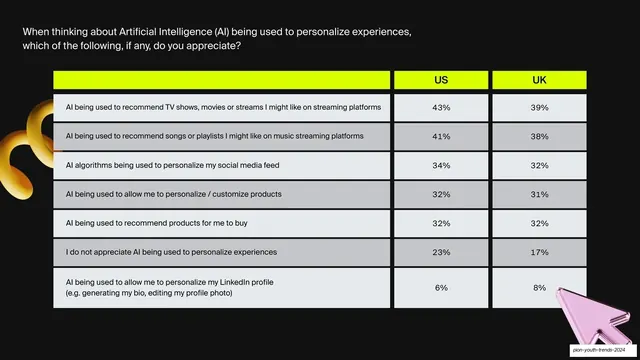 Survey table of AI personalization preferences
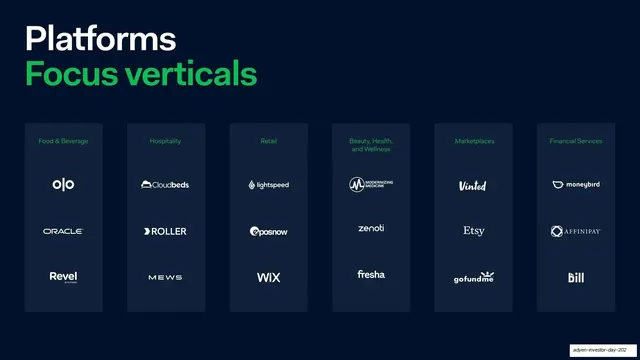 Platform focus verticals in six columns
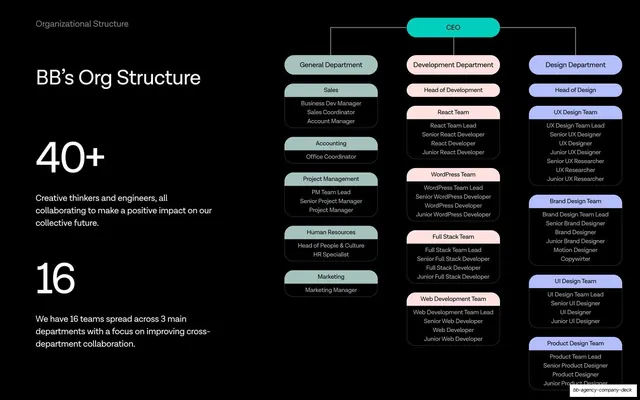 BB's Org Structure chart with headline stats
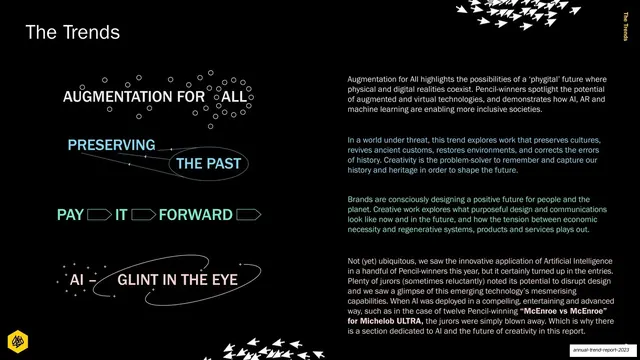 The Trends overview with four wordmarks
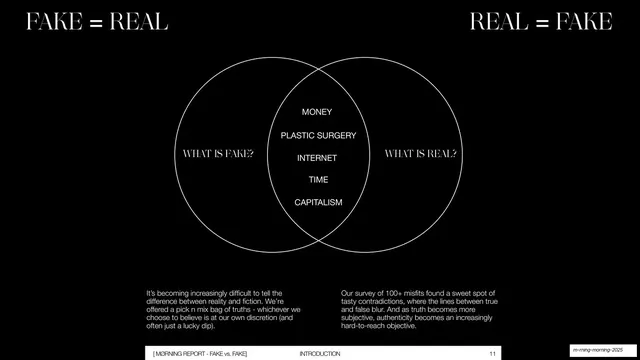 Venn diagram of fake and real overlap