Animated Menu Icon
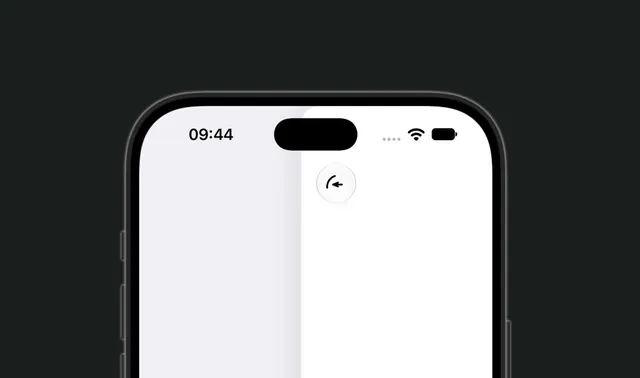
A hamburger menu icon inside a circular button morphs into a back arrow as a side panel slides in, demonstrating a fluid icon transition microinteraction on iOS.
Summary
A hamburger menu icon inside a circular button morphs into a back arrow as a side panel slides in, demonstrating a fluid icon transition microinteraction on iOS.
Visual description
A phone top edge sits centered on a near-black field, with the screen split vertically: a pale gray left panel and a white right panel that is offset and sliding over it, with a soft shadow at the seam. A small round white button with a thin gray outline sits near the top of the white panel and contains a black curved arrow that bends into a left-pointing arrowhead. The status bar shows the time, signal dots, Wi-Fi and battery over a black pill-shaped cutout, and the rest of the screen is empty.
Key takeaway
Pair a compact circular icon button with a panel edge that slides in over the previous surface, so the button reads as the handle for the transition.
Reuse notes
Reach for this as a ui screen reference. Pairs with minimal directions. Original by Iconists.
More like this
 Plasma Wallet Send Flow
 Mechanical Key Switch Anatomy
 Wabi
 Draft Discarding
 Codex Code Review UI
 Compass Icon iOS 27
 Robinhood IPO Access
 Ando
 Aave Auto Saver Flow
 Scribble Camera UI
 App Architecture Map Tool
 Border Beam UI
 Vercel Agent Snake
 Voice Settings UI
 Good Air India
 Atlas for iPhone
 Spring animation navigation UI
 Family-Inspired Trash Interaction
 CSS Hover Reveal
 Drawesome
 Highlighters
 Realistic Page Turn
 CapWords
 Live Data Loading Animation