Banner grid with 80 pixel columns
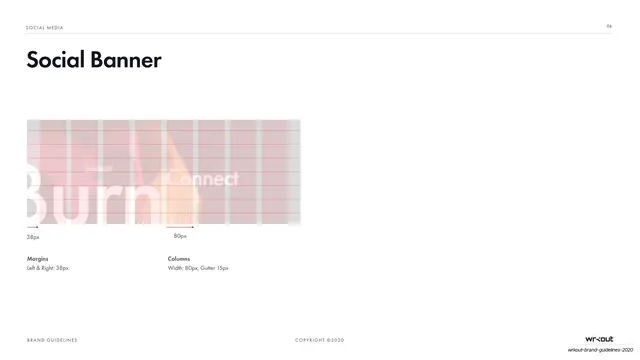
A faded social banner preview is overlaid with an 80 pixel column grid and 38 pixel side margins, with the spec written out beneath it.
Summary
A spec page for wide social banners, showing an 80 pixel column grid and 38 pixel side margins over a faded preview. The values are written under the preview so the grid can be reproduced.
Visual description
White page with a Social Banner title at top left and a wide banner preview in the left-center. The preview is washed out to pale pink and gray, showing a cropped Burn and Connect headline and a light-trail image behind a grid of gray vertical bands and thin red horizontal lines. Small arrows below the preview mark the 38 pixel margin and the 80 pixel column width, and the labels Margins and Columns sit underneath with their values.
Key takeaway
A wide banner needs its own grid, with generous side margins so the headline survives cropping. The faded preview keeps the spec legible over the artwork.
Reuse notes
Use when laying out wide social headers that get cropped differently on each device. The 15 pixel gutter is written on the slide, so keep the same spacing when building new banner templates.
More like this
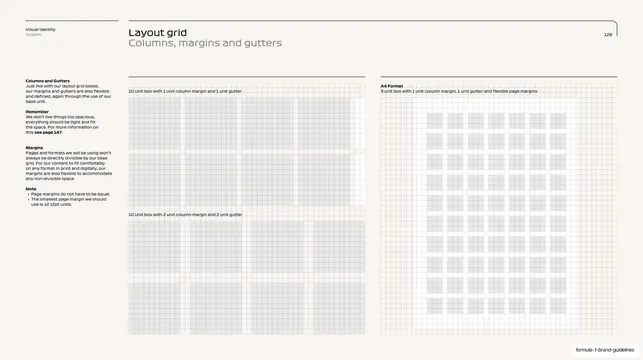 F1 layout grid columns, margins and gutters
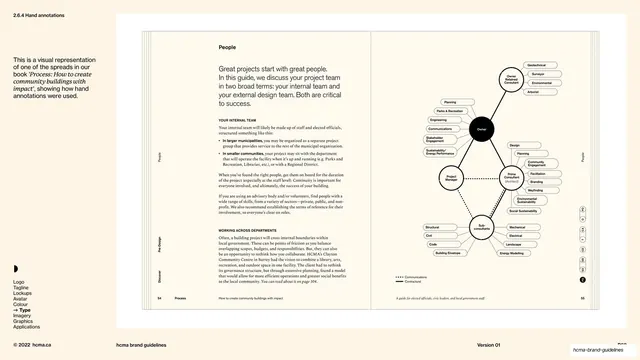 HCMA book spread with hand annotations
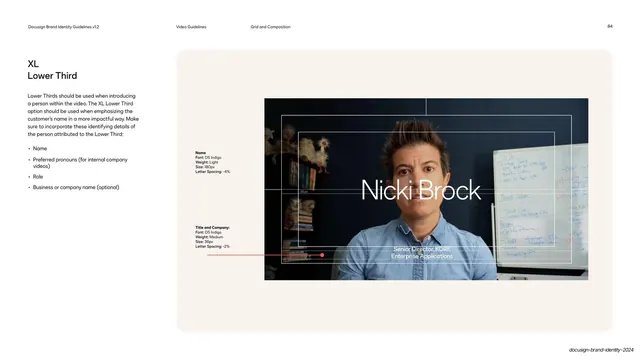 XL lower third spec example
 Docusign lower-thirds spec
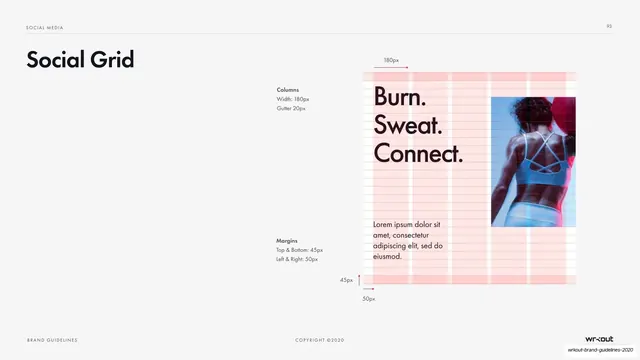 Social tile grid specification
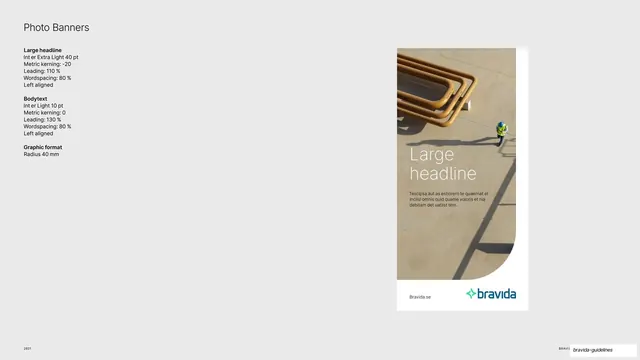 300x600 photo banner spec
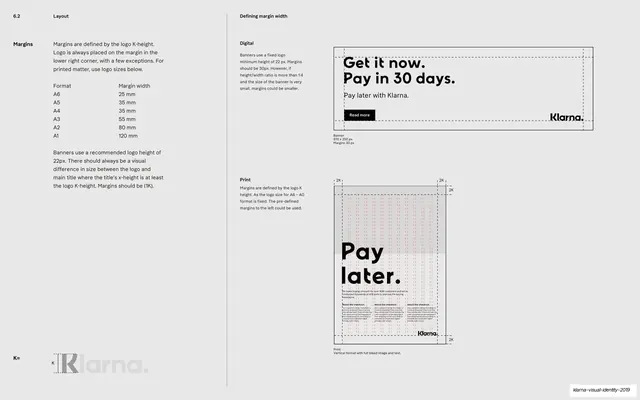 Logo K-height margin widths by format
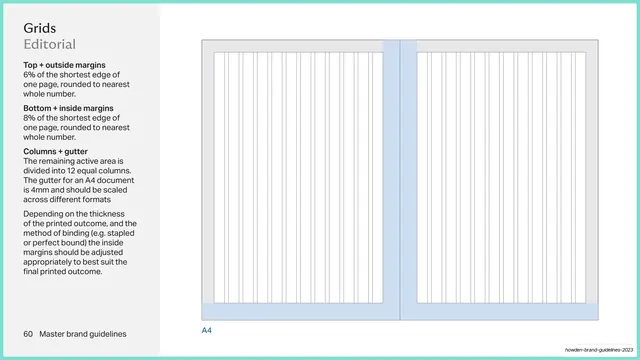 Editorial grid margins and twelve columns
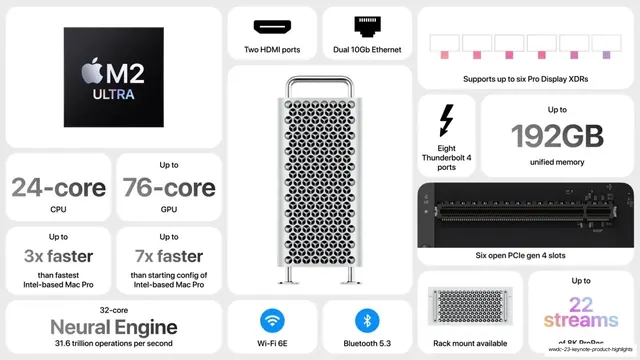 Mac Pro tower spec bento
 Mash Rules weights and italics specimen
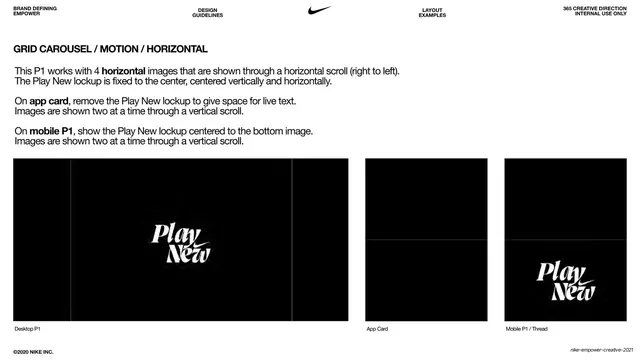 Grid carousel horizontal motion layout spec
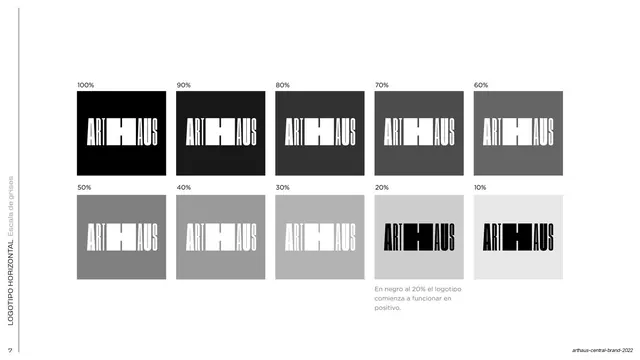 Horizontal logotype grayscale scale
 Design and Code Venn diagram
 Single-line wordmark clear-space diagram
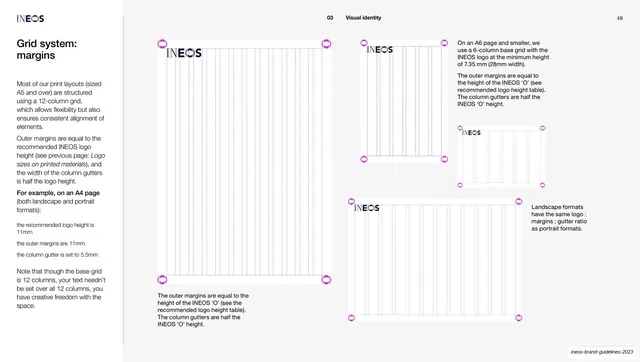 Margin and gutter grid tied to logo height
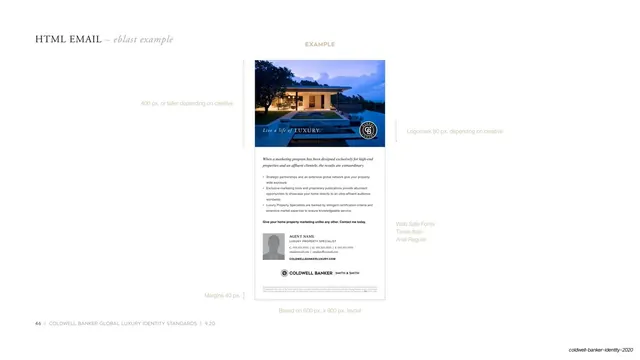 Eblast layout specs and dimensions
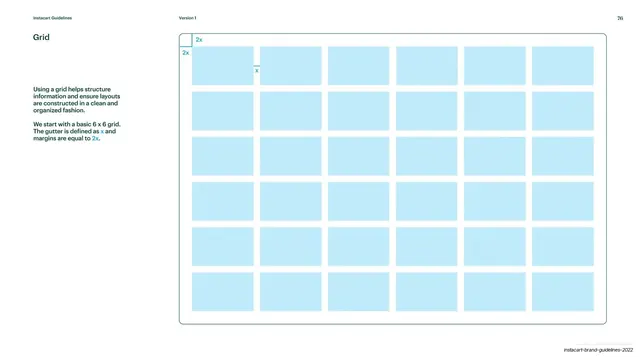 Six by six grid with x gutters
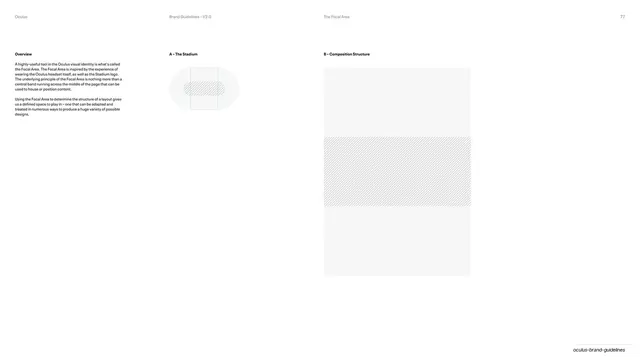 Focal area overview with stadium and composition
 Methodology two-panel overview
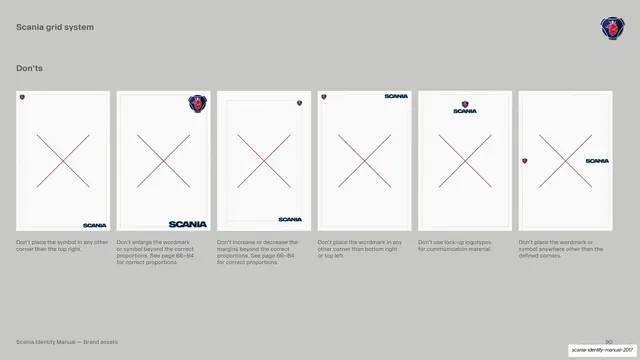 Scania grid don'ts for logo placement
 Monzo magic step two highlighted
 Sub-brand - Prisma
 IKAN logomark construction
 Dorado feed entry size overview