G.I. font custom glyph features grid
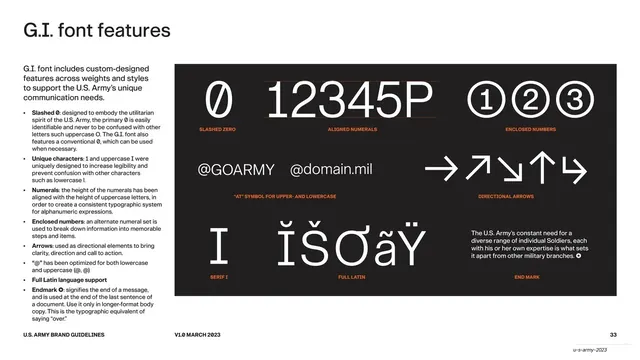
A dark panel demonstrates custom glyph features such as a slashed zero, aligned numerals, enclosed numbers and arrows, each with an orange label.
Summary
A black panel holds a grid of labeled glyph samples that show the typeface's custom features. A bulleted list on the left describes each feature.
Visual description
A left column of bulleted feature descriptions, each with a bold feature name. On the right, a black panel holds a three-by-three grid of white glyph samples. Each sample has a small orange caps label: slashed zero, aligned numerals, enclosed numbers, the at-symbol for upper and lowercase, directional arrows, serif I, full Latin accented letters, and an end mark shown in a short sentence. White type on black keeps the glyph shapes crisp.
Key takeaway
Each custom feature gets its own labeled cell, so the detail of the typeface is visible without a long caption. The orange labels are the only accent and make the grid easy to scan.
Reuse notes
A strong model for documenting glyph-level features of a font or icon set. The labeled grid works for any set of special characters or distinctive details.
More like this
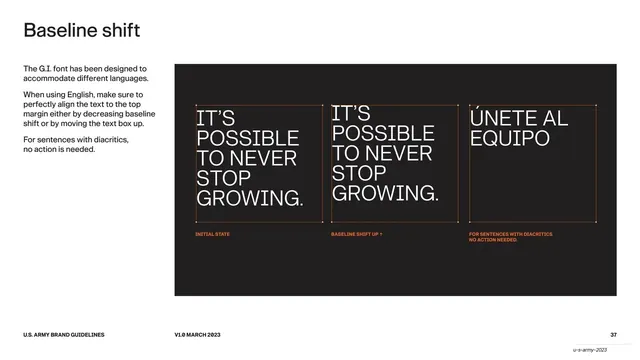 Baseline shift before and after frames
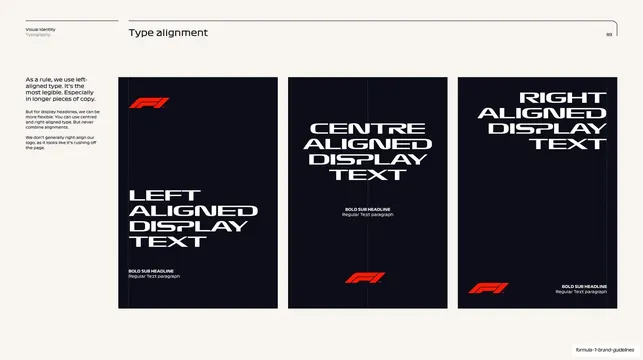 Type alignment templates
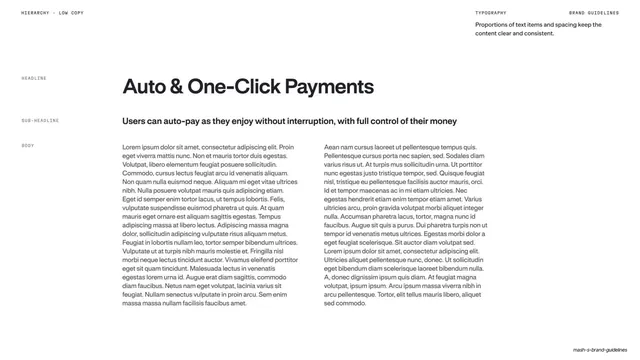 Mash low-copy hierarchy spec
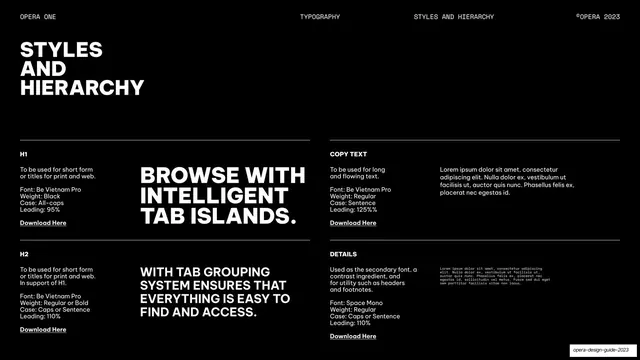 Styles and hierarchy
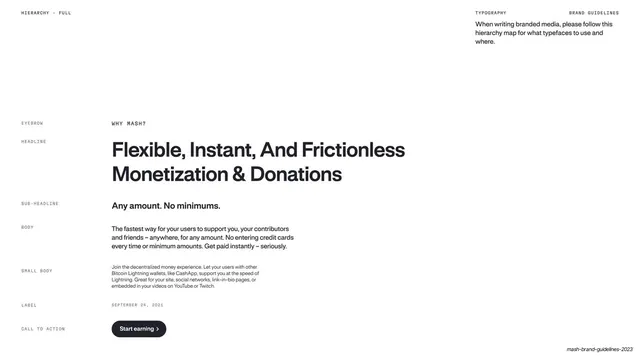 Full type hierarchy spec with sample layout
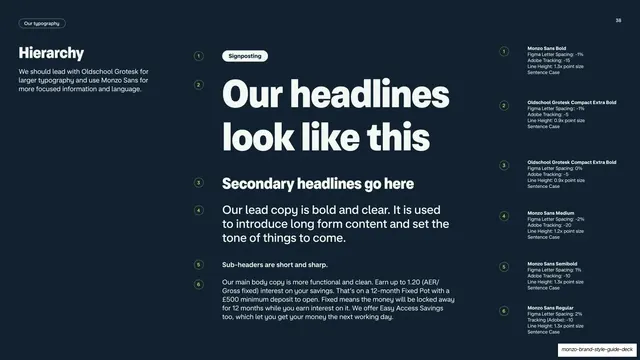 Type hierarchy specimen ladder
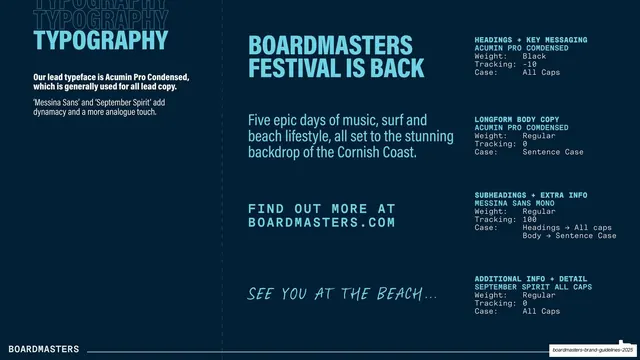 Typography system
 Elastic Interface Brand Application Manual 2024
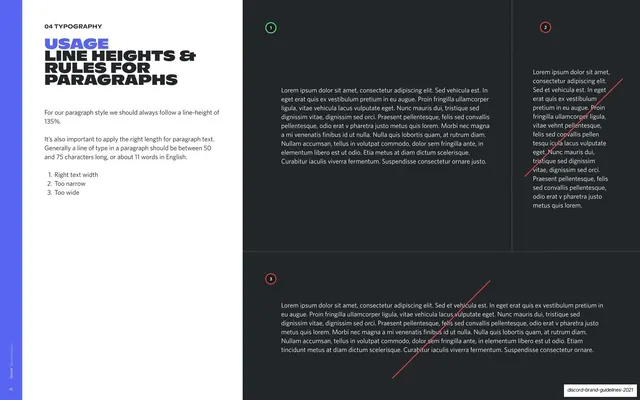 Line height rules for paragraphs
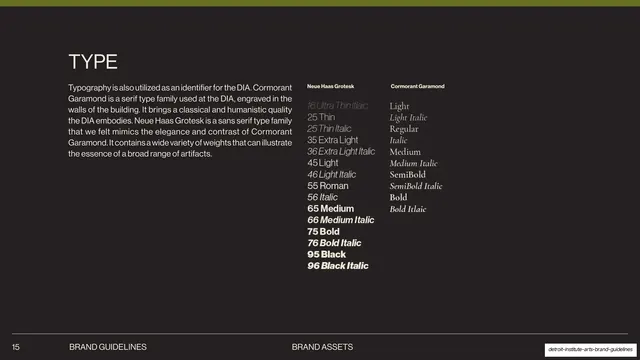 Type families and weight lists
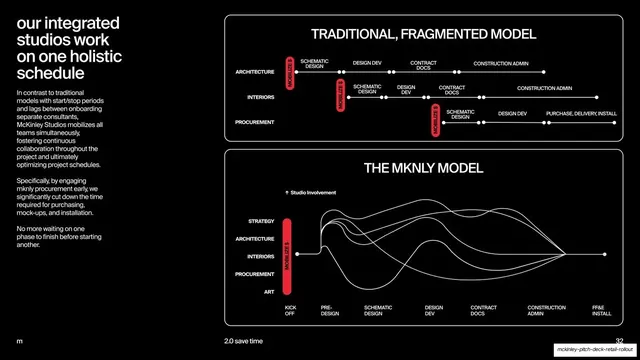 Fragmented vs mknly model timeline diagram
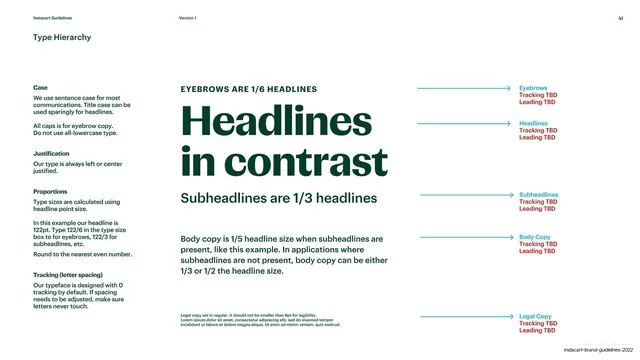 Type hierarchy with annotated proportions
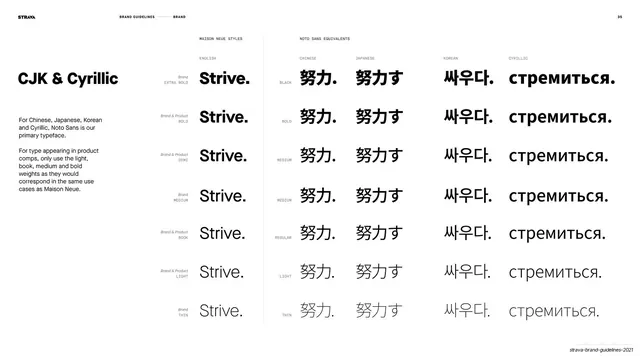 Noto Sans CJK and Cyrillic weight equivalents
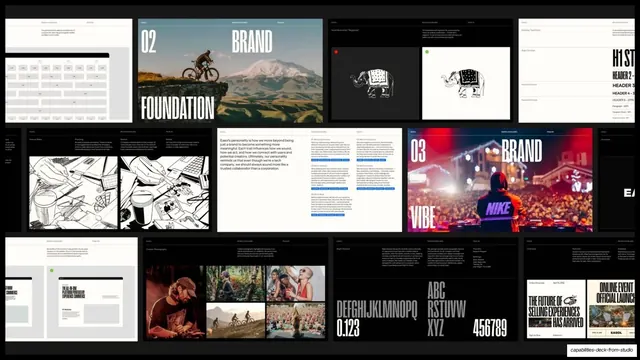 Easol brand guidelines contact sheet
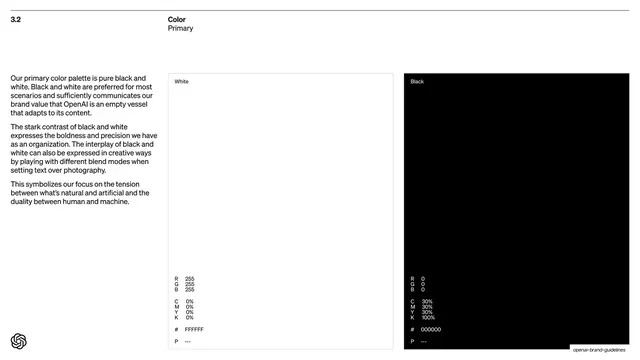 Primary palette: pure black and white
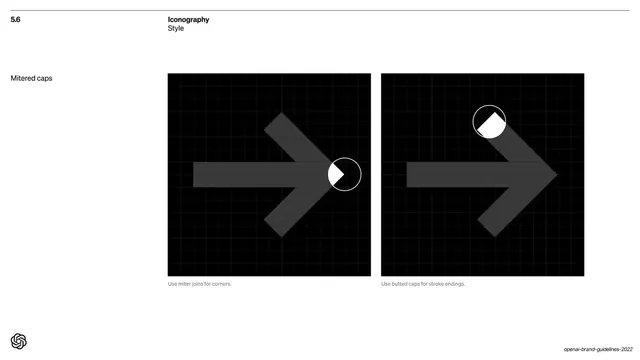 Iconography mitered and butted caps
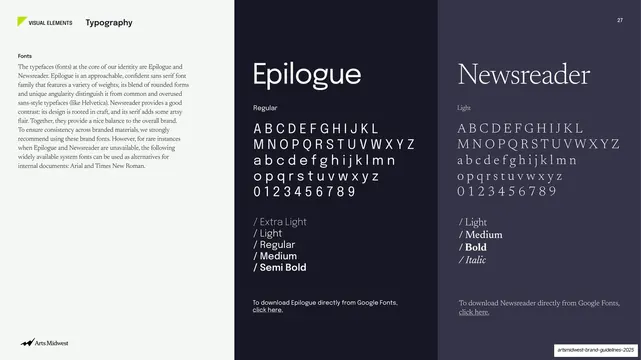 Typography, Epilogue and Newsreader specimens
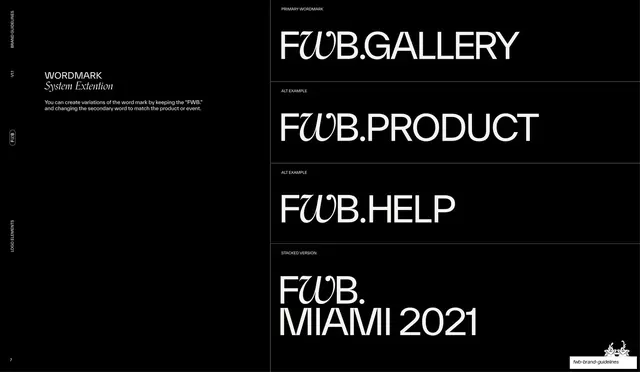 Wordmark system variants on black
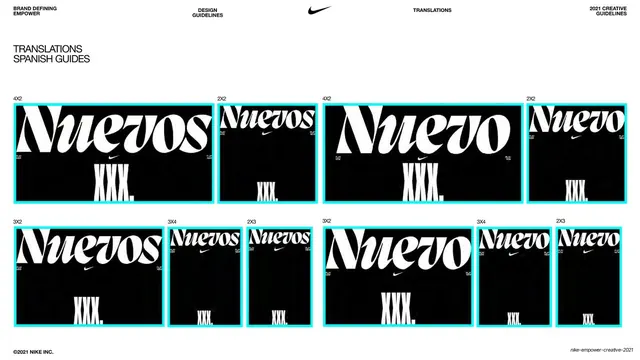 Spanish Nuevos masthead guides on black
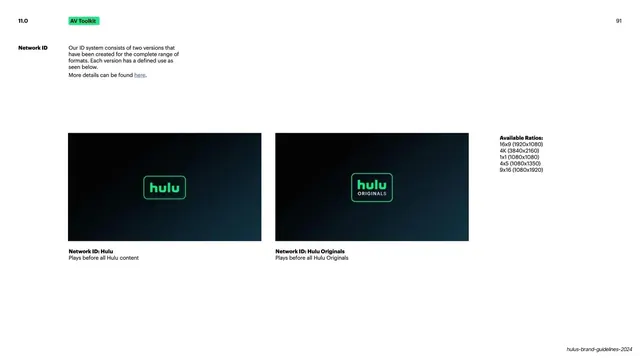 Network ID system, Hulu and Hulu Originals
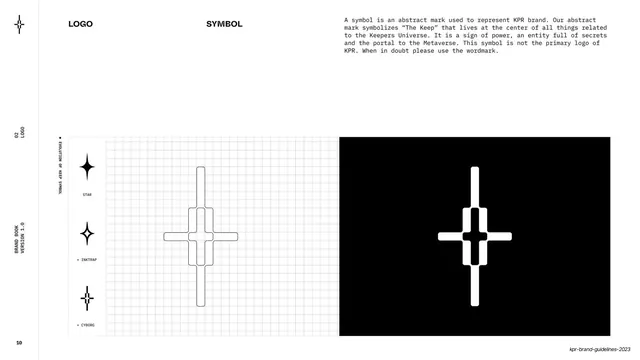 Symbol - the four-pointed star
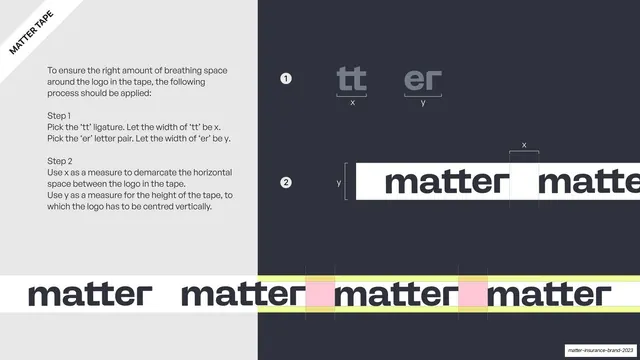 Matter tape spacing and alignment
 BB Agency Company Deck
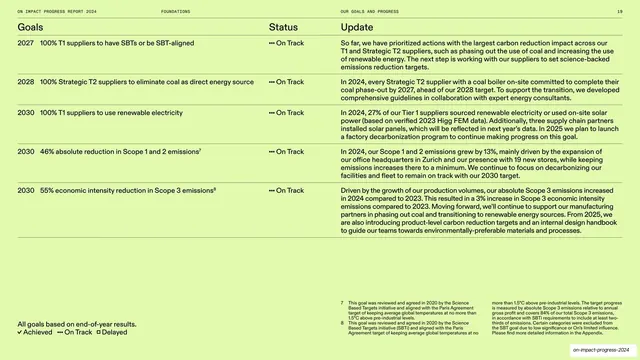 On-track goals table on black