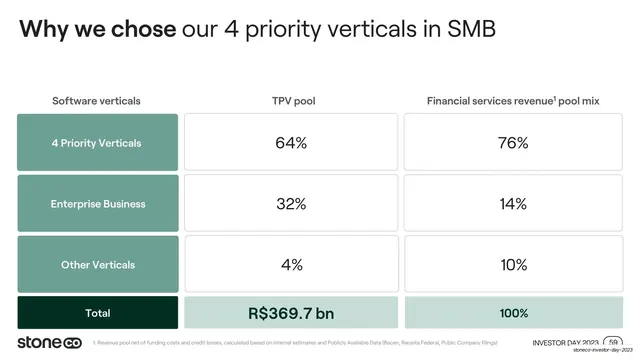
Pool share table with priority row highlighted
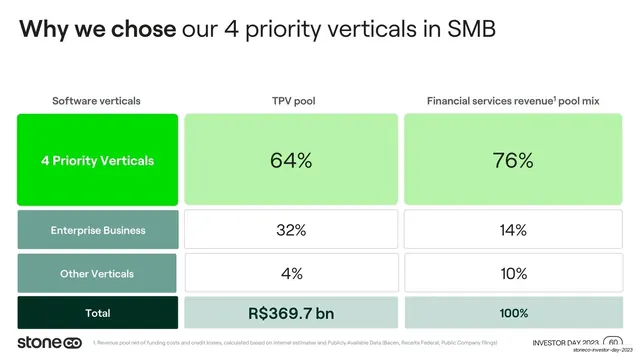
The same pool share table as the previous slide, with the 4 Priority Verticals row highlighted in bright green and pale green value cells, and the other rows muted.
Summary
A table titled "Why we chose our 4 priority verticals in SMB" that compares TPV pool and financial services revenue pool shares by vertical group, with the priority row emphasised in bright green.
Visual description
The title sits top left with bold and regular words, and three column headers sit above the table. The 4 Priority Verticals row is the tallest and most saturated, with a bright green label block and pale green value cells showing 64% and 76%. The Enterprise Business and Other Verticals rows are shorter, with muted teal labels and white outlined value cells. A dark green total bar at the bottom reads R$369.7 bn and 100%. A footnote explains the calculation.
Key takeaway
Enlarging and colouring one row turns a complete table into an argument, so the audience sees the priority group first and the rest second. The total row stays in place as the reference.
Reuse notes
Use when a table needs a single row to carry the message. Keep the highlight to one row and make sure the total remains visible, since the highlight only makes sense against the whole.
More like this
 Pool share table for priority verticals
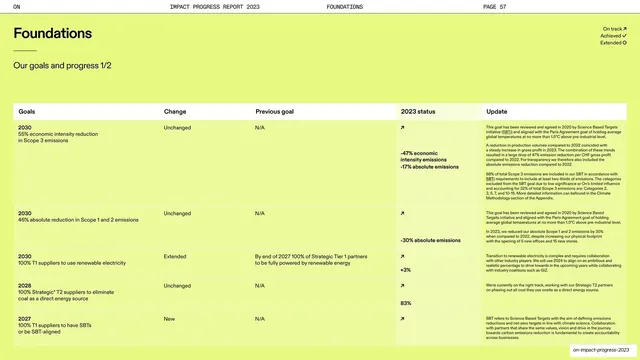 Foundations 2030 goals and progress table
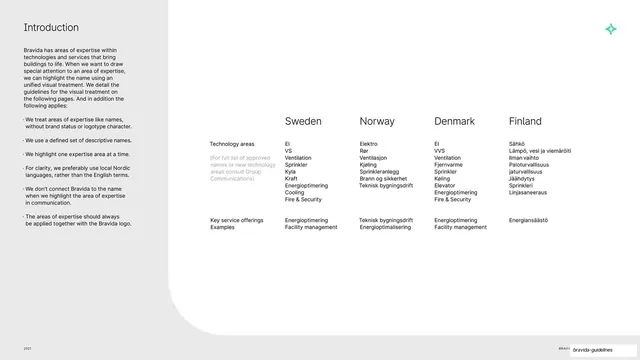 Areas of expertise, Nordic naming matrix
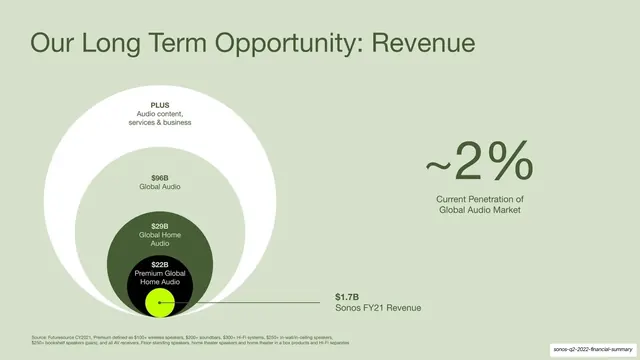 Long Term Opportunity - Revenue
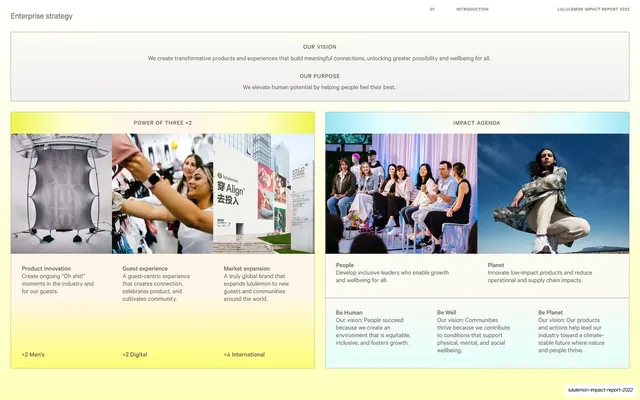 Vision, purpose and twin strategy framework
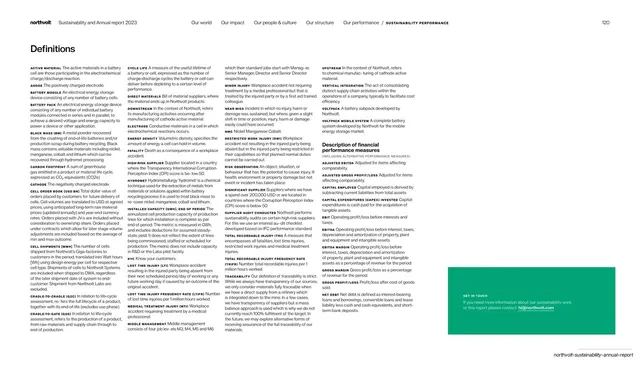 Definitions glossary and contact panel
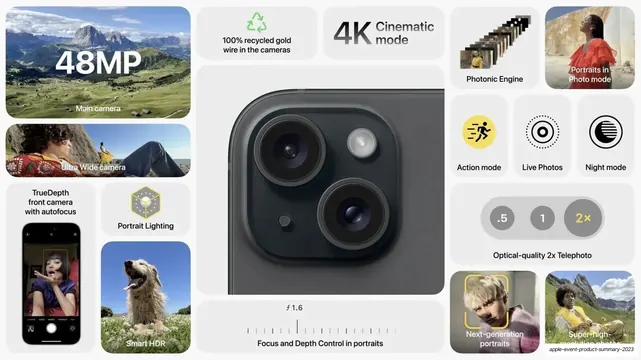 iPhone Pro camera system feature bento (light)
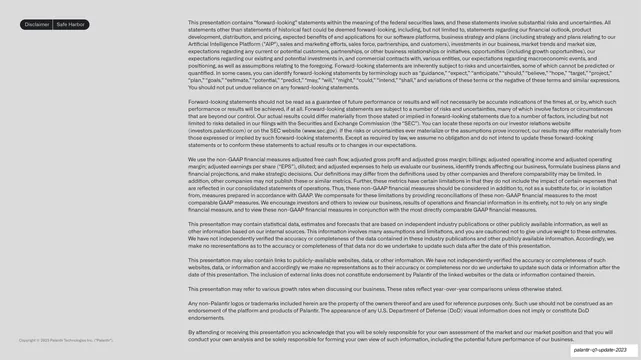 Forward-looking statements and Safe Harbor
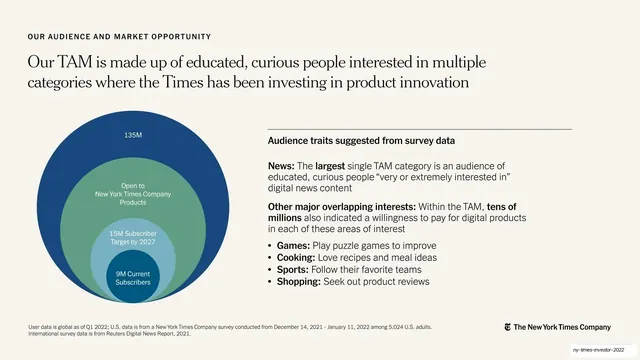 Nested audience circles beside survey traits
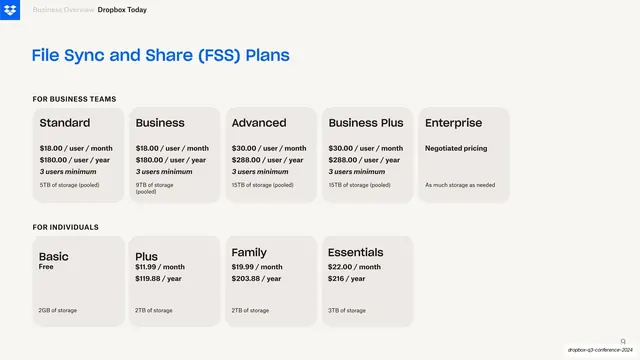 File Sync and Share pricing grid
 Docusign B-roll and licenses page
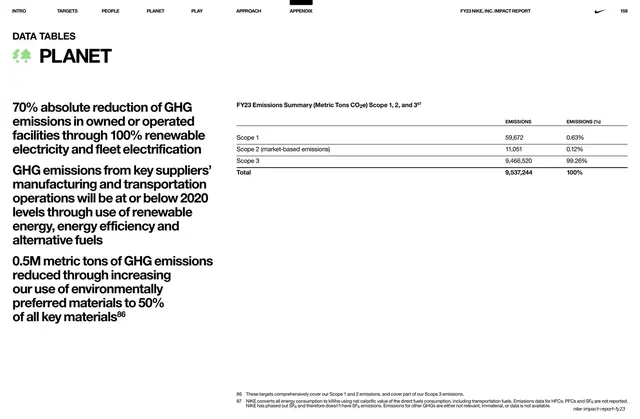 Data table: FY23 emissions summary by scope
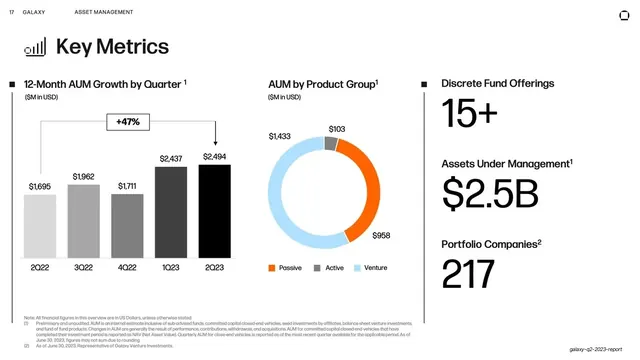 Asset Management key metrics
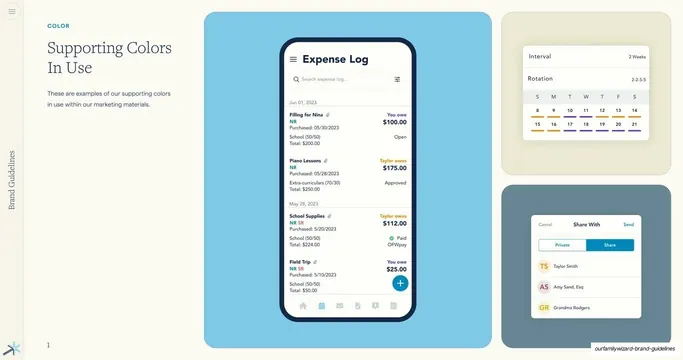 Supporting Colors In Use mockups
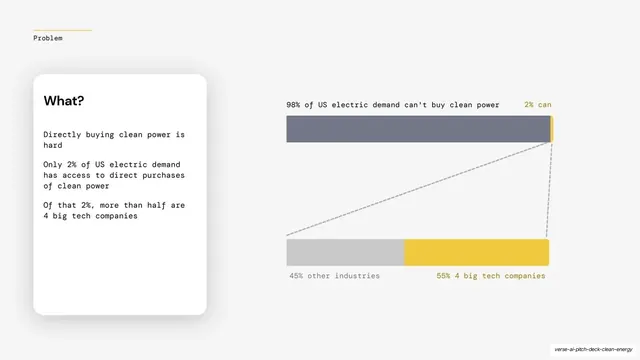 Problem "What?" market-access bars
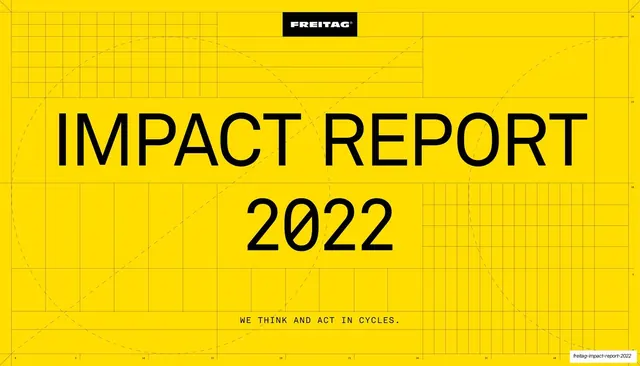 FREITAG Impact Report 2022
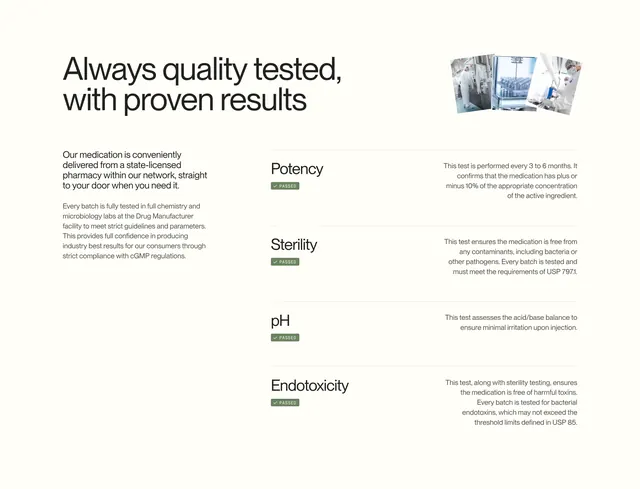 Good Life quality testing feature list
 Easee Impact Report 2022
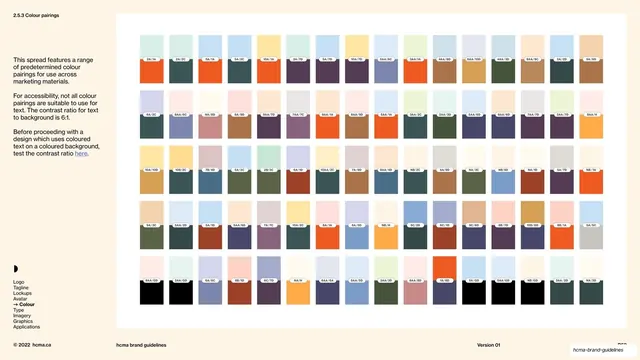 Colour pairings
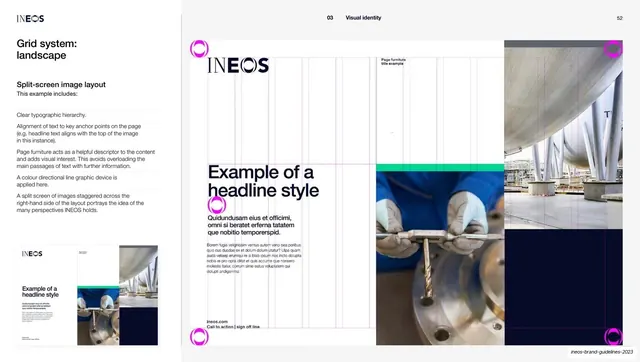 Split-screen landscape page with headline anchor
 Symbol and wordmark horizontal lockup
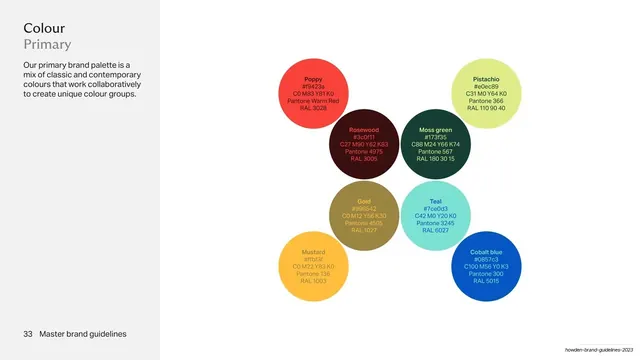 Eight primary brand colours with specifications
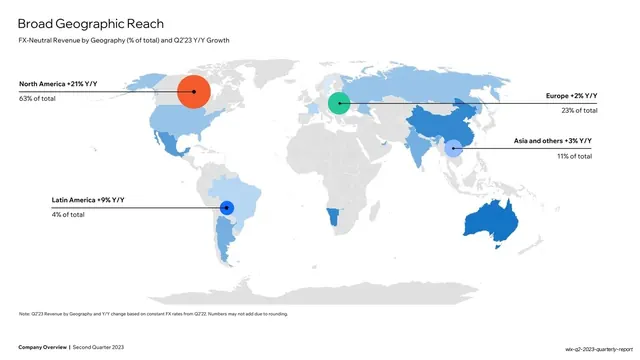 Broad Geographic Reach world map
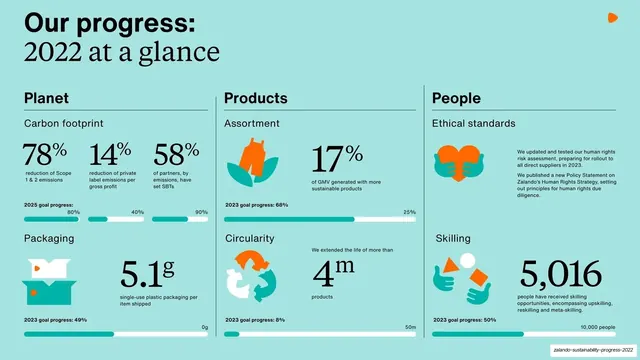 Three-pillar progress at a glance