Security verification status table
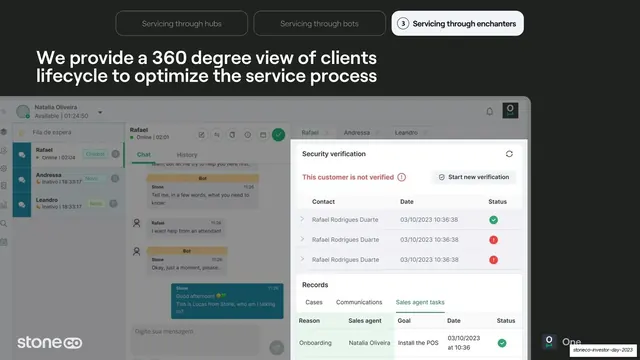
Dark slide with a bold headline over a light security verification panel showing a red not-verified alert, a status history table and a records tab bar.
Summary
Dark slide with a bold headline over a light security verification panel showing a red not-verified alert, a status history table and a records tab bar. The slide shows verification as a log the agent can act on.
Visual description
The headline runs across the top in white, with the console cropped beneath it. The white panel opens with a Security verification heading, a red not-verified alert, and an outlined Start new verification button. A three-column history table lists the same contact with timestamps and a green check or red exclamation icon in each row. A Records card below carries three tabs (Cases, Communications and Sales agent tasks), with the last one underlined in green.
Key takeaway
A status table with check and alert icons lets an agent scan verification history at a glance. One red alert and one outlined action keep the call to action visible without shouting.
Reuse notes
Good for compliance, identity or status-history explainers. A reused version should use placeholder names and timestamps, since the identical contact repeated on each row reads as a retry log.
More like this
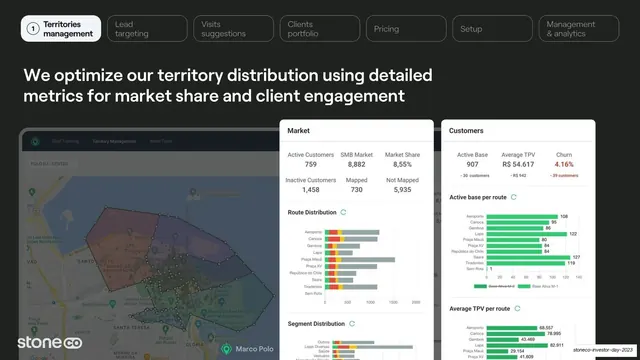 Market and customer analytics cards side by side
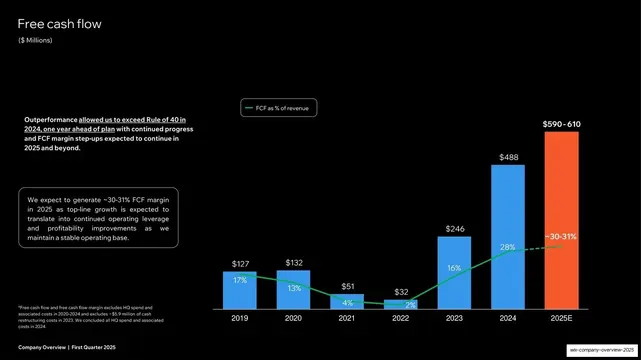 Free cash flow bars with margin line
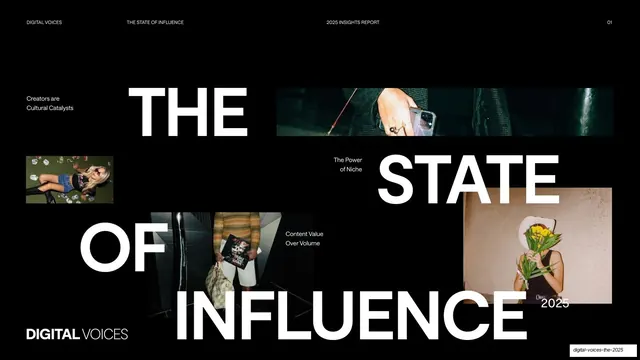 Digital Voices: The State of Influence 2025
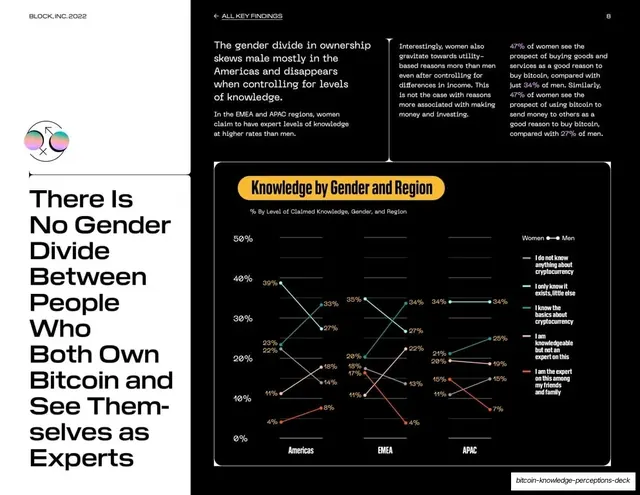 Knowledge by gender and region, slope chart
 Wix Q2 2023 Quarterly Earnings Report
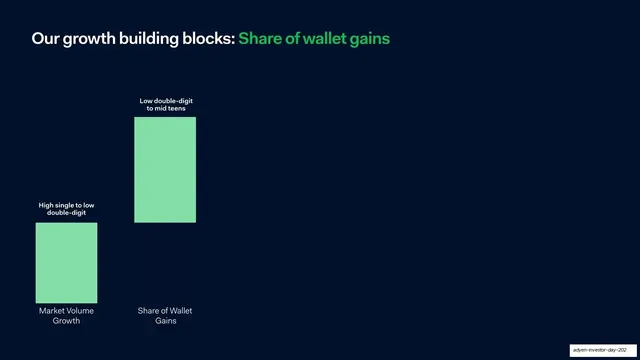 Share of wallet growth building block
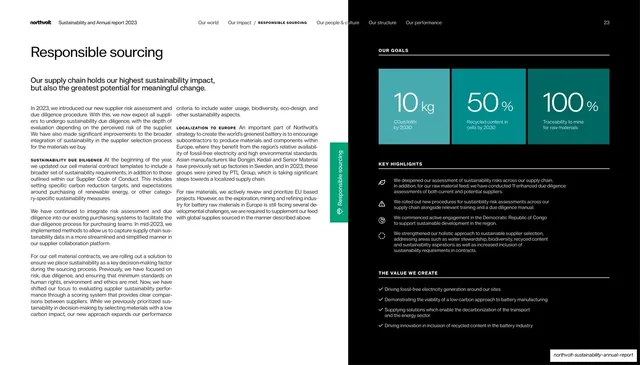 Responsible sourcing goals and highlights
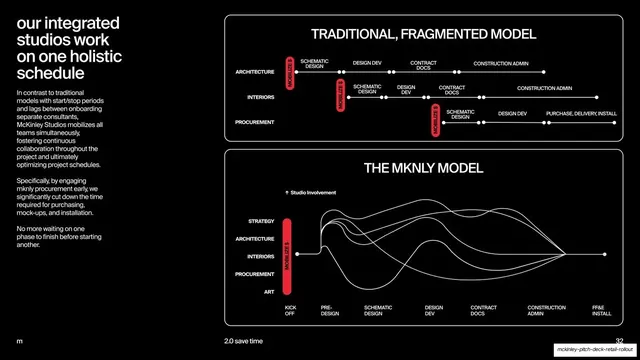 Fragmented vs mknly model timeline diagram
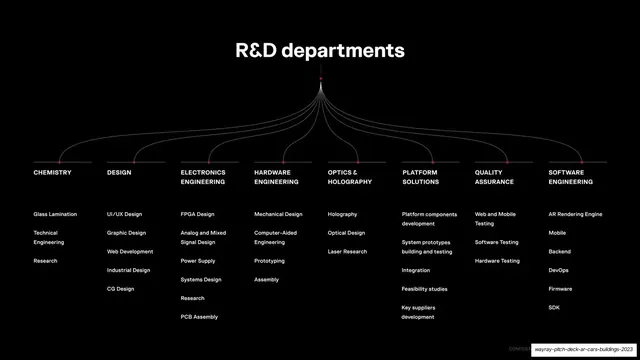 R&D departments fan diagram
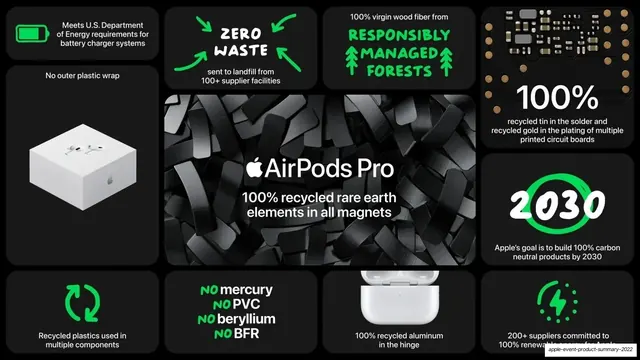 AirPods Pro sustainability bento (dark)
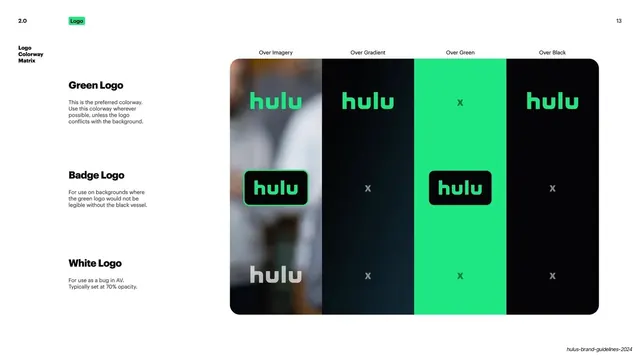 Logo colorway matrix
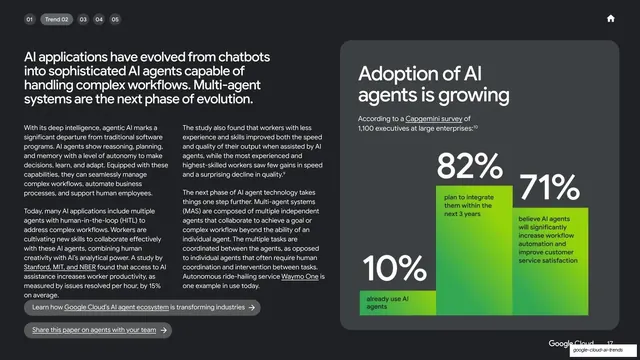 AI agent adoption survey bar chart
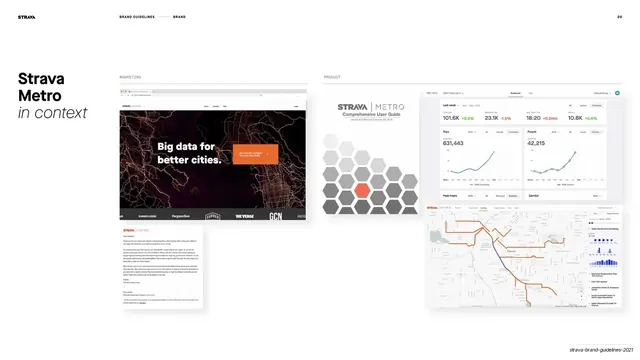 Metro in web, document, and dashboard
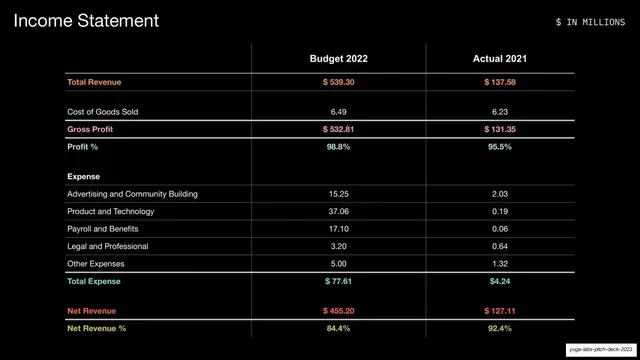 Income statement table
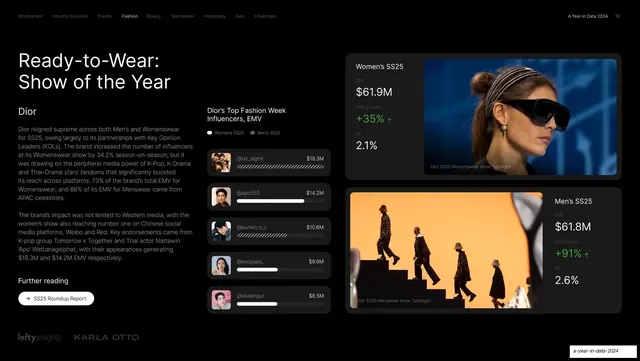 Ready-to-wear show of the year
 Why Dev Mode feature with version history
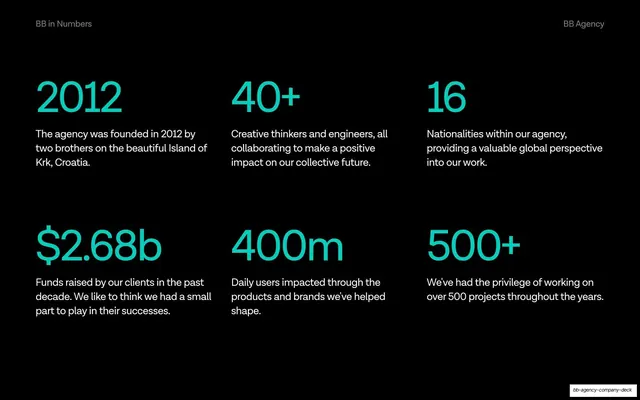 BB in Numbers stat grid
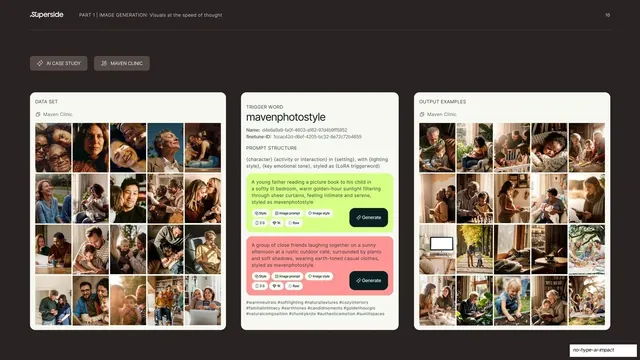 Maven Clinic dataset and trigger word
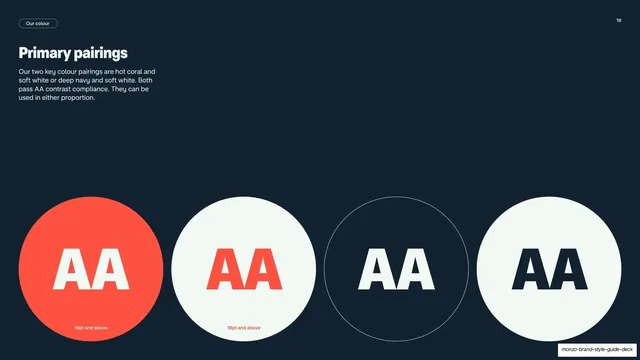 Monzo primary colour pairings
 Patagonia Impact Report 2025
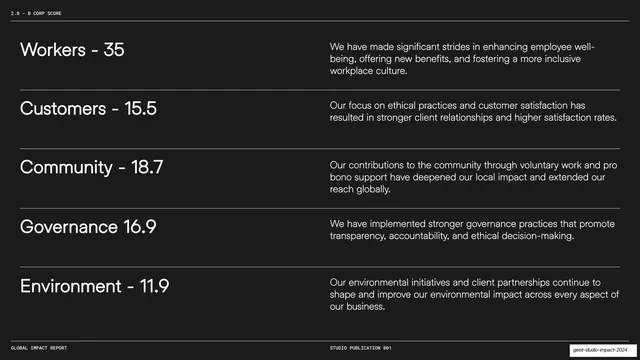 B Corp category score breakdown
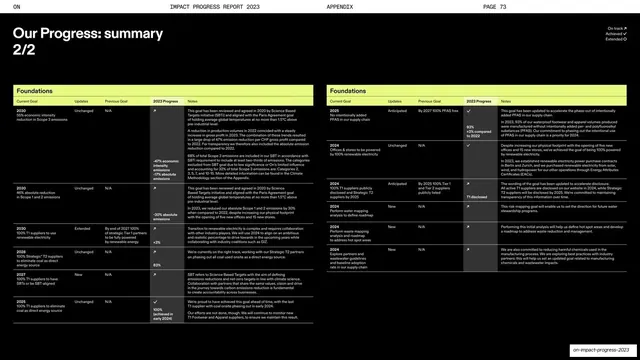 Progress summary tables for foundations goals
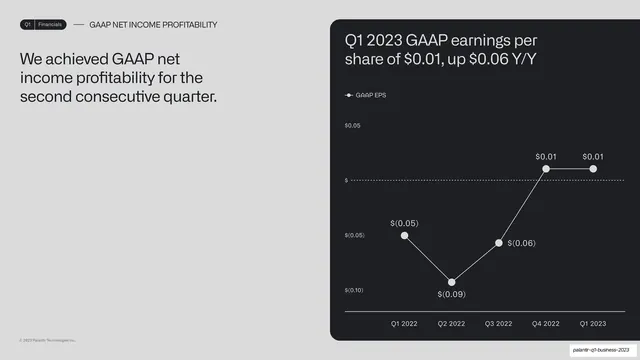 GAAP net income profitability line chart
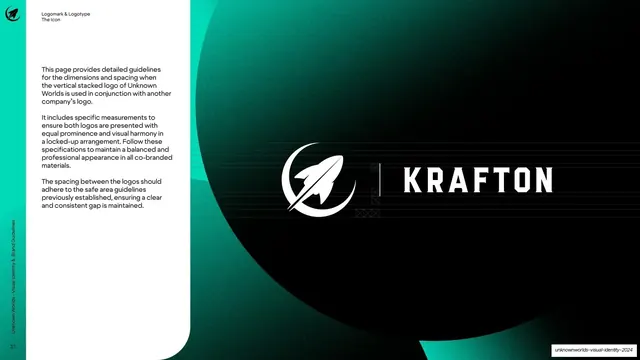 Icon co-branding with KRAFTON