WhatsApp card in omnichannel console
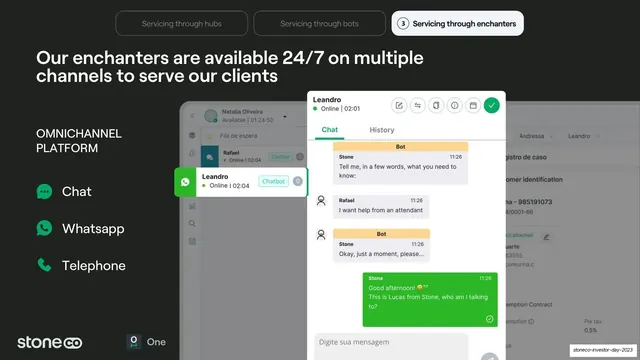
Dark slide with the omnichannel console focused on a solid green WhatsApp conversation card and a handoff from chatbot to attendant.
Summary
Dark slide with the omnichannel console focused on a solid green WhatsApp conversation card, showing a handoff from chatbot to attendant. It is the channel-specific frame that follows the general overview.
Visual description
The left column keeps the OMNICHANNEL PLATFORM list, with the WhatsApp row matching the card's color. The floating card on the right is solid green with a white WhatsApp glyph and a Chatbot tag. The chat panel below shows the amber bot label, then an attendant reply in a solid green bubble with a check mark, and a composer field at the bottom.
Key takeaway
Coloring the channel card with its platform color lets the reader match a channel to its card in one glance. The matching icon on the list and the card ties the two together.
Reuse notes
Good for a multi-channel explainer where each channel needs a visual anchor. Keep channel colors consistent across repeated frames, and avoid implying a platform partnership the product does not have.
More like this
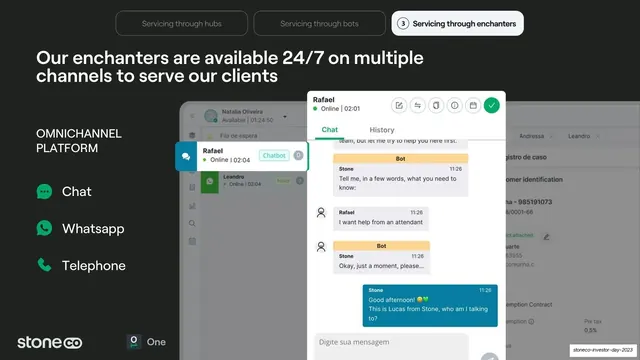 Omnichannel console with chatbot handoff
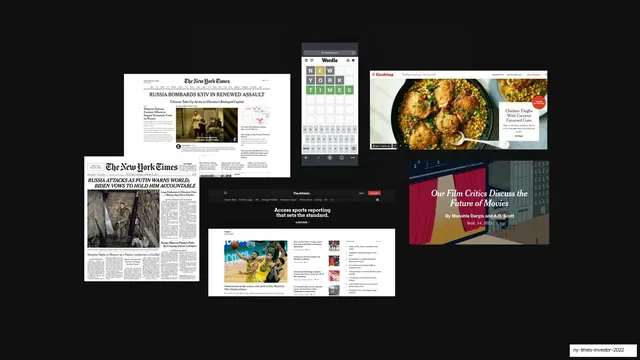 Cross-platform screenshot collage of a news brand
 AirPods Pro feature bento (dark)
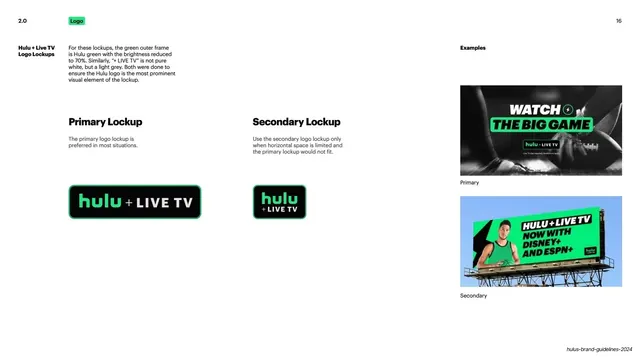 Hulu + Live TV logo lockups
 Single channel to unified commerce diagram
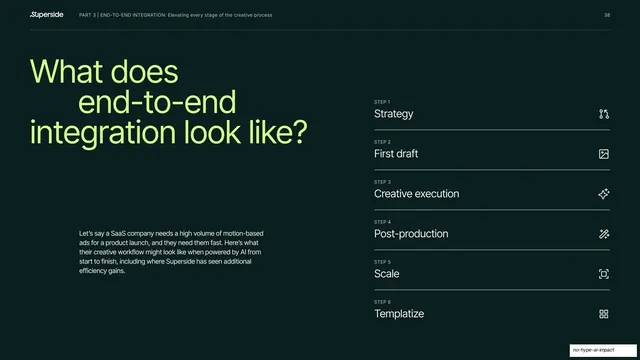 Six-step end-to-end AI workflow list
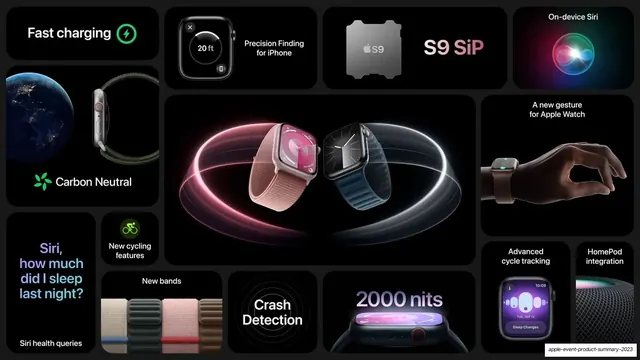 Apple Watch Series 9 feature bento (dark)
 True AR marketplace street scene
 Why Dev Mode feature with version history
 AIP for Defense and for Business split
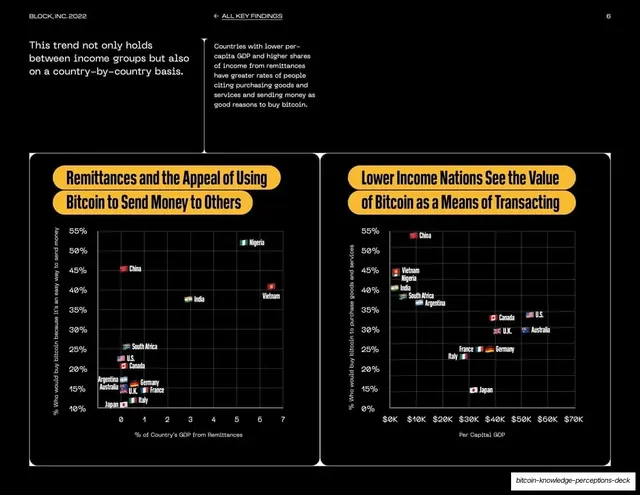 Remittances and transacting, twin scatter plots
 Shorter effect linger for clearer team fights
 Model Viewer tool spotlight
 BB Agency Company Deck
 Logo do and don't tile grid
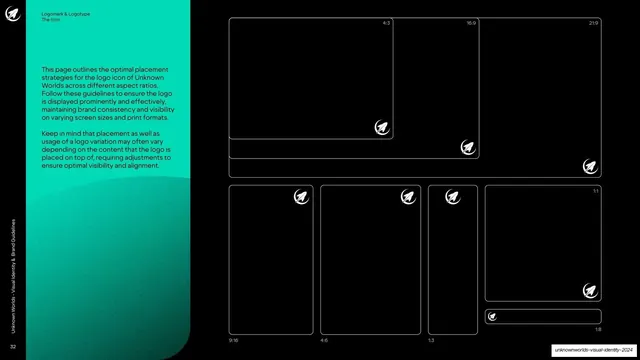 Icon placement across aspect ratios
 WRKOUT Brand Guidelines 2020
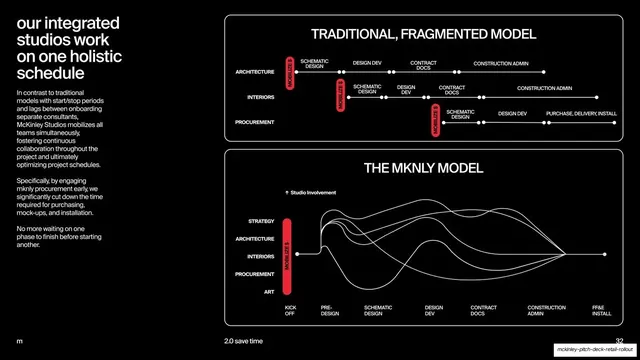 Fragmented vs mknly model timeline diagram
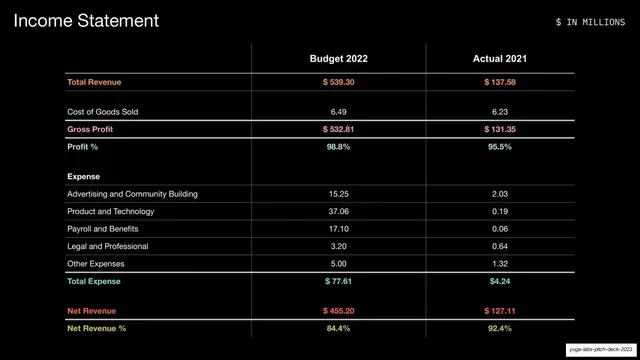 Income statement table
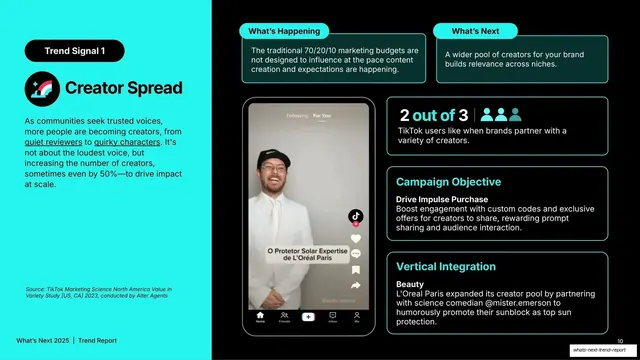 Trend signal one with stat and campaign cards
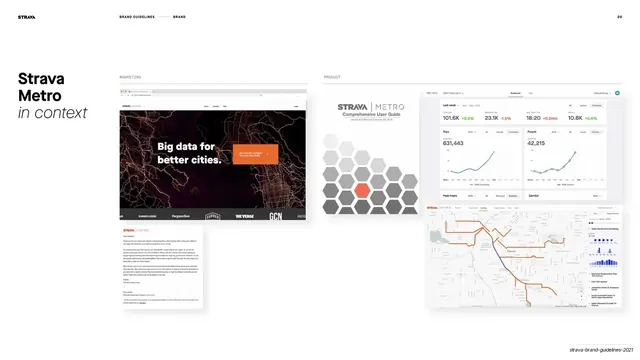 Metro in web, document, and dashboard
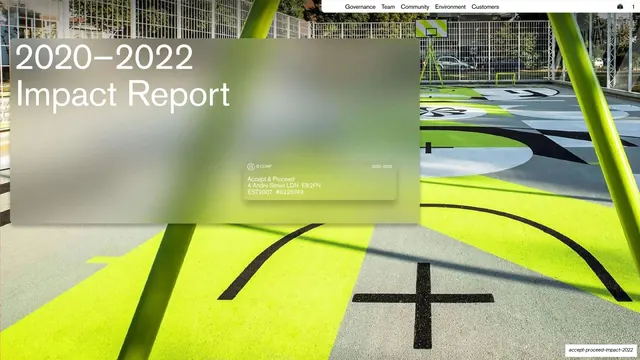 Accept & Proceed Impact Report 2020-2022
 Opera One Design Guide 2023
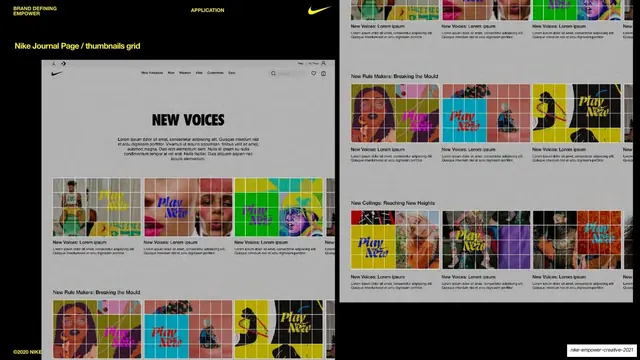 Nike Journal Page with thumbnails grid overlay