Customer summary screen with callouts
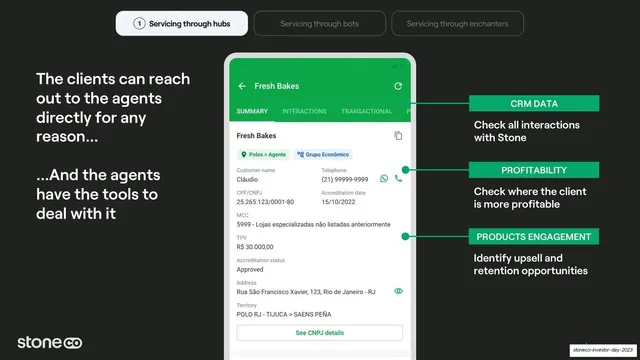
Dark slide pairing a left-aligned statement with a phone screenshot of a customer summary screen, annotated with three green callouts.
Summary
Dark slide pairing a left-aligned statement with a phone screenshot of a customer summary screen, annotated with three green callouts. It is the detail frame that follows the overview on the previous slide.
Visual description
The tab bar at the top matches the previous slide, with the first tab active. The left column holds the same white headline and follow-up line. The phone shows a customer summary with a location chip, labeled fields for name, phone, registered company ID (CNPJ), a card volume figure, and an approval status, plus an outlined "See CNPJ details" button. Green callouts on the right point to the phone with dot-and-line leaders.
Key takeaway
A summary screen with labeled fields is easiest to explain when its key values match the callouts. Repeating the exact callout system from the previous slide makes the two read as one sequence.
Reuse notes
Use as the second frame in a product walkthrough, after an annotated overview. Field-heavy screens need the phone cropped at the bottom edge so the content stays legible at slide scale.
More like this
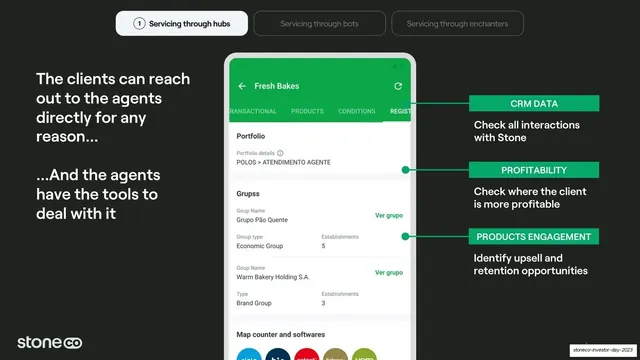 Agent app with three callouts
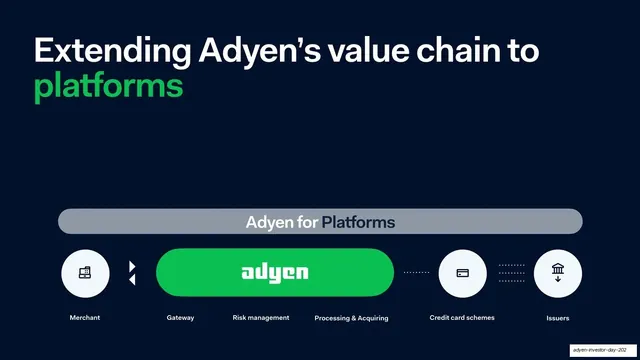 Platform overlay bar over value chain
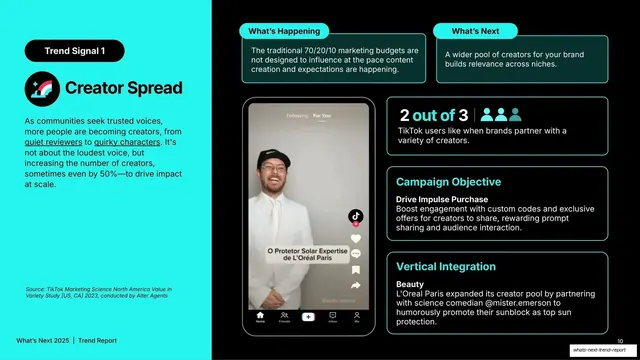 Trend signal one with stat and campaign cards
 AI agent adoption survey bar chart
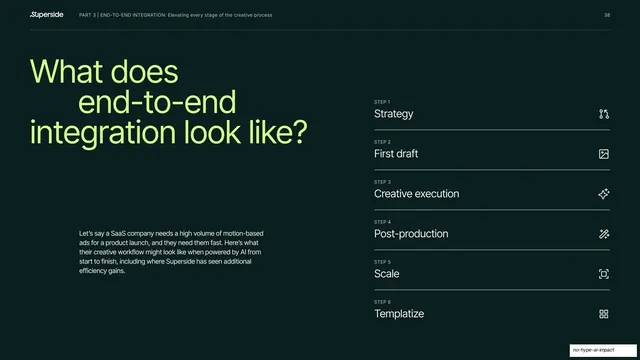 Six-step end-to-end AI workflow list
 Culture and Lifestyle phone highlight
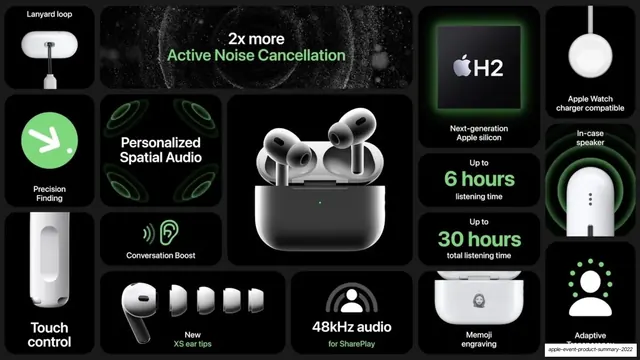 AirPods Pro feature bento (dark)
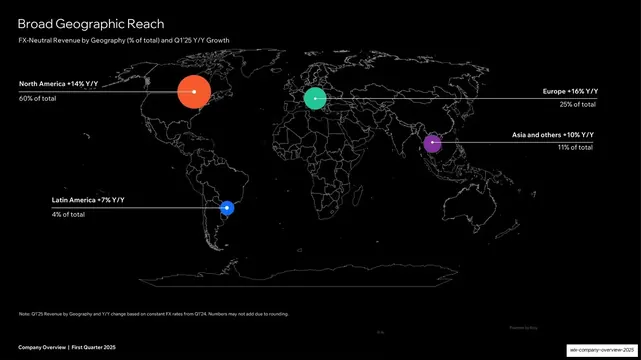 World map with regional revenue share circles
 True AR marketplace street scene
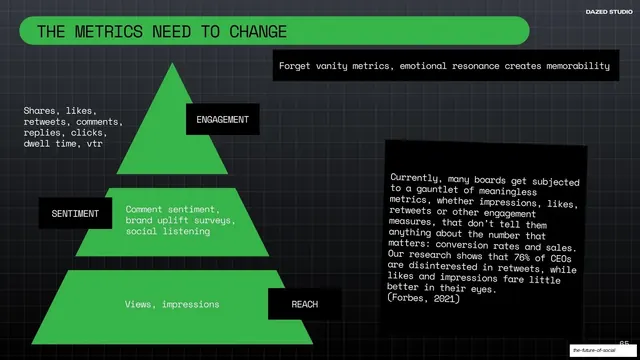 Three-tier metrics pyramid with citation card
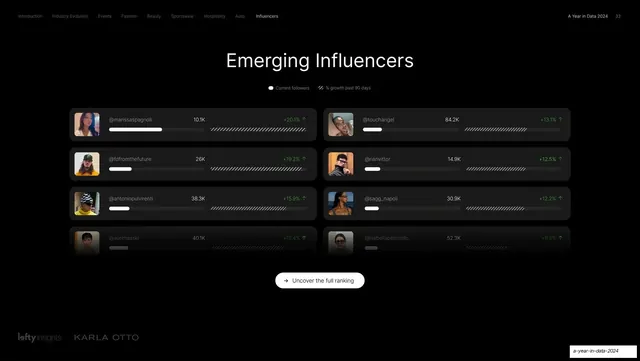 Emerging influencers growth ranking on dark
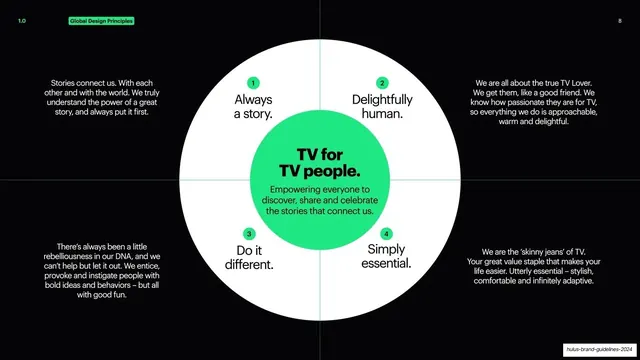 TV for TV people principles diagram
 AIP for Defense and for Business split
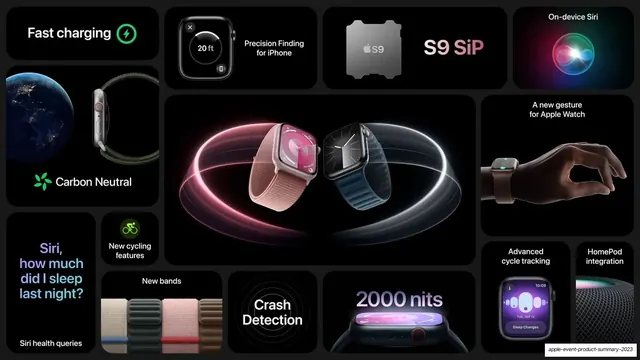 Apple Watch Series 9 feature bento (dark)
 Why Dev Mode feature with version history
 BB Agency Company Deck
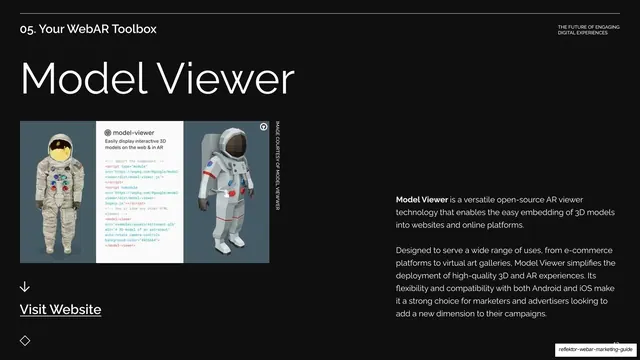 Model Viewer tool spotlight
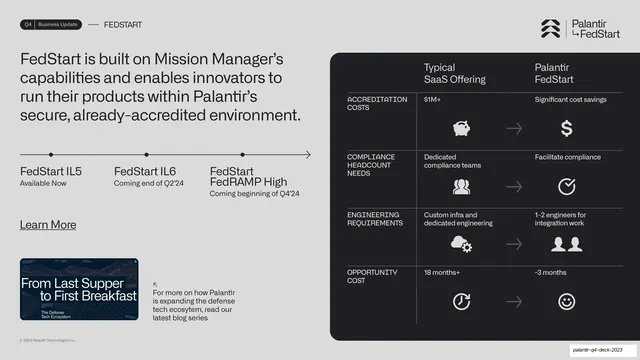 FedStart before and after comparison
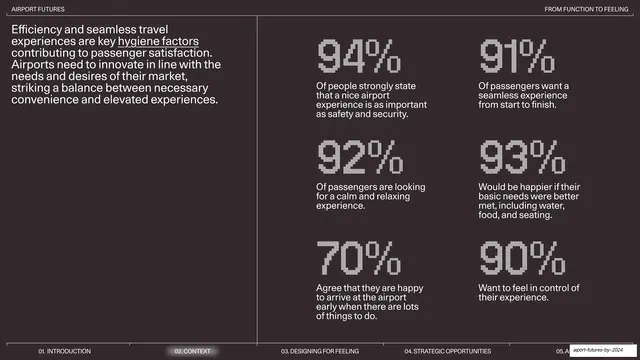 Hygiene factors statistics grid
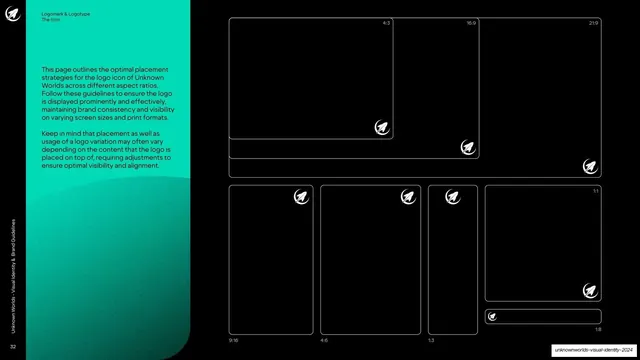 Icon placement across aspect ratios
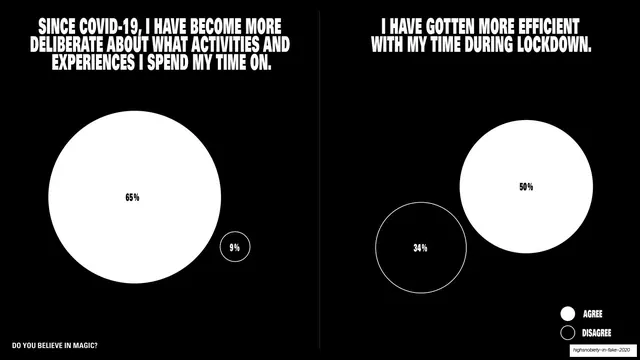 Deliberate and efficient bubble chart
 Awards in numbers statistics infographic
 Knowledge and optimism, line chart
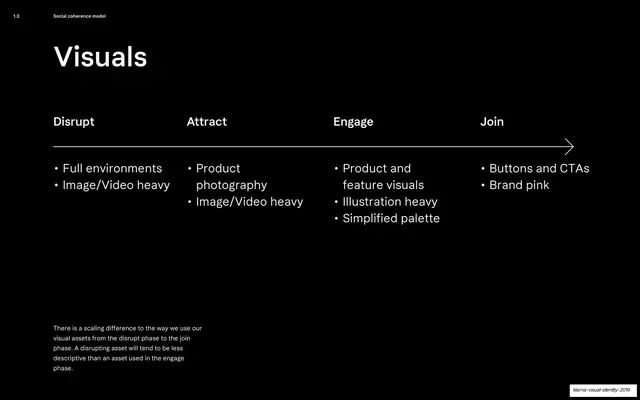 Asset types by funnel stage