Conditions rate table with renegotiation callouts
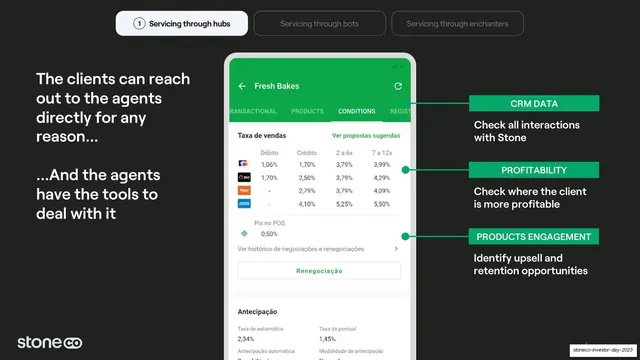
Dark slide with a text statement on the left and a phone mockup of the conditions tab showing a card-rate table, a renegotiation button and three green callouts.
Summary
A dark slide with a text statement and an annotated phone mockup of the conditions tab, where a rate table sits above a renegotiation button and three callouts.
Visual description
The top tab row has the third option selected in white. The left statement repeats the earlier hub text. The phone mockup shows the conditions tab, with a sales-rate table that lists debit, credit, installment ranges and card brands as rows and columns of percentages, followed by a Pix rate line. A green outlined button labeled Renegociação sits beneath, with a link to the negotiation history above it. Further down, a second section lists advance rates. Three callouts on the right, CRM DATA, PROFITABILITY and PRODUCTS ENGAGEMENT, connect to the screen with green lines.
Key takeaway
A dense rate table becomes readable because each column has a fixed label and the rows align to brand icons. Placing the action button directly under the table ties the data to the next step.
Reuse notes
Use for a pricing or terms screen where a table leads to an action. Keep the rate columns in a fixed order and align numbers to the right. The on-screen copy is in Portuguese, so translate the labels if the deck is used for another audience.
More like this
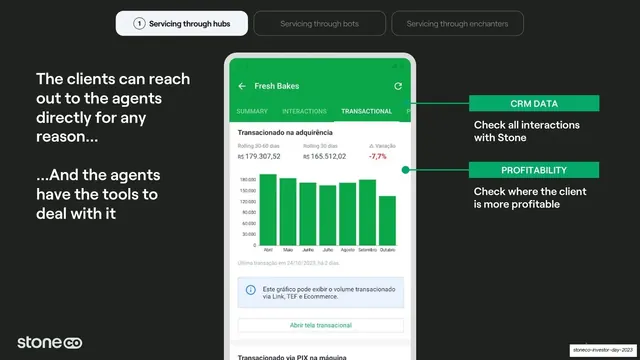 Transactional bar chart with profitability callout
 The New York Times Investor Day 2022
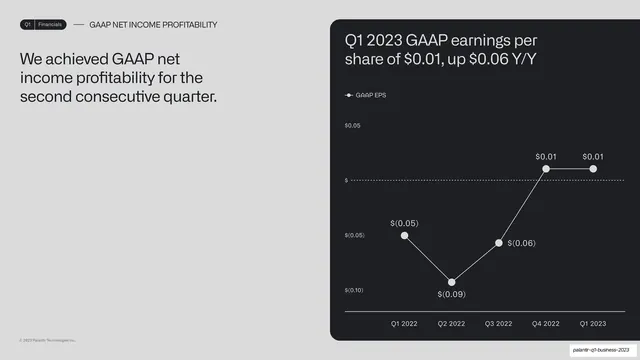 GAAP net income profitability line chart
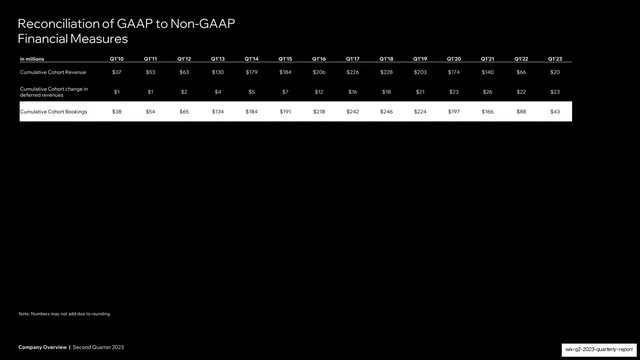 GAAP to Non-GAAP reconciliation table (cumulative cohort)
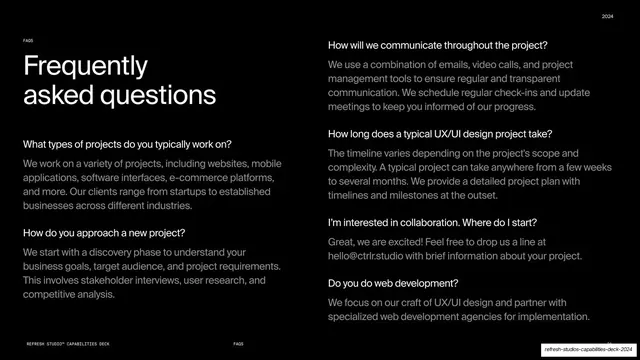 FAQs page - questions continued
 Palantir Q1 2023 Business Update
 Palantir Q1 2025 Investor Update
 On Impact Progress Report 2024
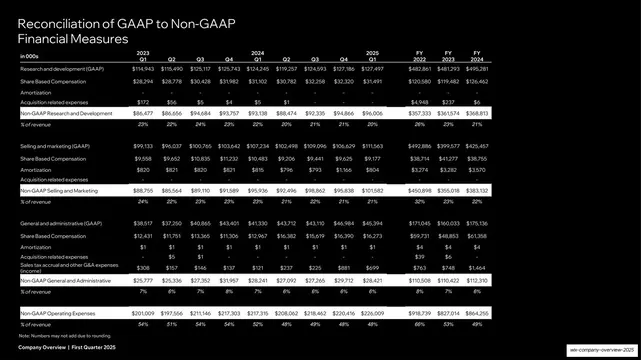 Operating expenses non-GAAP reconciliation table
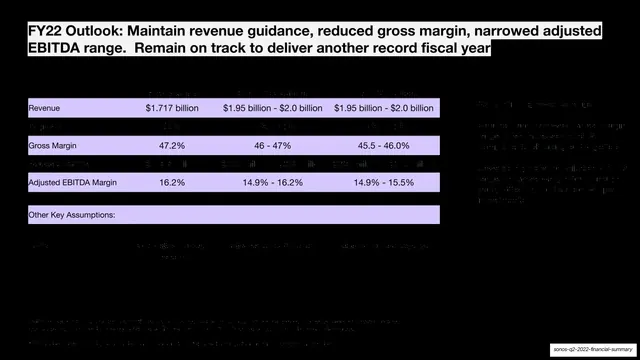 FY22 Outlook guidance table
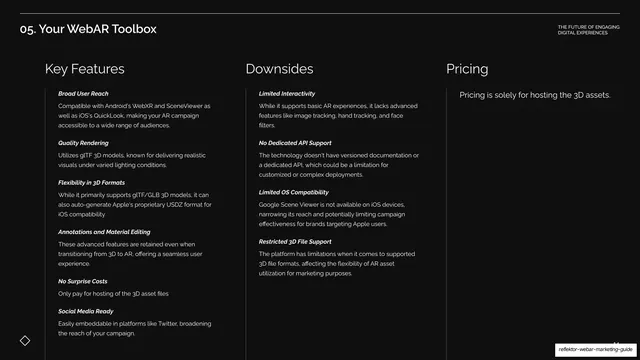 Model Viewer features, downsides, pricing
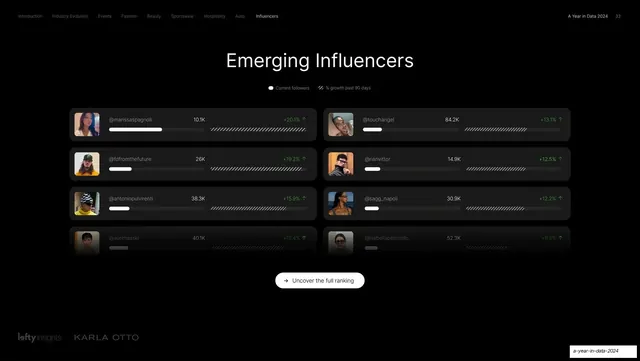 Emerging influencers growth ranking on dark
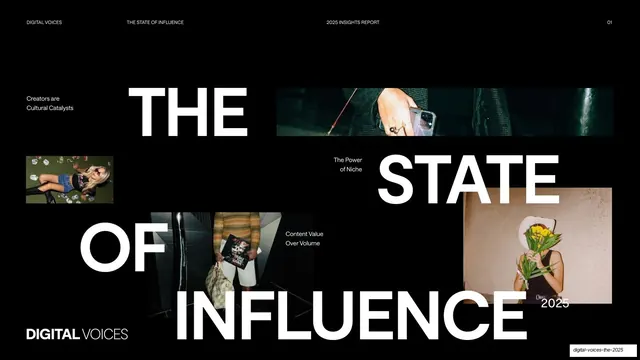 Digital Voices: The State of Influence 2025
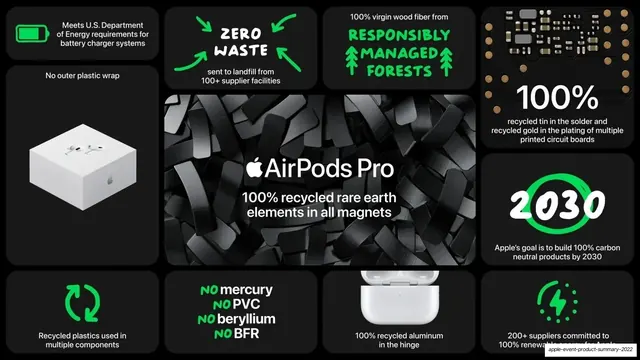 AirPods Pro sustainability bento (dark)
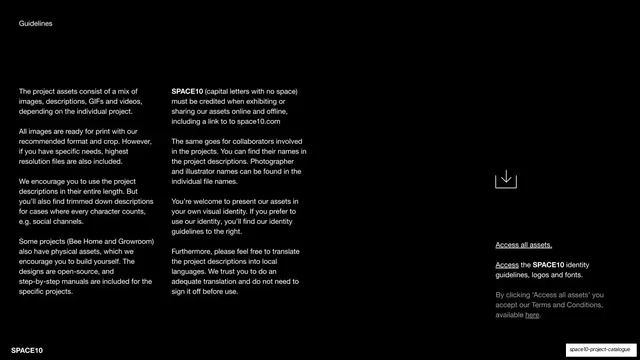 Guidelines for using the assets
 Block Bitcoin Knowledge and Perceptions Report
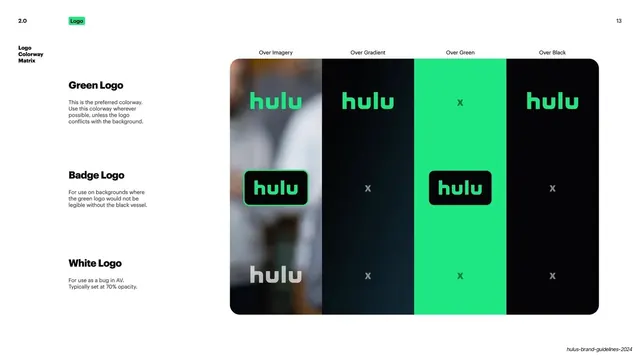 Logo colorway matrix
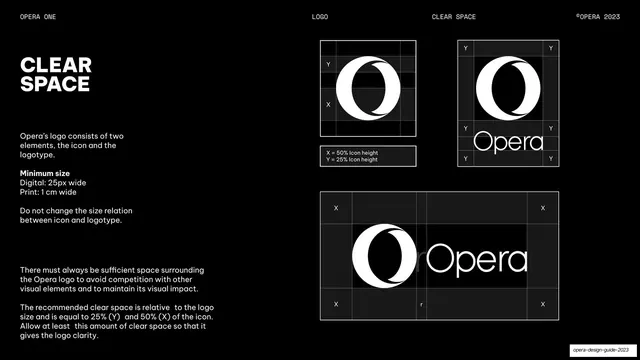 Logo clear space and minimum size
 Galaxy Q2 2023 Report
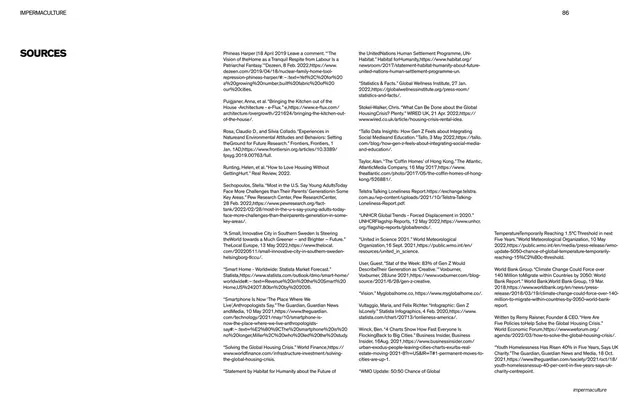 Sources bibliography page two
 Why Dev Mode feature with version history
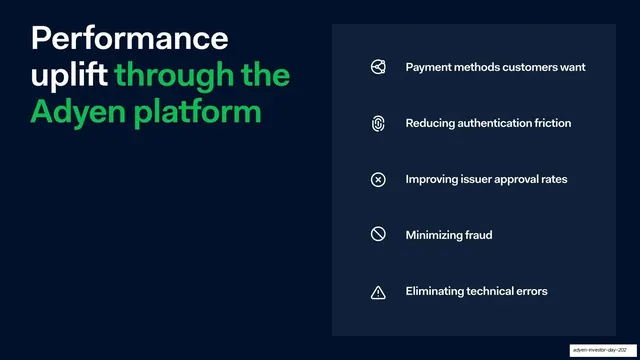 Performance uplift five-point list panel
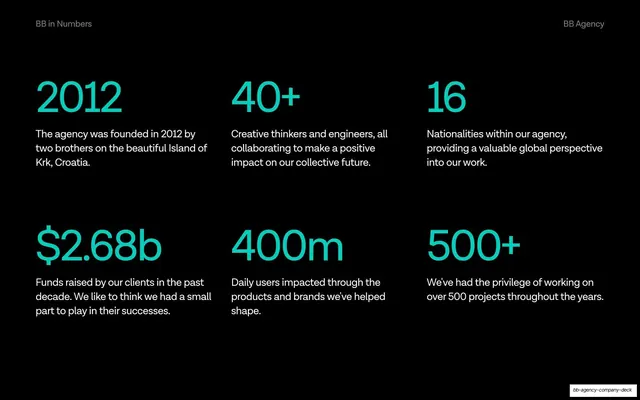 BB in Numbers stat grid
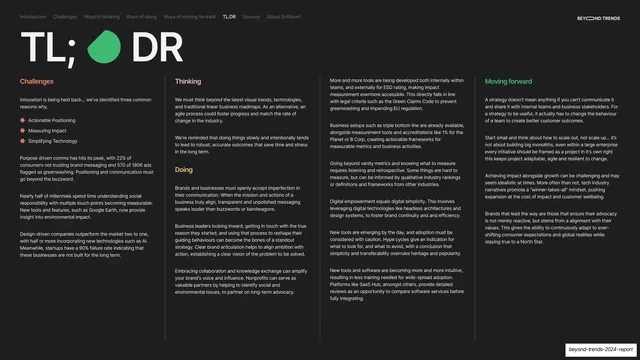 TL;DR four-column recap