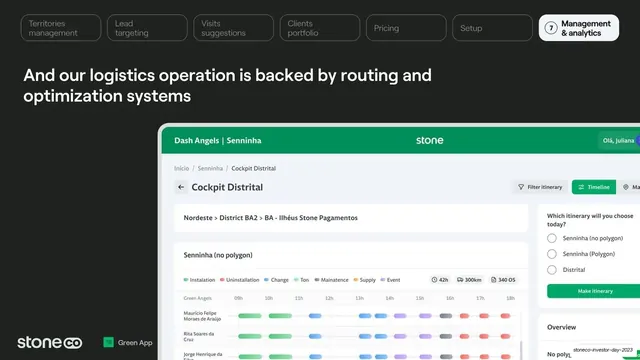
Cockpit itinerary timeline view
Dark slide with a two-line headline above a planning screenshot where a time-based itinerary timeline of colored pill segments sits beside a choice panel.
Summary
A dark slide whose headline introduces routing, paired with a planning screenshot that shows a timeline of colored itinerary blocks per agent.
Visual description
The section pills sit at the top, with a two-line headline beneath them. The screenshot is cropped at the right and bottom and shows a green application header, a breadcrumb row and a page title. The main card holds a legend of colored swatches above a timeline with hourly markers from 9h to 18h and one row per agent. Rounded pills in green, blue, purple, red and gray mark each task, and summary chips show total hours, kilometers and orders. A right-hand panel asks which itinerary to choose, with radio options and a solid green button.
Key takeaway
The timeline turns a day of visits into a row of colored blocks, so gaps and overloads are visible at a glance. Summary chips above the timeline give totals without a separate report.
Reuse notes
Use for a schedule or itinerary view where each row is a person and each block is a timed task. Keep the color categories few, and make the legend sit directly above the timeline. The right-hand selection panel is a useful model for choosing among planning options.
More like this
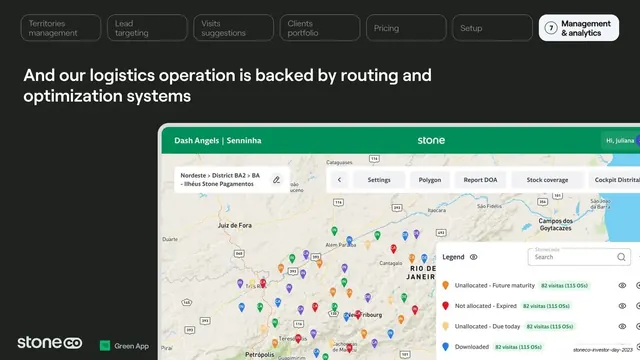 Logistics map with status legend
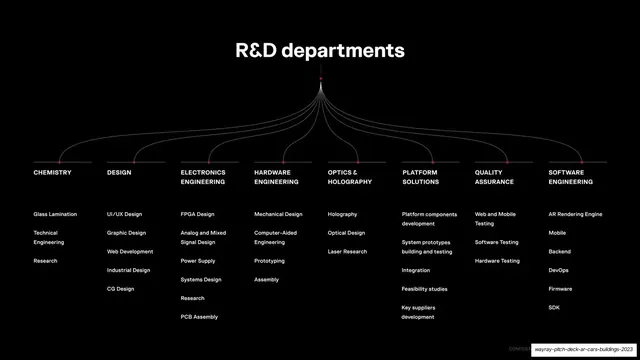 R&D departments fan diagram
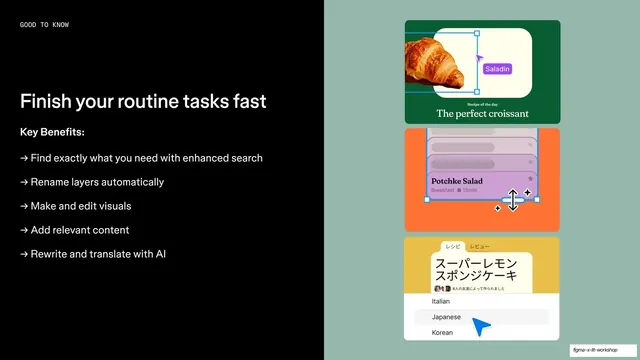 Finish routine tasks fast AI feature
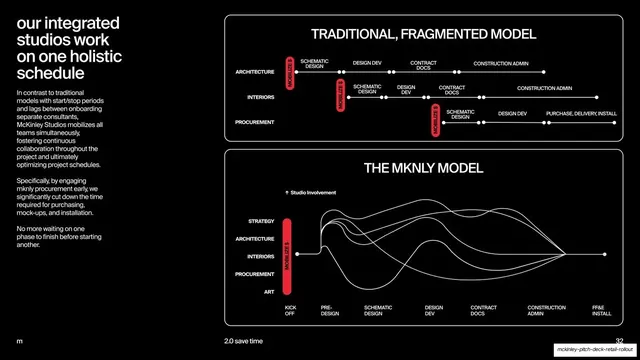 Fragmented vs mknly model timeline diagram
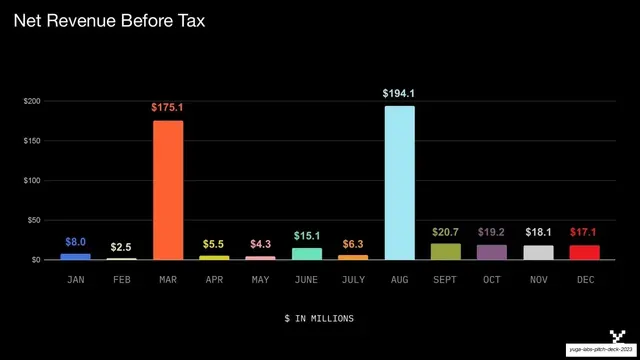 Net revenue before tax bar chart
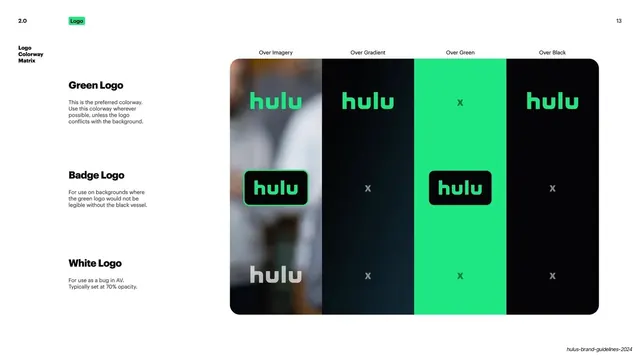 Logo colorway matrix
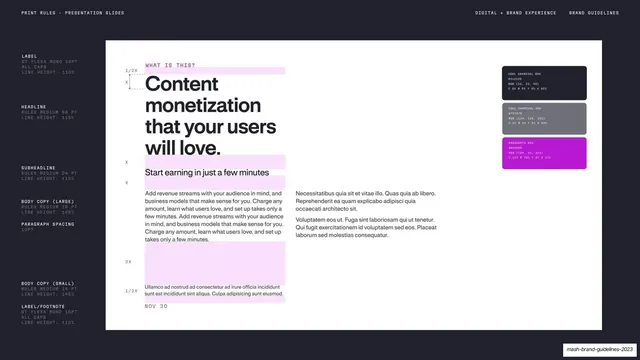 Presentation slide print rules anatomy
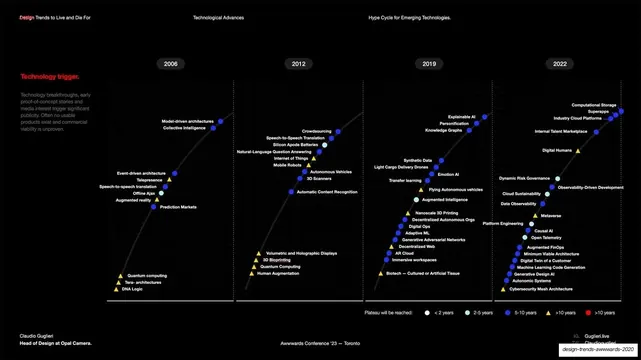 Emerging-technologies hype cycle chart
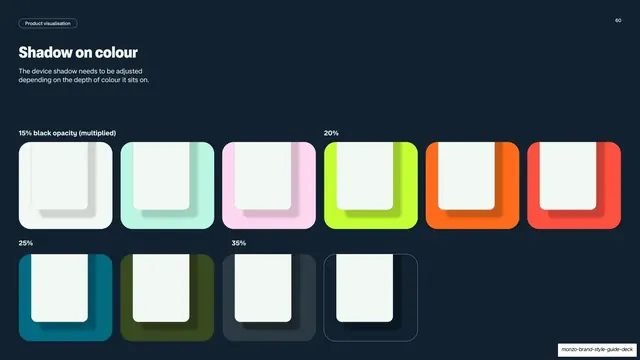 Monzo shadow on colour spec
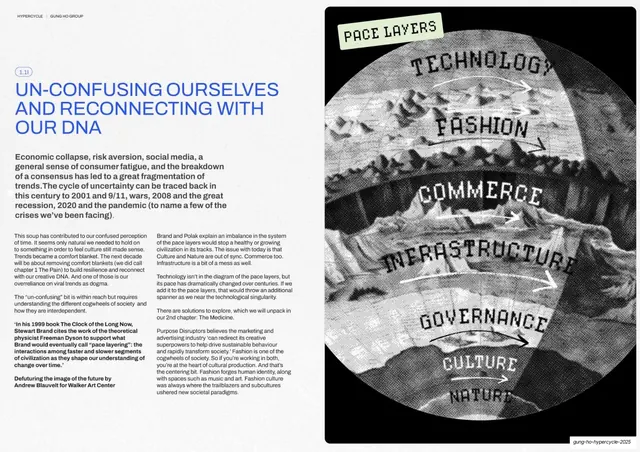 Un-confusing ourselves and reconnecting with our DNA
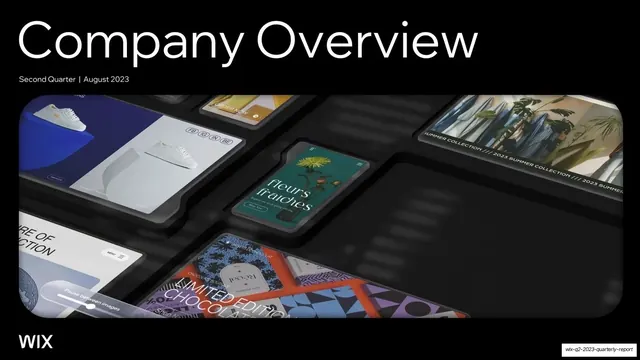 Wix Q2 2023 Quarterly Earnings Report
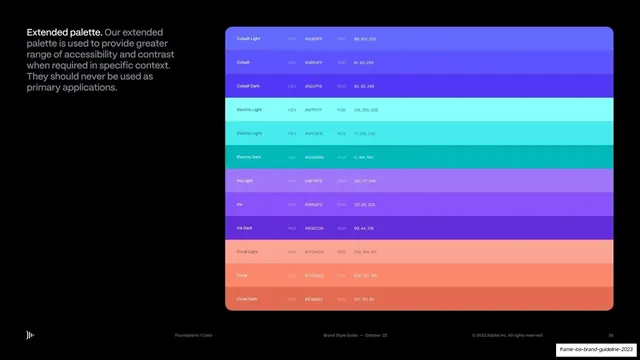 Extended color palette table
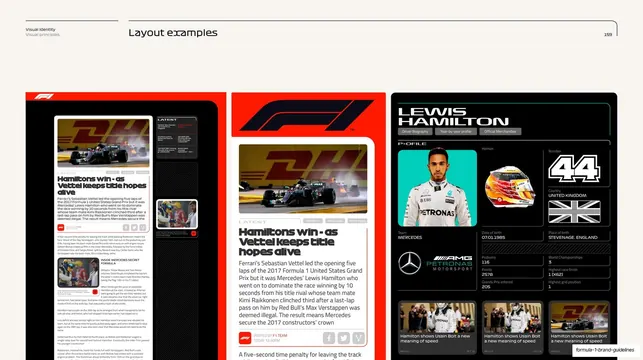 Layout examples applied templates
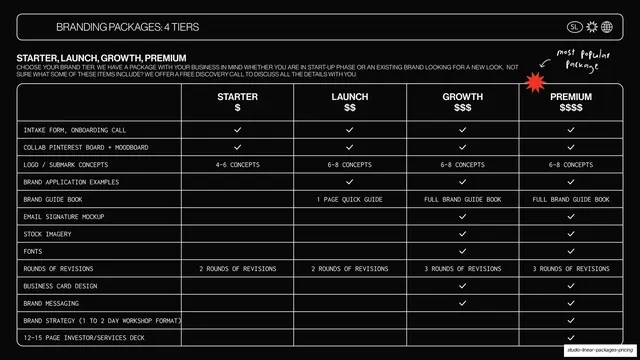 Four branding tiers comparison table
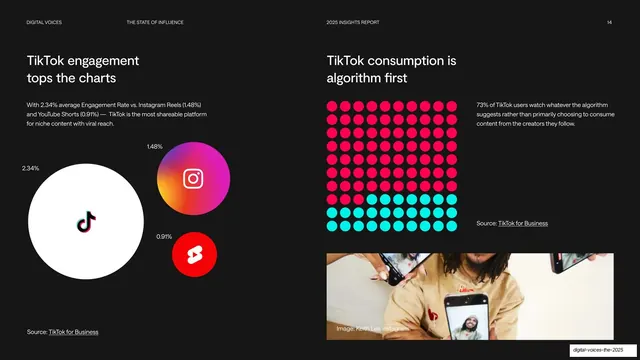 TikTok engagement and algorithm-first
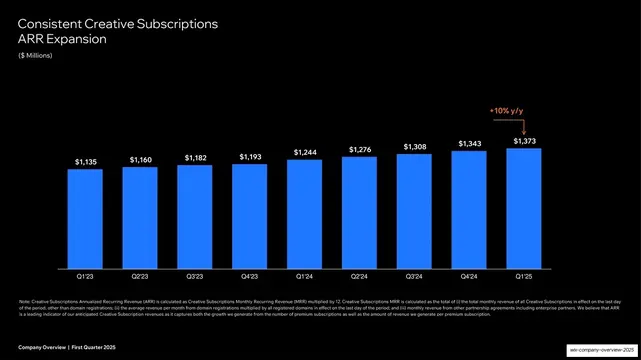 Creative subscriptions ARR bars with growth callout
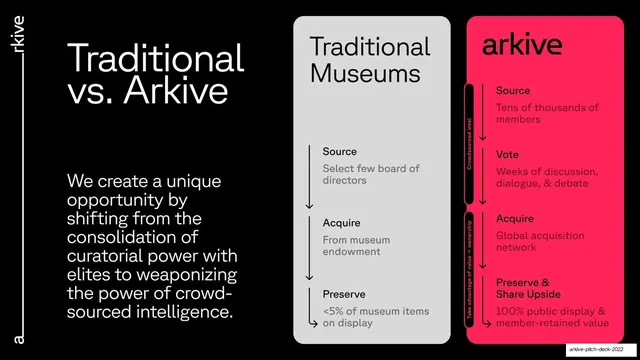 Traditional vs. Arkive comparison
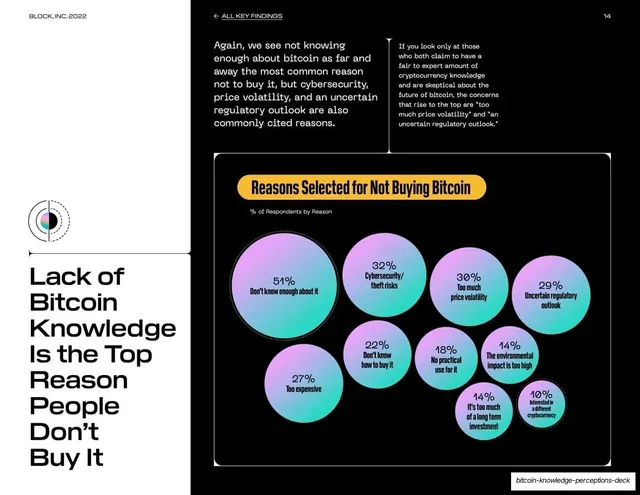 Reasons for not buying bitcoin, bubble cluster
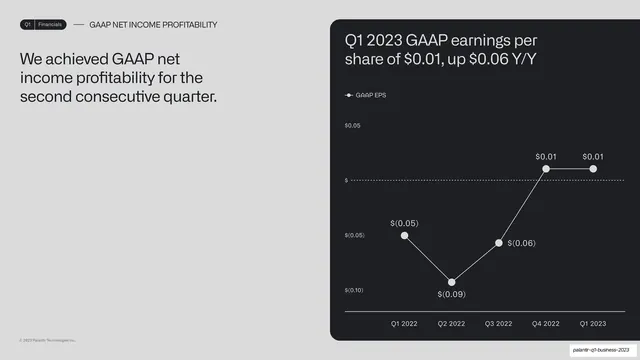 GAAP net income profitability line chart
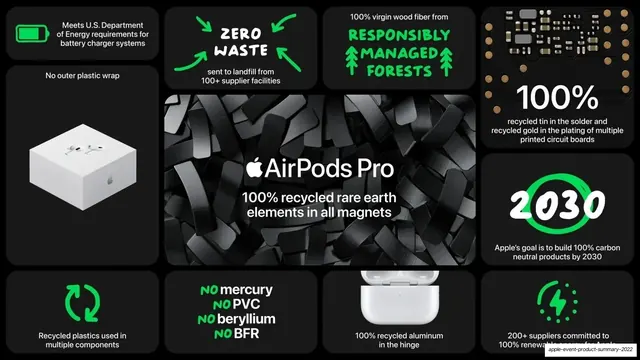 AirPods Pro sustainability bento (dark)
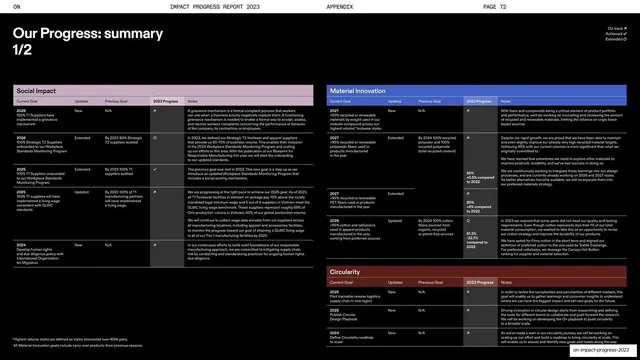 Progress summary tables for social impact and materials
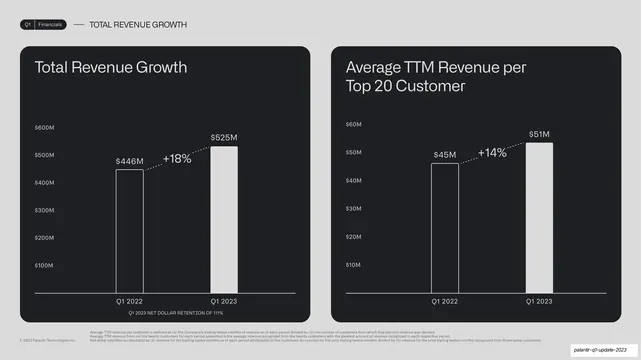 Total revenue and top-20 customer two-up
 KPR Brand Book Version 1.0
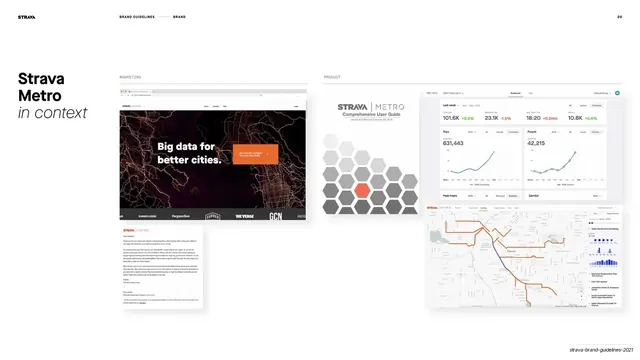 Metro in web, document, and dashboard