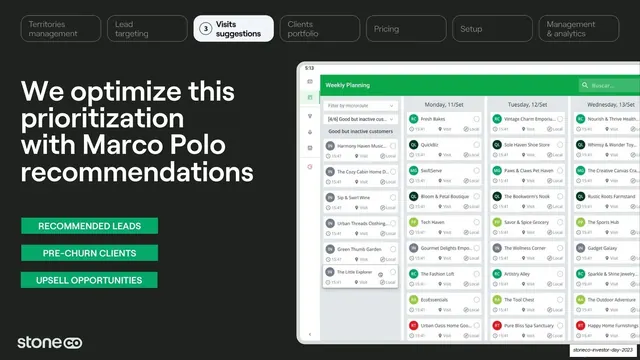
Inactive customers micro-route filter applied
The outcome labels remain on the left while the planning board shows a microroute filter applied and a list of inactive customer accounts.
Summary
The outcome labels stay on the left, and the planning board now shows a microroute filter applied to a group of inactive customers. The slide demonstrates the filter in action.
Visual description
The headline and three solid green all-caps labels stay in the same position, now without the connector line. On the device, a Filter by microroute dropdown sits above a second dropdown set to a bracketed Good but inactive customers group, with a matching heading below. The left column lists several account cards with avatar initials, times and Visit and Local tags. The cursor rests on the last card near the bottom, and the day columns on the right stay unchanged.
Key takeaway
Showing the filter as a stacked pair of dropdowns with a short result list makes the targeting concrete. The labels from the previous slide remain as a thread that ties the feature back to the outcomes.
Reuse notes
Good for a product sequence where a filter narrows a list. The cursor on a single row adds a sense of interaction without extra annotation.
More like this
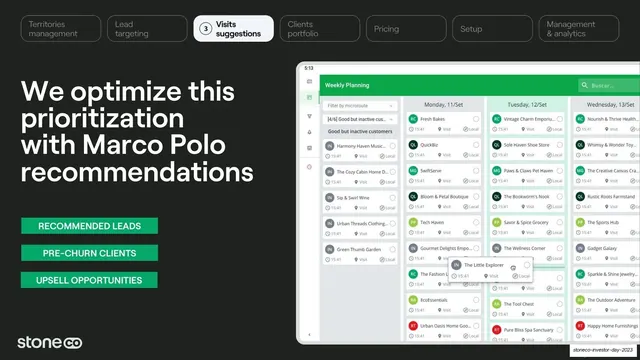 Dragging account card onto planning day
 Why Dev Mode feature with version history
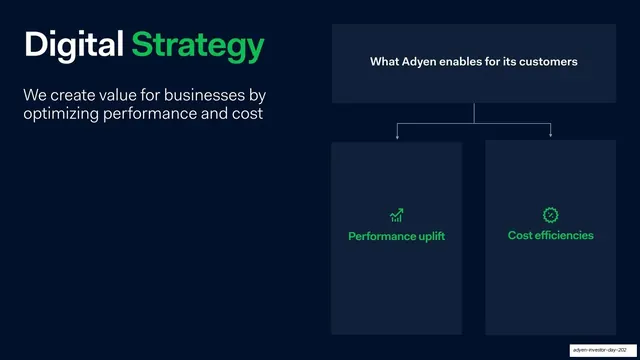 Digital strategy two-branch diagram
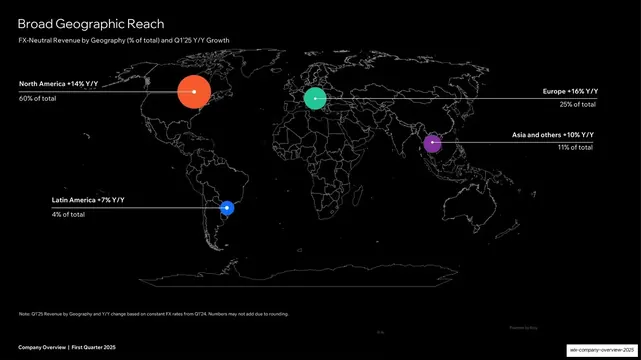 World map with regional revenue share circles
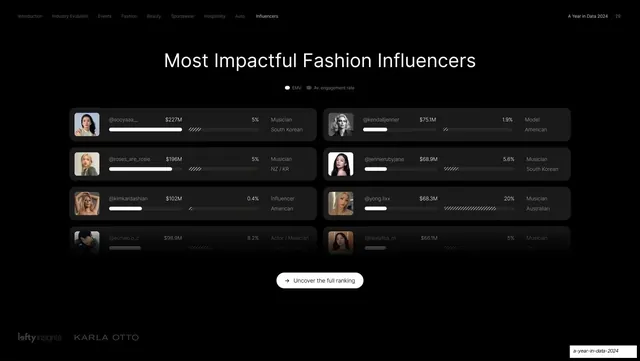 Fashion influencer ranking list on dark
 Hulu Brand Guidelines 2024 (Big Green Guide)
 Panel Investor Pitch Deck 2023
 WRKOUT Brand Guidelines 2020
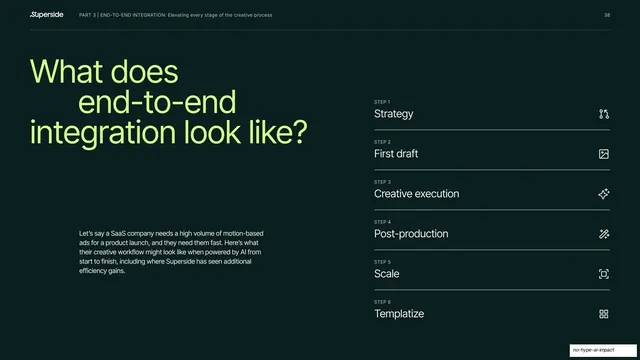 Six-step end-to-end AI workflow list
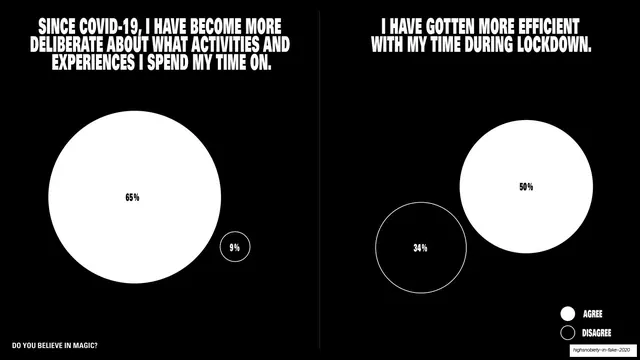 Deliberate and efficient bubble chart
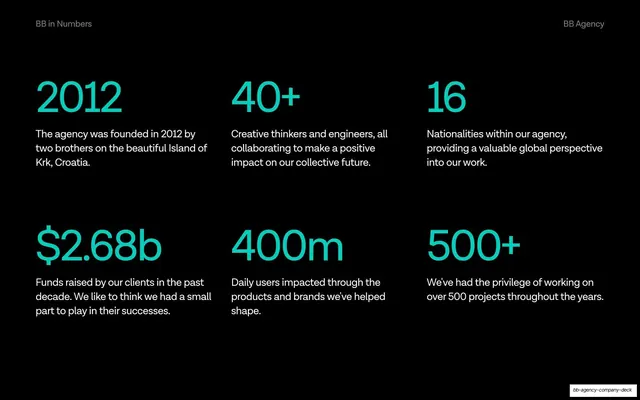 BB in Numbers stat grid
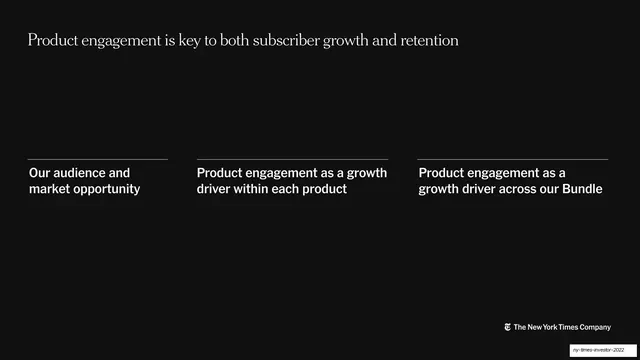 Three-pillar product engagement framing
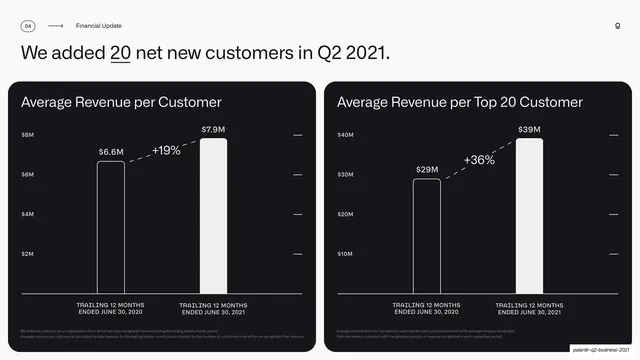 Average revenue per customer comparison
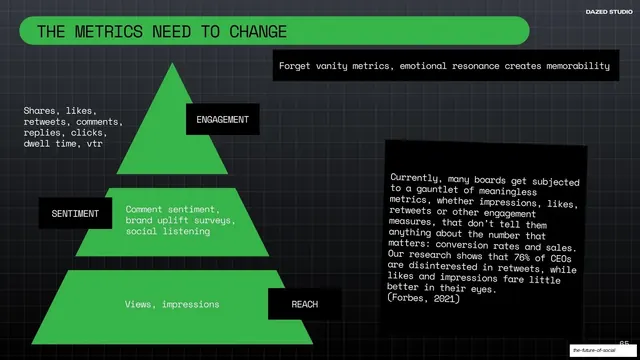 Three-tier metrics pyramid with citation card
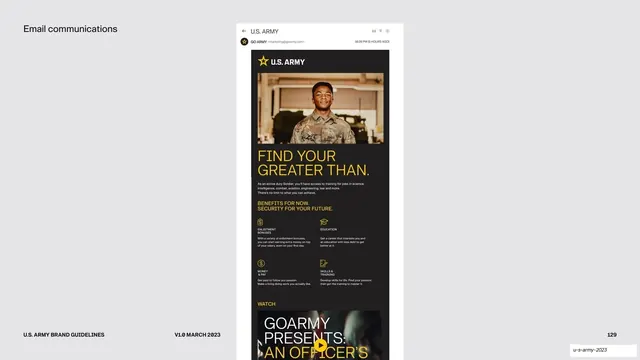 Benefits email template: Find Your Greater Than
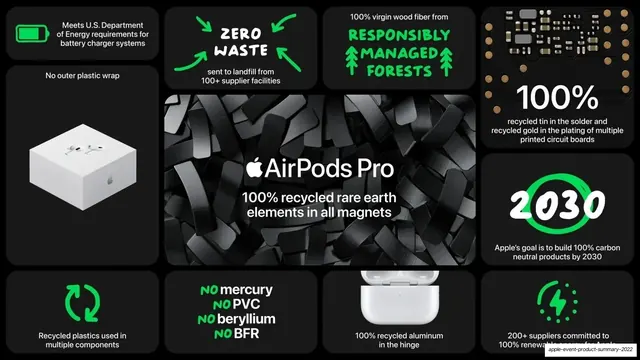 AirPods Pro sustainability bento (dark)
 McKinley Studios Retail Partnership Pitch Deck
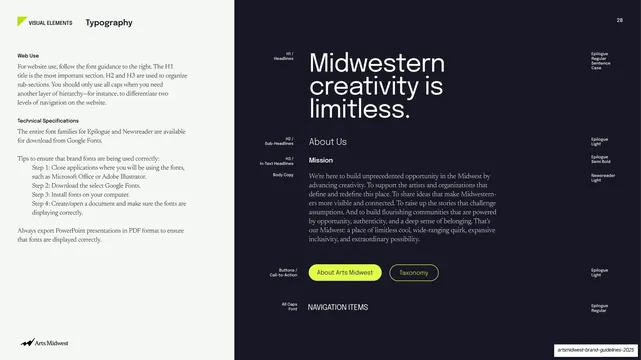 Typography hierarchy, web and headline scale
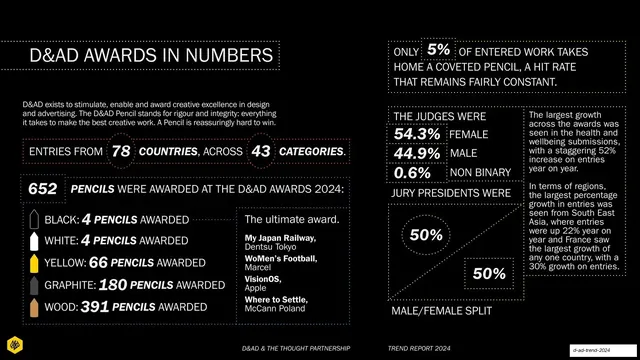 Awards in numbers statistics infographic
 Block Bitcoin Knowledge and Perceptions Report
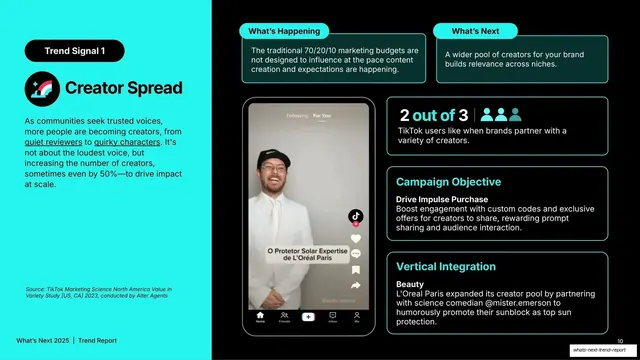 Trend signal one with stat and campaign cards
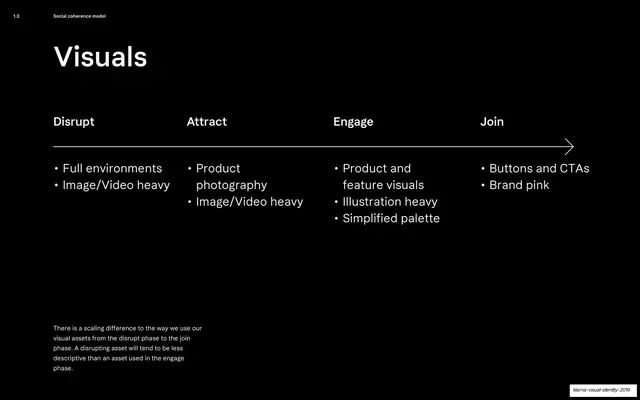 Asset types by funnel stage
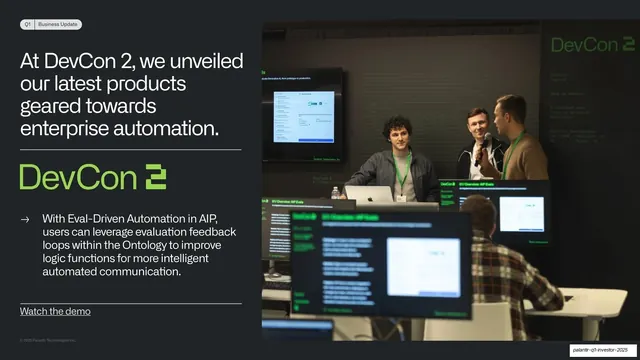 DevCon 2 product headline with lime wordmark
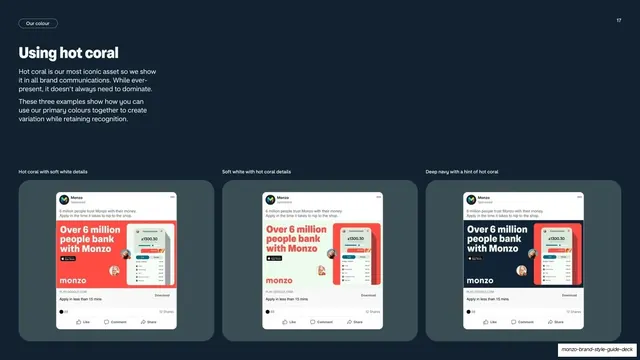 Using hot coral combinations