DocuSign logo clear space
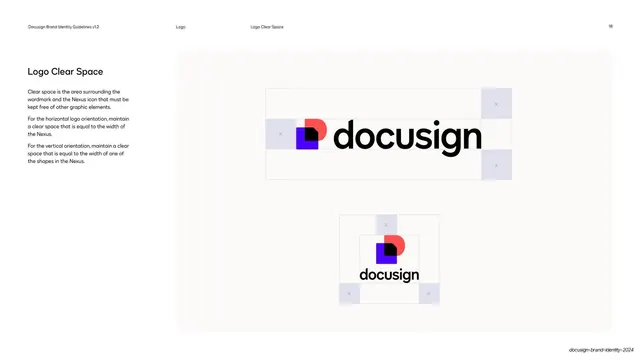
Clear-space page using tinted spacing boxes and dashed boundaries to define the protected area around the horizontal and vertical logo.
Summary
The logo clear-space rule, shown by wrapping the horizontal and vertical lockups in dashed exclusion boundaries with tinted measurement squares marking the minimum margin.
Visual description
Standard page chrome ("Logo" / "Logo Clear Space", page "18"). The left column heading "Logo Clear Space" sits over three short paragraphs defining the margin as the width of the Nexus (horizontal) or one of its shapes (vertical). The right two-thirds is a rounded off-white panel with two diagrams: upper, the horizontal lockup boxed by a dashed rectangle with pale lavender measuring squares (each marked with a small x) at the corners and edges; lower and centered, the vertical lockup wrapped the same way with smaller squares. The spacing modules visually equal a unit of the icon.
Key takeaway
Using a faint tinted square as the repeating spacing unit, placed at corners and midpoints inside a dashed boundary, makes the exclusion zone measurable at a glance. Pairing both orientations keeps one rule consistent across lockups.
Reuse notes
A directly reusable clear-space diagram for any logo guideline. The dashed-boundary-plus-tinted-module convention reads instantly; keep the measuring squares subtle so they never compete with the mark.
More like this
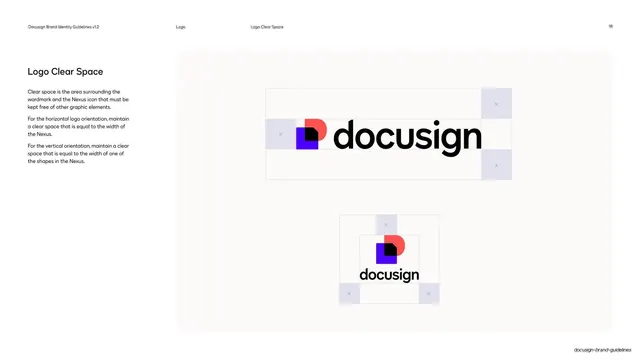 Docusign logo clear space
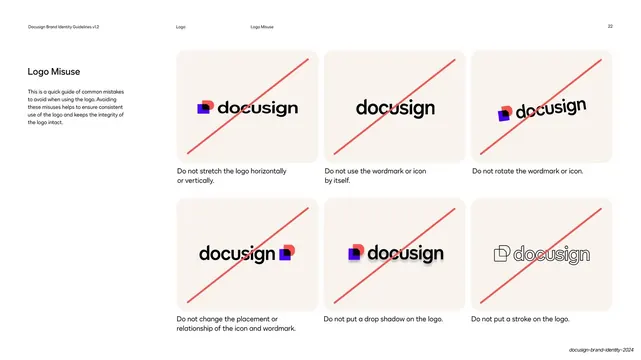 DocuSign logo misuse grid
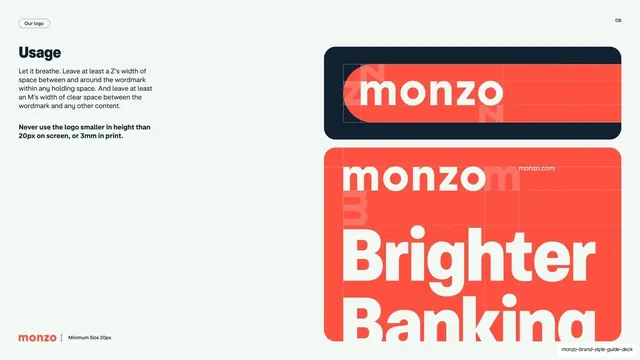 Wordmark clear space and minimum size
 Wordmark clearspace diagram
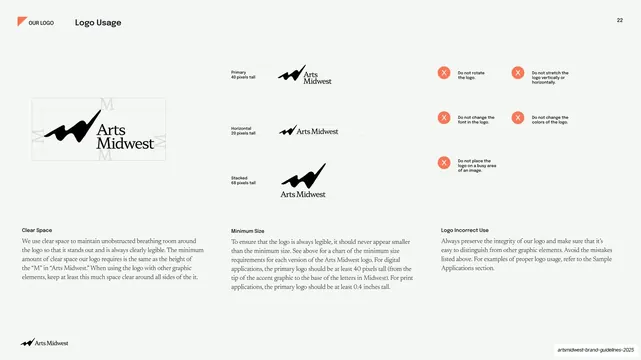 Logo usage, clear space, minimum size, incorrect use
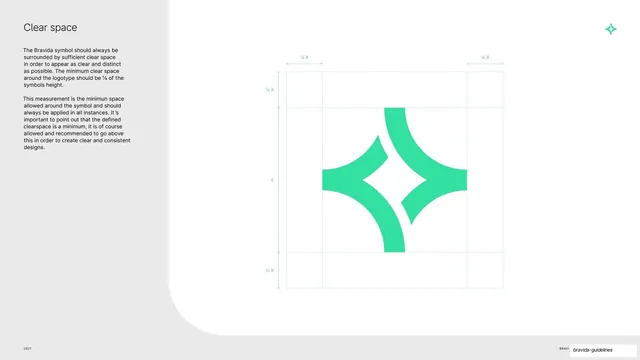 Symbol clear space rules
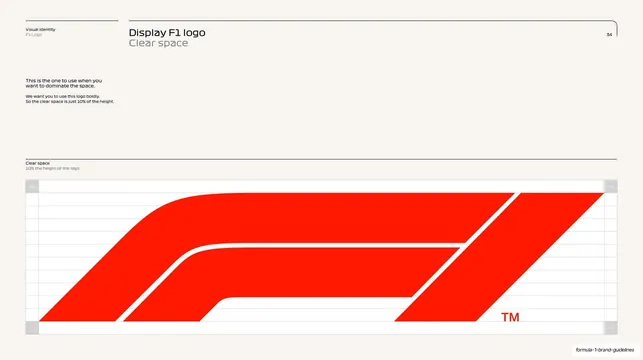 Display logo clear space diagram
 Mash logo clearspace rules
 Mash logomark clearspace
 IKAN logomark construction
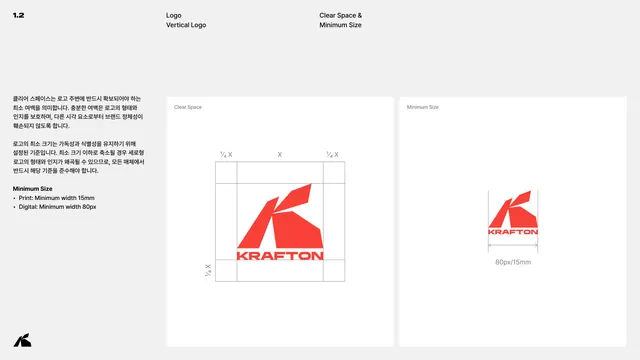 Vertical logo clear space and minimum size
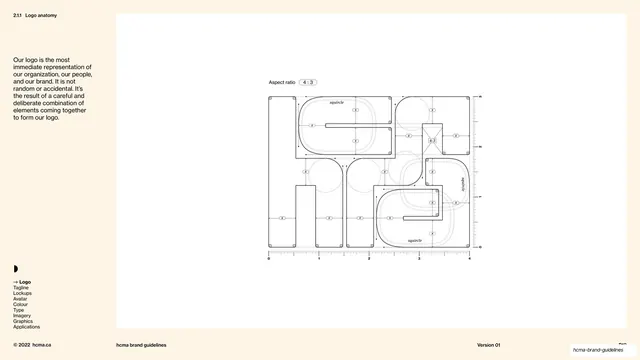 Logo anatomy construction diagram
 Sub-brand - Prisma
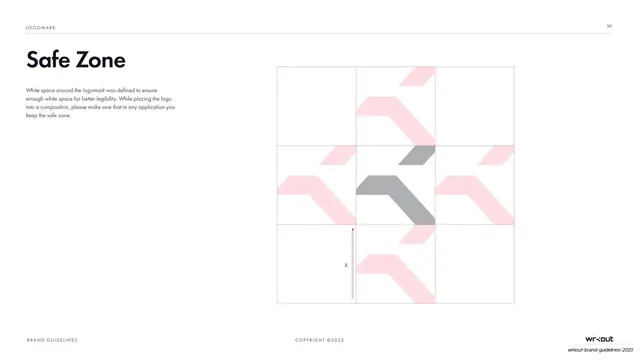 Logomark safe zone grid
 Dropbox Q3 2024 Investor Presentation
 Global highlights intro with ridge graphic
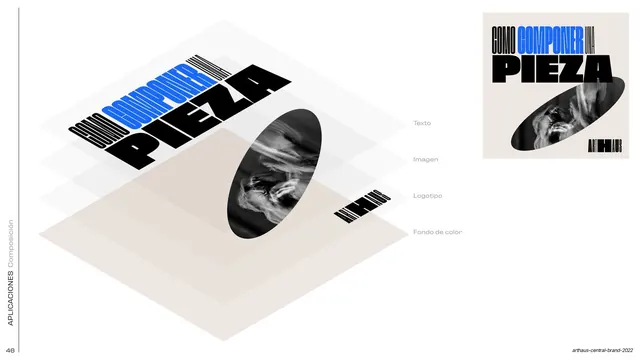 Rotated-portrait composition layer diagram
 How it works numbered cards slide
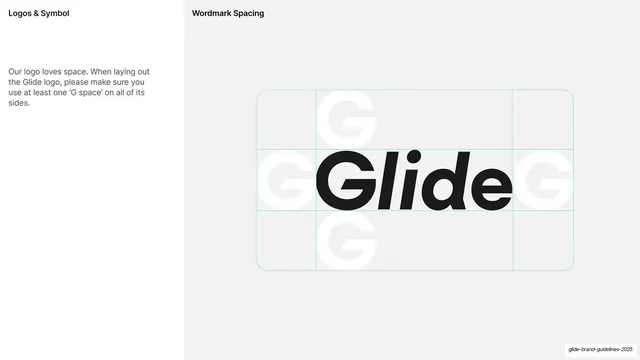 Wordmark clear-space G-grid diagram
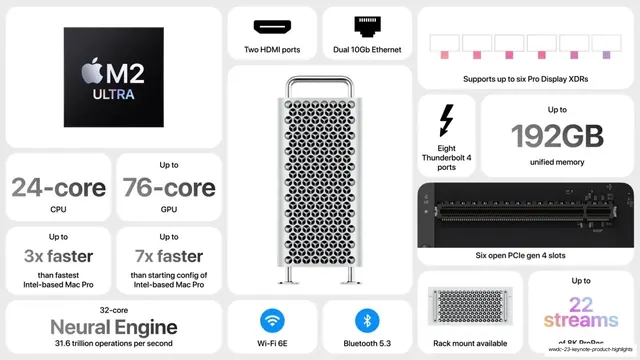 Mac Pro tower spec bento
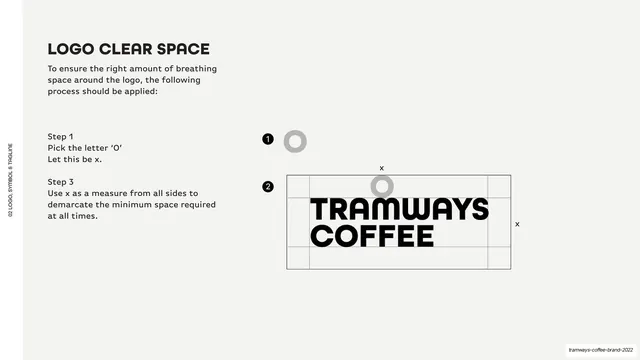 Logo clear space construction
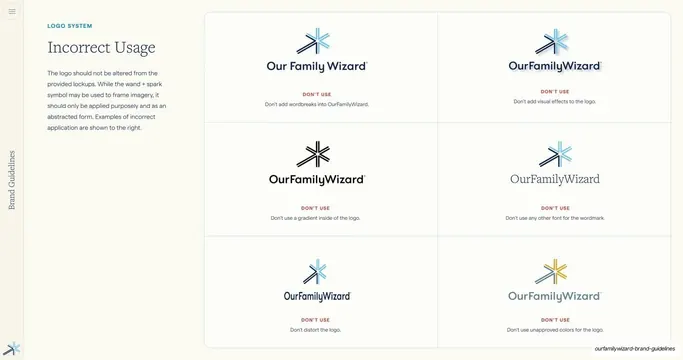 Logo incorrect usage grid
 Partner lockup spacing rules
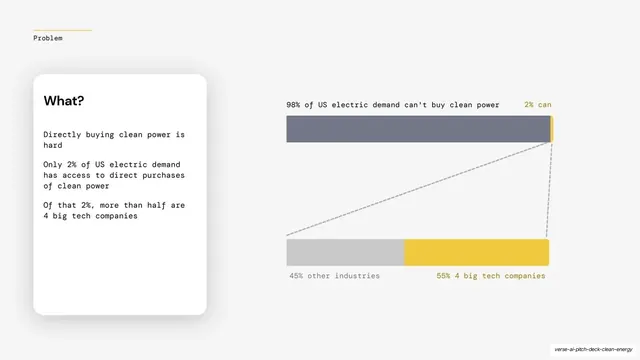 Problem "What?" market-access bars