Full Figma editor canvas screenshot
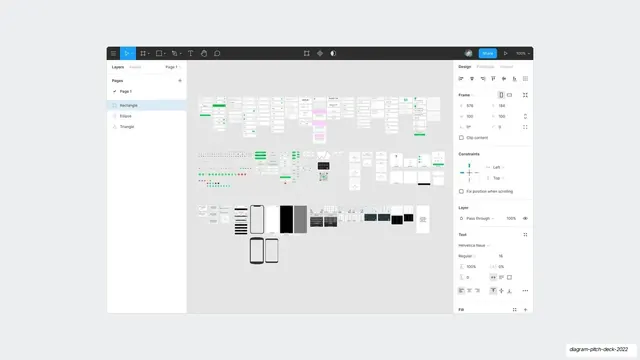
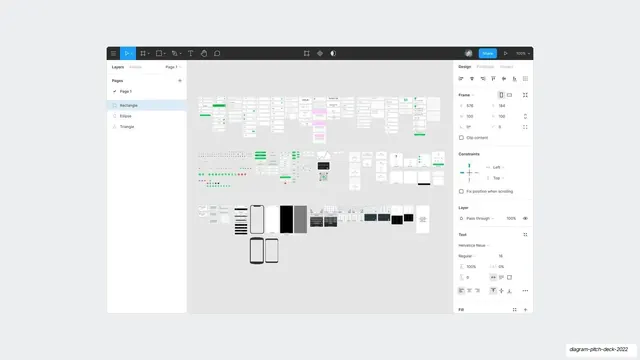
A full screenshot of the Figma editor showing the whole working file, with the layers panel, design inspector, and dozens of small artboards laid out across the canvas.
Summary
A wide screenshot of the actual Figma editor, showing the entire deck's source file: rows of tiny artboards on the canvas with the layers panel on the left and the design inspector on the right.
Visual description
The full Figma application UI fills the slide. A dark toolbar runs across the top with move, frame, shape, pen, text, hand, and comment tools, a blue Share button, and a 100% zoom control. The left panel shows Pages and a Layers list (Page 1 with Rectangle, Ellipse, Triangle entries). The right Design panel shows Frame coordinates, Constraints, Layer blend mode, and Text settings (Helvetica Neue, Regular 16). The large central canvas is packed with three loose horizontal bands of small light artboards (forms, lists, icon sets, phone screens, dark mockups), reading as the entire deck's working file seen at a distance.
Key takeaway
Dropping the real editor in, zoomed out so the whole file reads as one texture, is a confident way to show the volume of craft behind a product without narrating it. The chrome itself signals "this was all made in the tool we are pitching."
Reuse notes
A meta move that only works for a design or developer-tool pitch where showing the build environment reinforces the story. The dense artboard field is best used as a transition or a "look how much we made" beat, not a slide anyone is meant to read.
More like this
 Full Figma editor canvas screenshot (repeat)
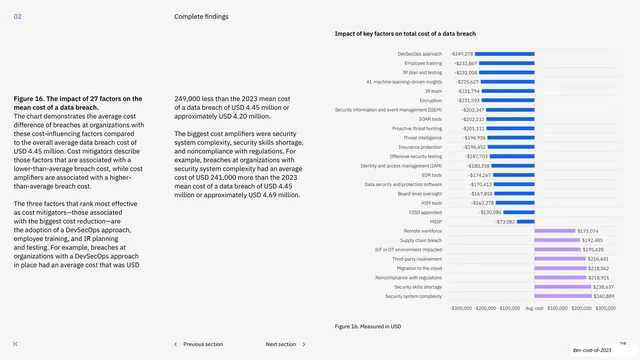 Impact of 27 cost factors diverging bar chart
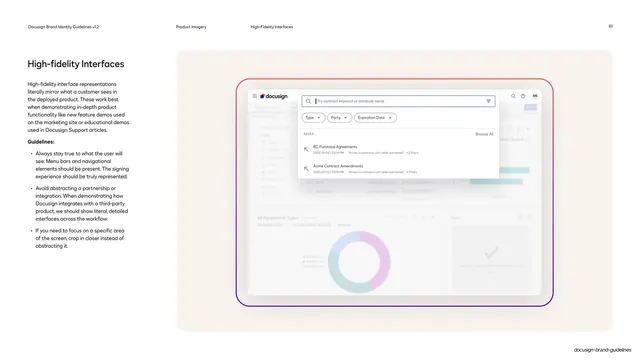 Docusign high-fidelity interfaces
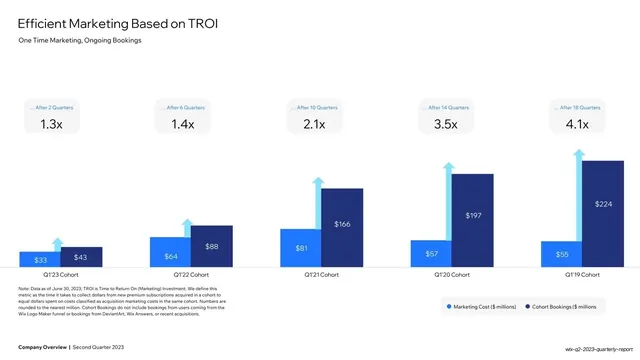 Efficient Marketing Based on TROI chart
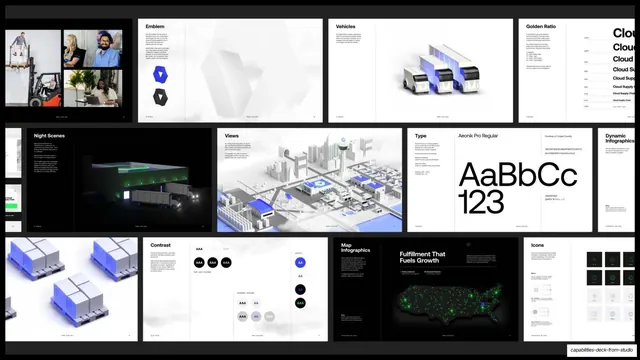 Stord brand guidelines spreads grid
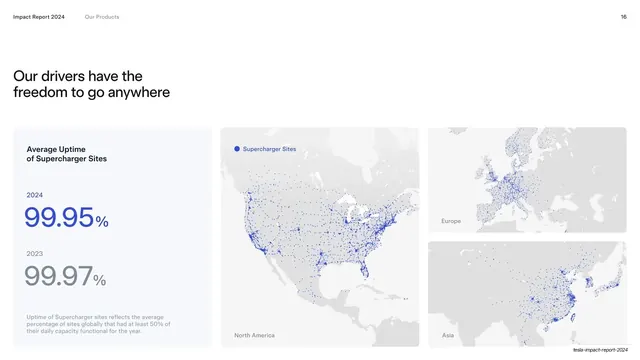 Supercharger uptime with regional coverage maps
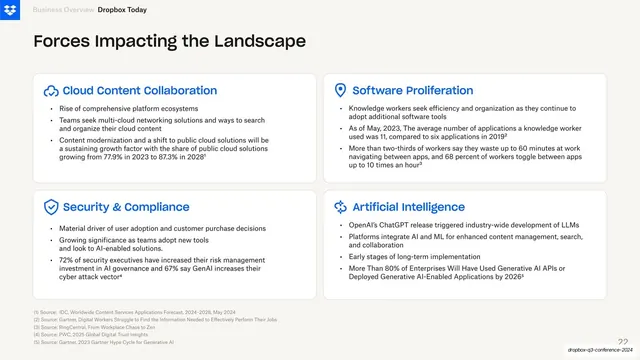 Forces Impacting the Landscape 2x2
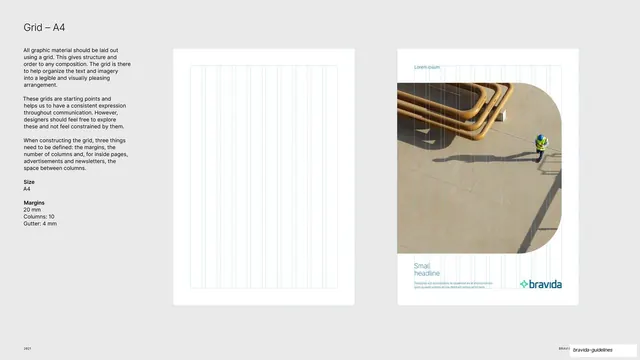 A4 advertising grid system
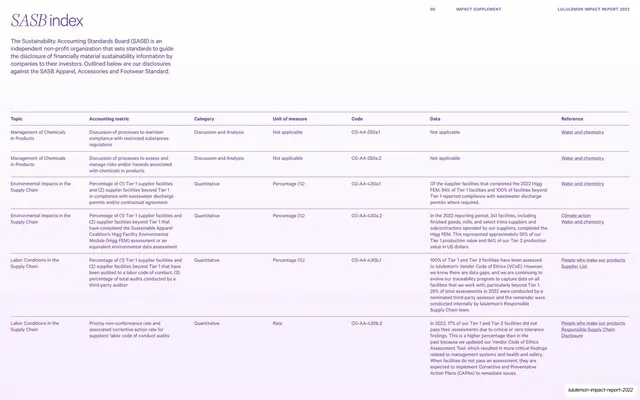 SASB index raw materials and activity metrics
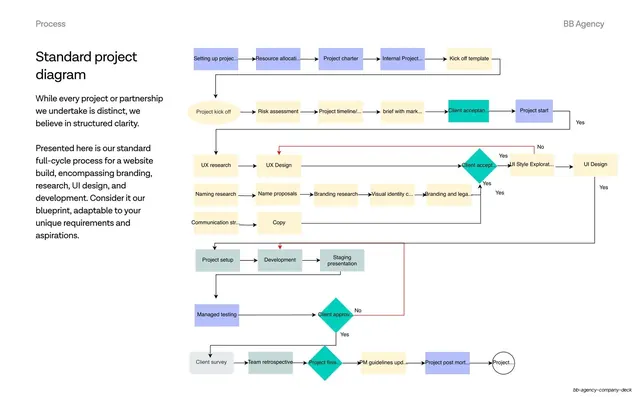 Standard project process flowchart
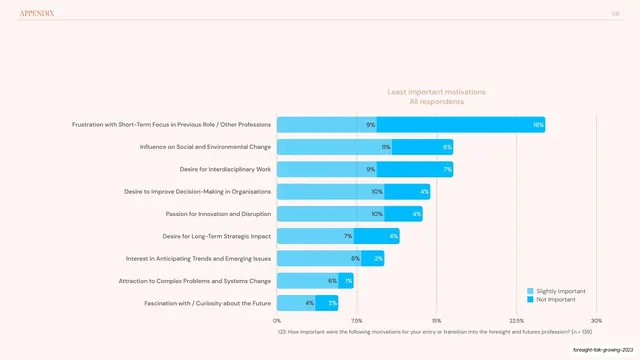 Least important motivations stacked bar chart
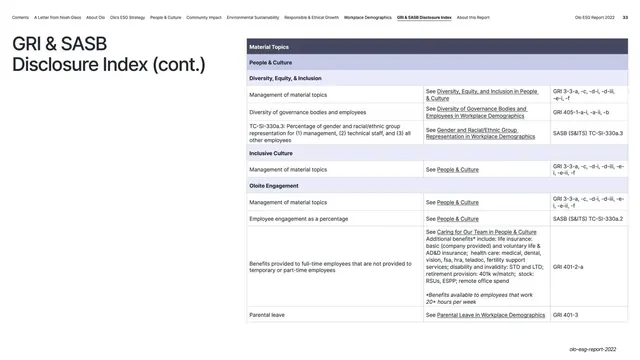 Disclosure Index material topics table
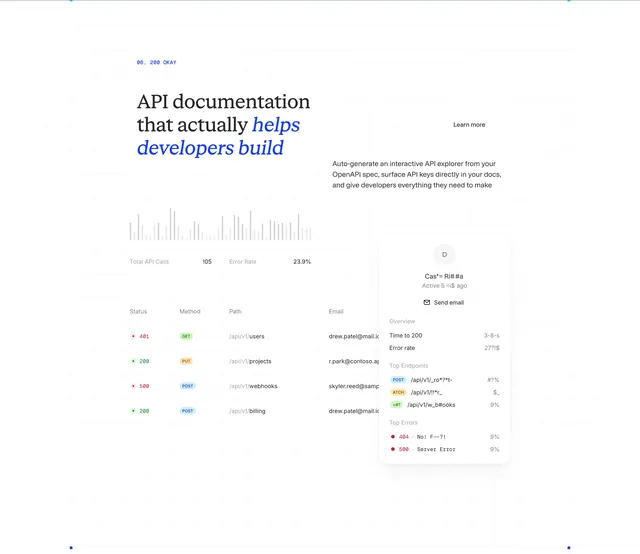 ReadMe API docs analytics bento feature
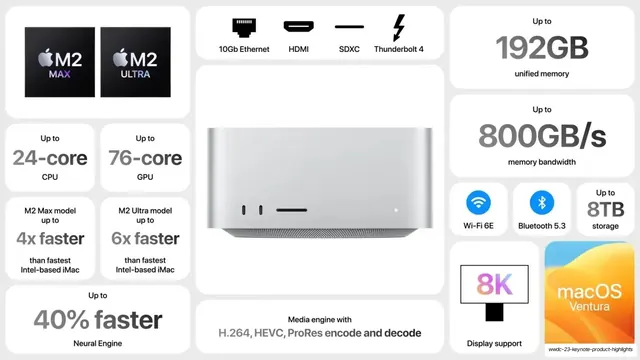 Mac Studio spec bento
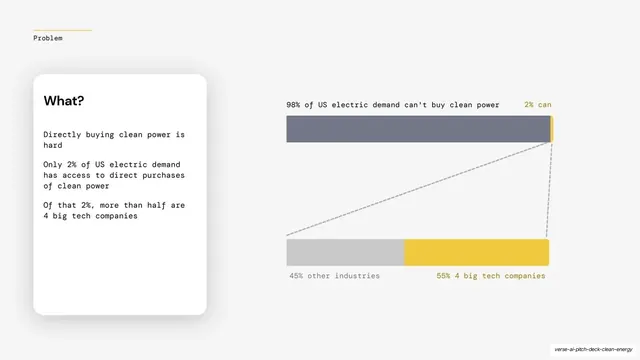 Problem "What?" market-access bars
 Composer product showcase
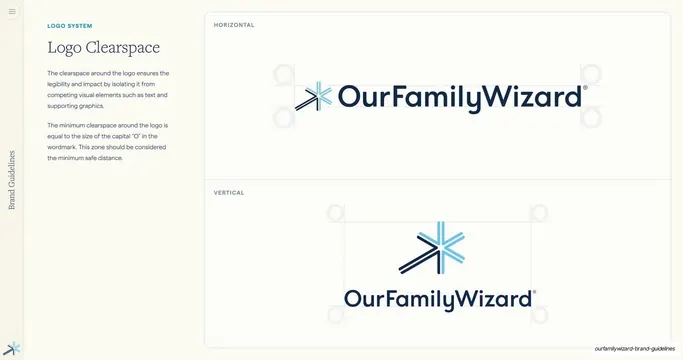 Logo Clearspace measurement diagram
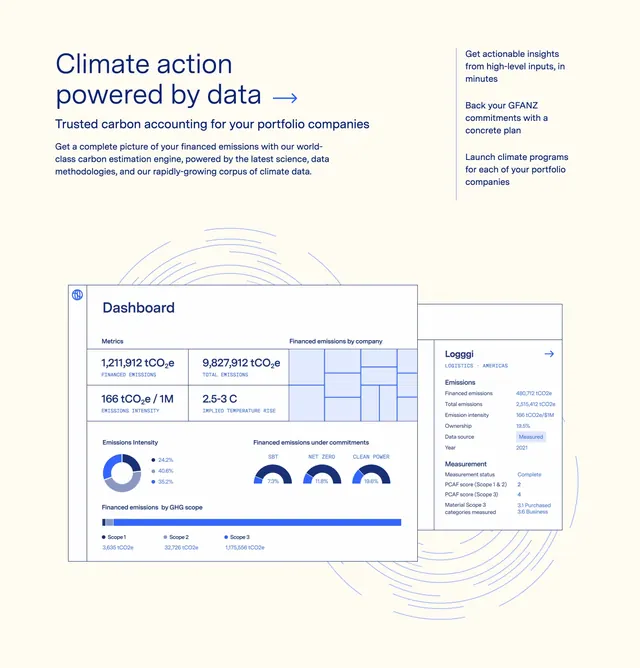 Watershed Solutions Page Section Trusted Carbon Accounting
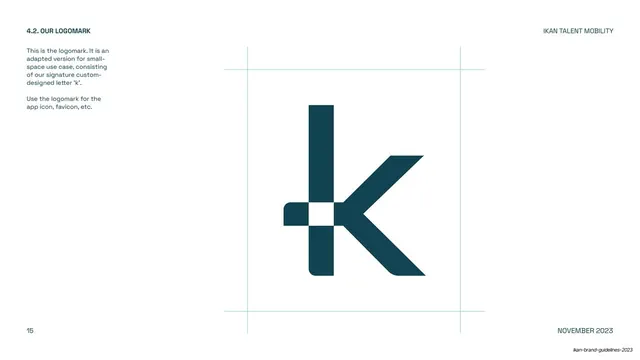 IKAN logomark construction
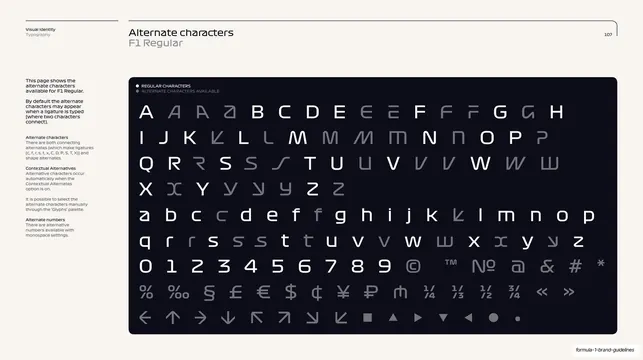 Alternate characters glyph set - F1 Regular
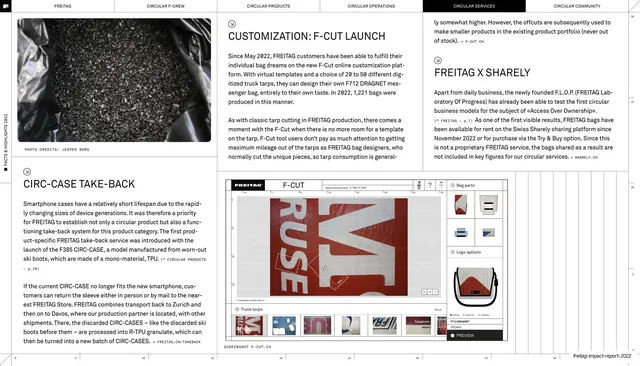 F-Cut customization launch screenshot spread
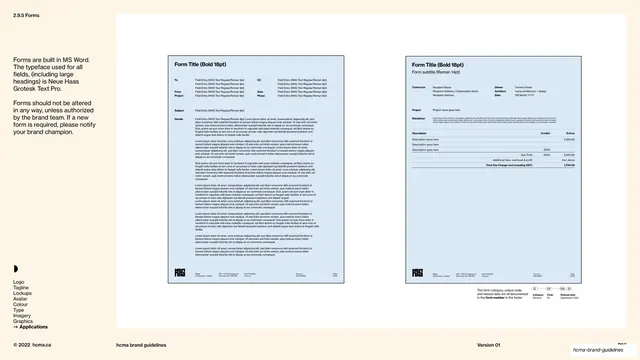 HCMA forms templates page
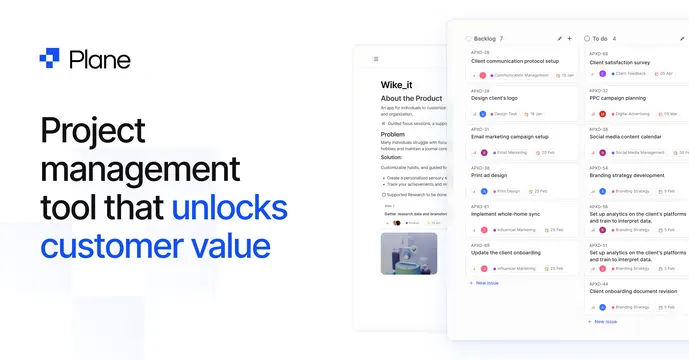 Plane OG card
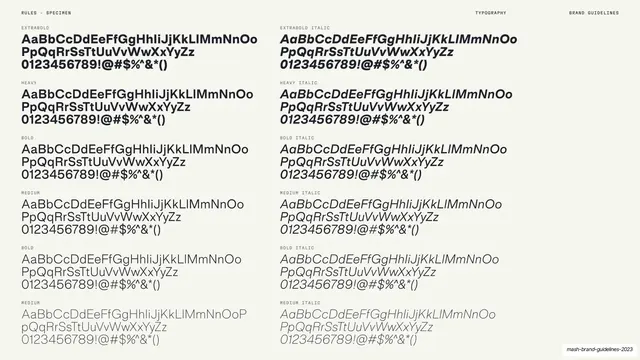 Mash Rules weights and italics specimen