Logo placement in the bottom-right corner
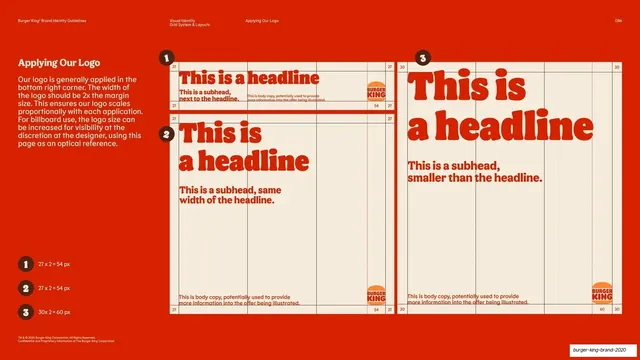
A red slide with three grid layouts that show the orange and red logo placed in the bottom-right corner at a width tied to the margin unit.
Summary
A logo rule page that places the mark in the bottom-right corner and sizes it from the margin unit.
Visual description
Left column has a title, an explanation of logo width and scaling, and three numbered pixel calculations. On the right, three cream artboards on red repeat the headline and subhead examples from earlier pages. In each, a small orange and red logo sits in the bottom-right corner, aligned to the right and bottom margin guides, with dotted guides and pixel labels (54 px, 60 px) marking its size.
Key takeaway
The logo is anchored to a margin corner and sized from the same unit as the margins, so it scales with the artboard. The dotted guides make that anchoring visible.
Reuse notes
Use when a guide needs to set logo placement and scale in one place. The orange logo has low contrast on the cream field at small sizes, so state a minimum size if reusing this rule.
More like this
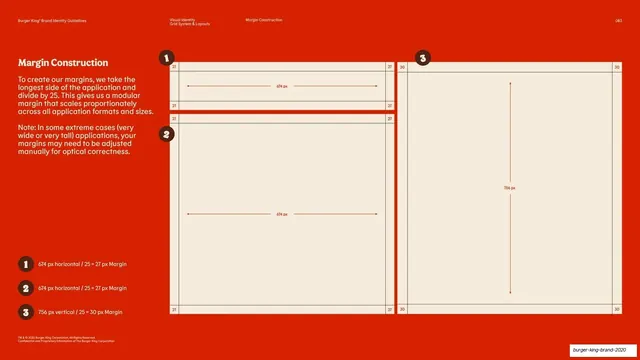 Margin construction with three page diagrams
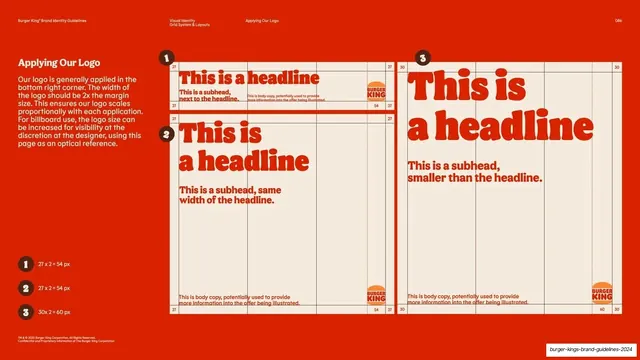 Applying the logo to layouts
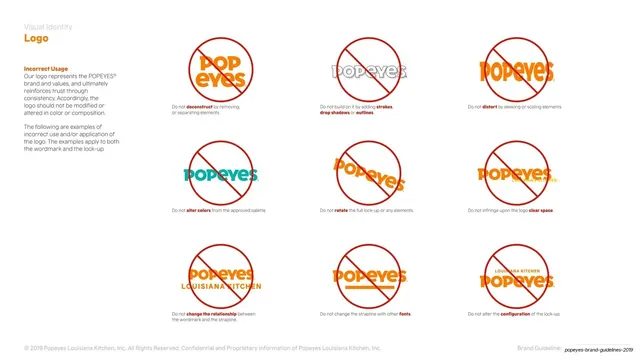 Incorrect logo usage prohibition grid
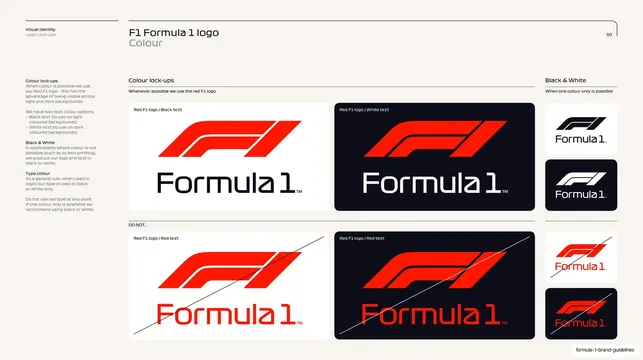 F1 Formula 1 logo colour lock-ups
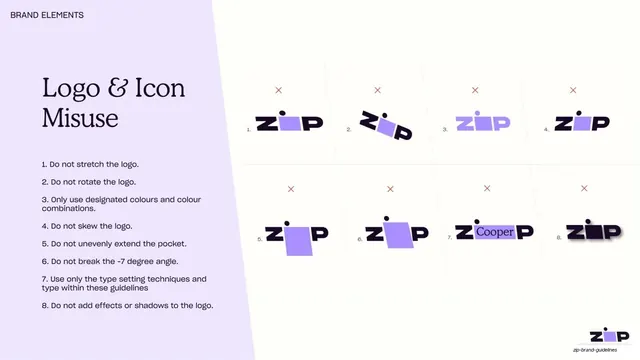 Logo misuse rules grid
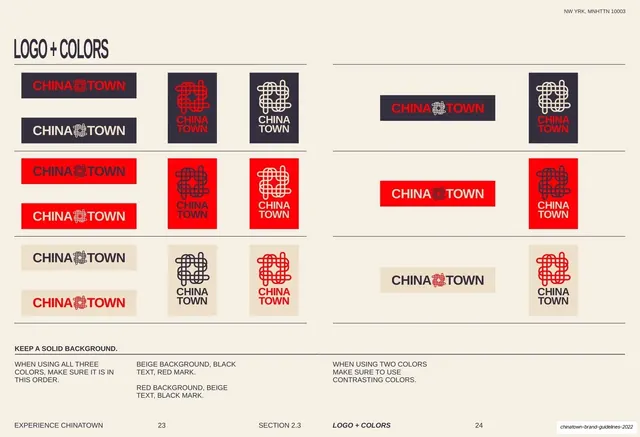 Logo color combinations grid
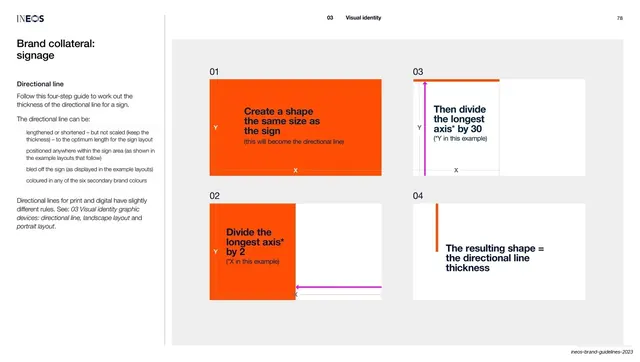 Directional line four-step method
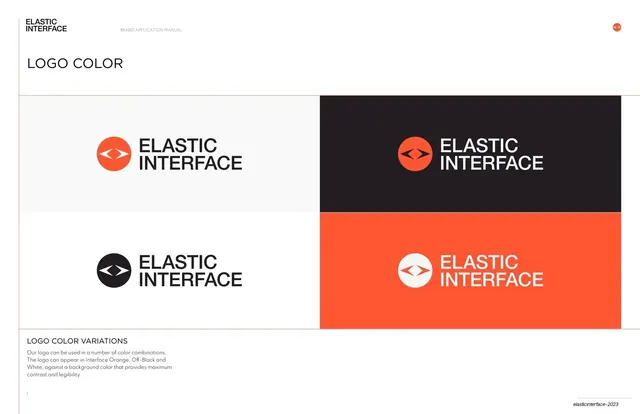 Logo color variations on four surfaces
 Zapier Brand Guide 2022
 The Open Application Network Brand Guidelines
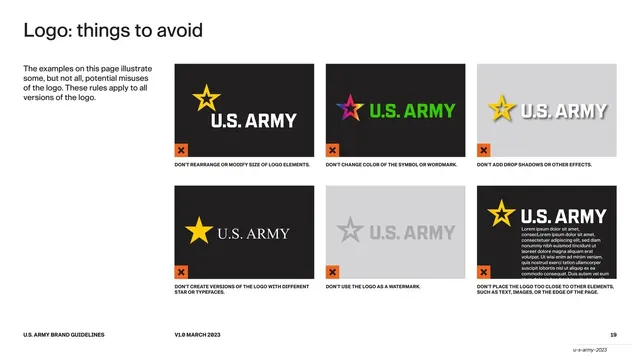 Six logo misuse examples with X badges
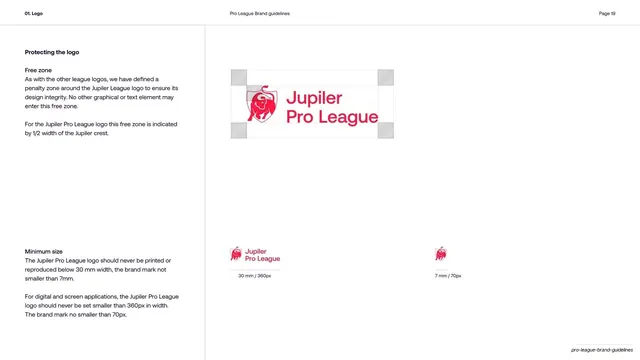 Sponsor logo free zone and minimum size
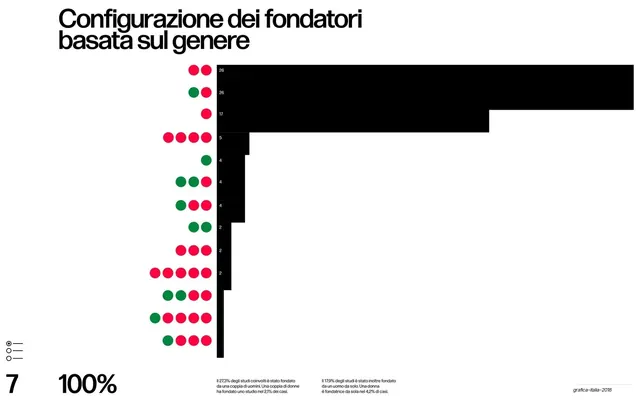 Founder configurations ranked by gender
 Primary logo on dark green
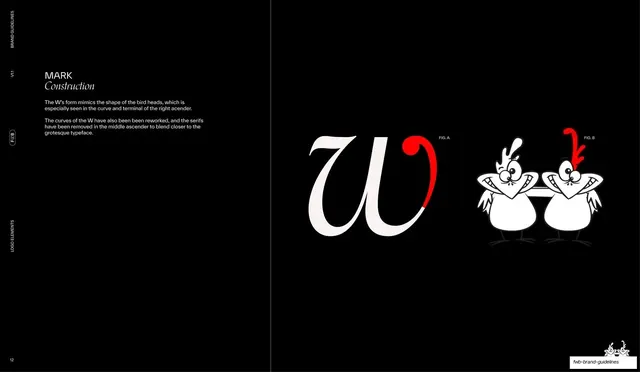 W letterform and bird head construction
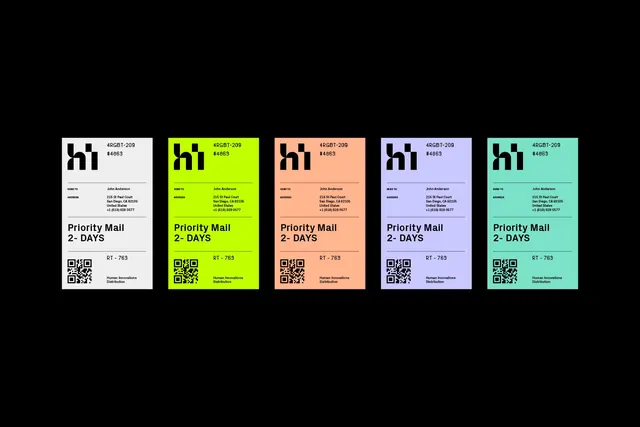 Human Innovations shipping label colorway range
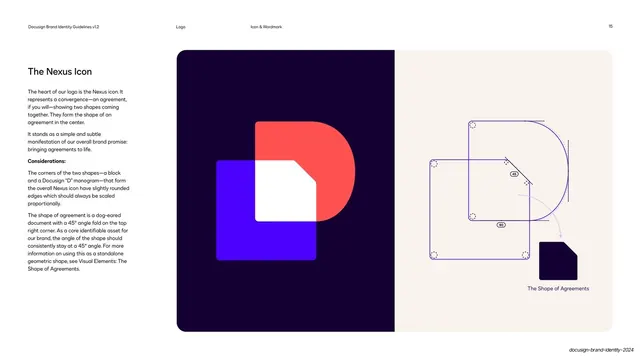 The Nexus Icon construction
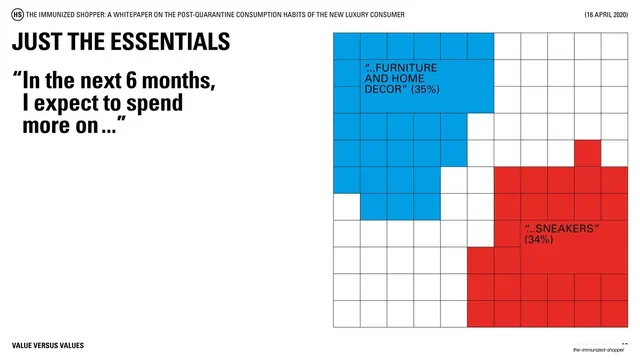 Waffle chart of furniture and sneaker spend
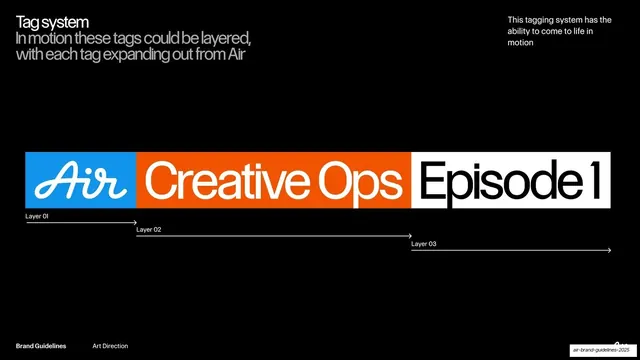 Layered tag system sequence
 Orange timeline of circular pilots 2017 to 2021
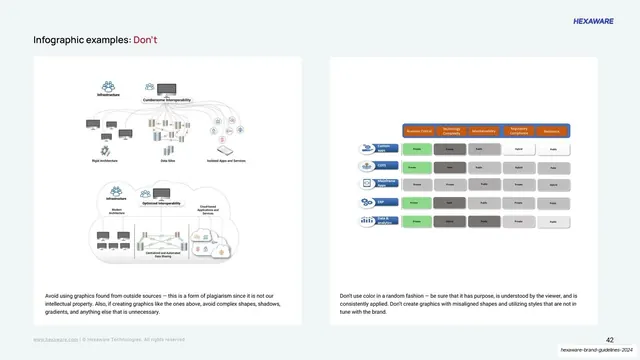 Infographic examples: Don't
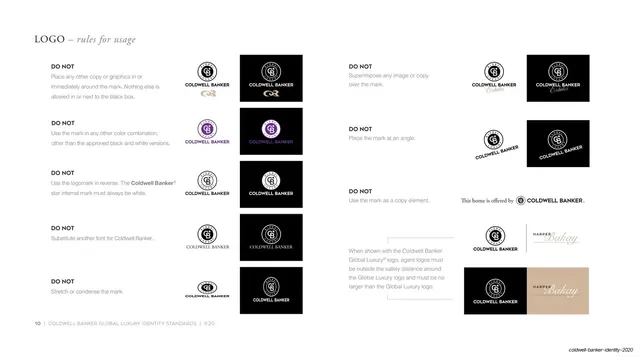 Logo do-not usage examples grid
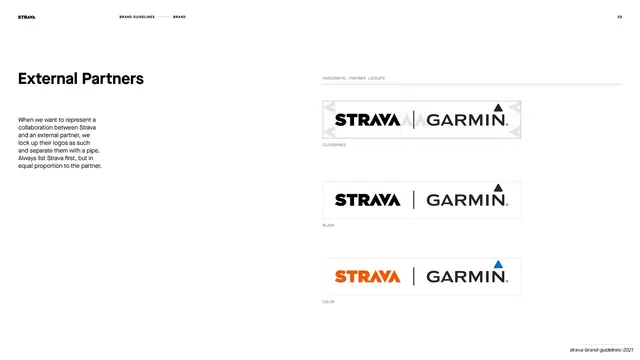 Partner lockup rules with pipe separator
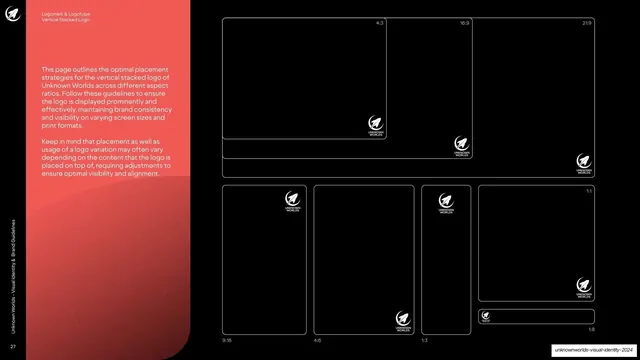 Vertical logo placement across aspect ratios