Brand asset file naming convention breakdown
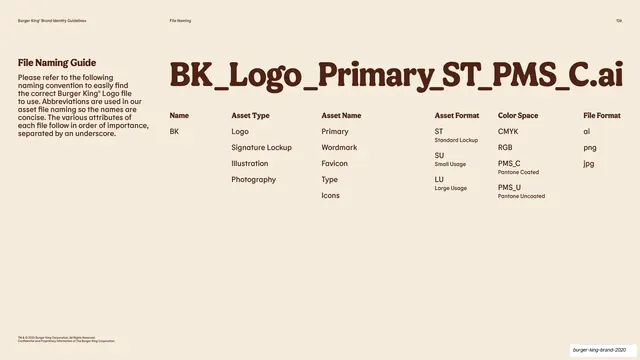
Naming guide that shows an example asset filename at display size, then keys each attribute to a labeled column of options.
Summary
A naming-convention key that shows an example asset filename at display size and breaks it into labeled attribute columns.
Visual description
Cream background with dark brown type. A short intro column on the left holds the heading File Naming Guide and a paragraph. The example filename BK_Logo_Primary_ST_PMS_C.ai runs in a very large bold display face across the top right. Below it, six labeled columns (Name, Asset Type, Asset Name, Asset Format, Color Space, File Format) list the allowed options, with short descriptors such as Standard Lockup and Pantone Coated under the codes. Each column is top aligned and separated by generous space.
Key takeaway
Showing a real example at display size, then keying each part to a labeled column, teaches the pattern faster than prose. The large specimen line makes the structure visible at a glance.
Reuse notes
Strong template for documenting any naming scheme, code format or structured identifier. Keep the example short so it fits the display line. Beyond about six columns the key gets tight, so move rarely used attributes to another page.
More like this
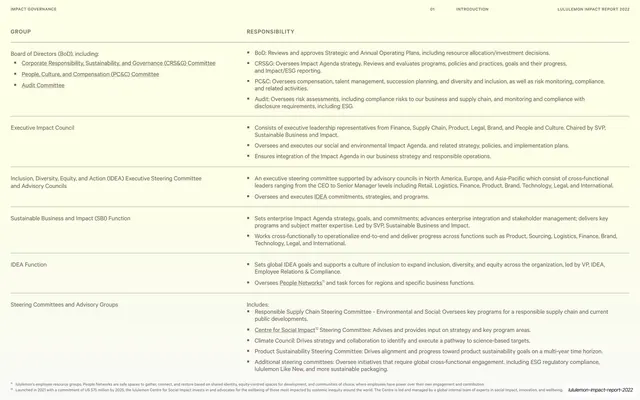 Governance groups and responsibilities table
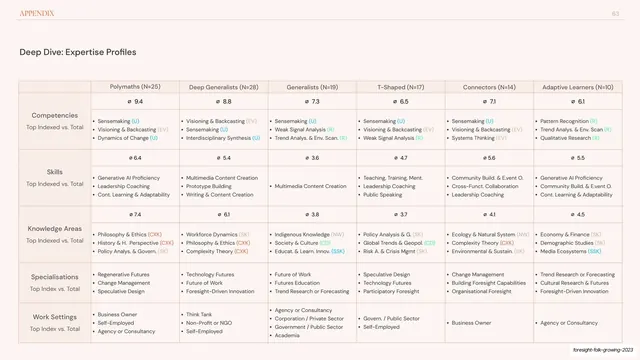 Expertise profiles comparison matrix table
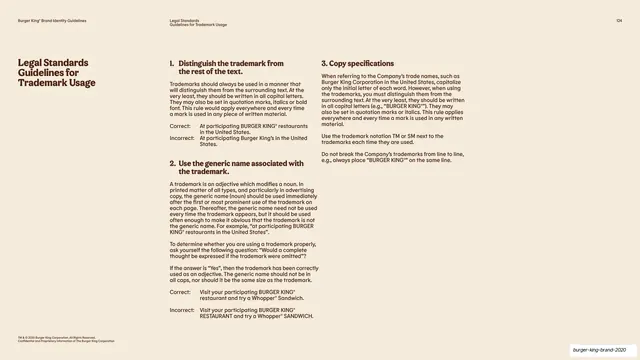 Three rules for trademark copy usage
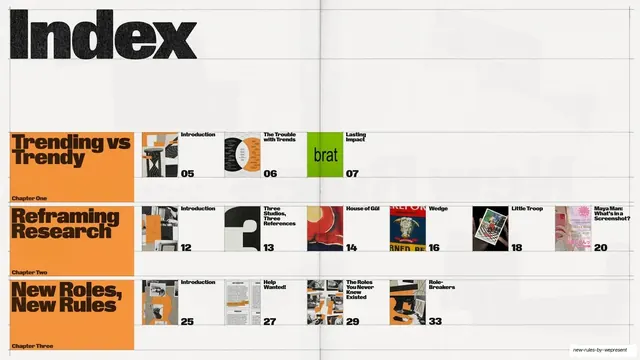 Index page with chapter bands
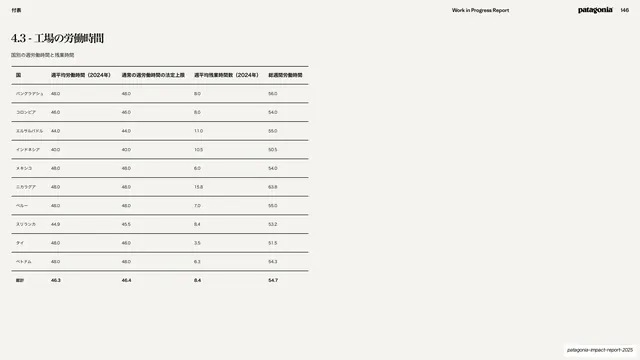 Factory working hours by country, 2024
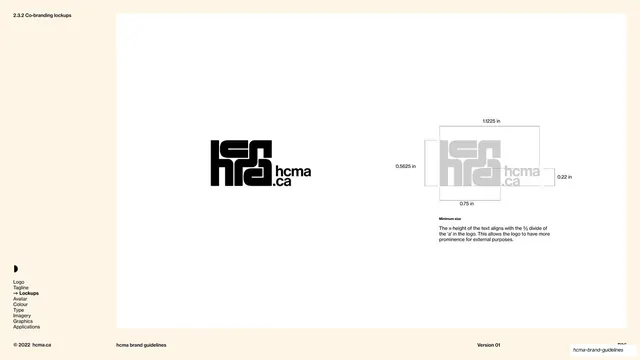 Co-branding lockup spec
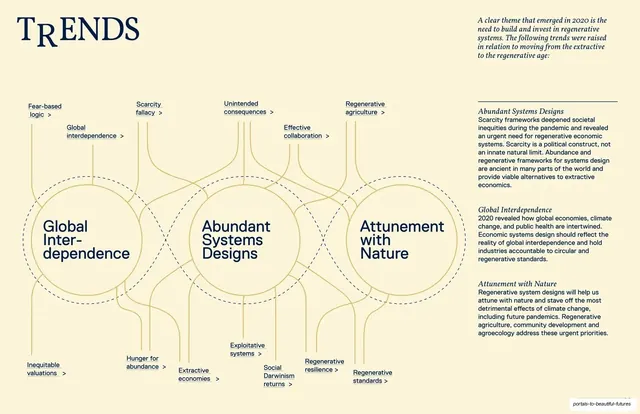 Trends map of abundant systems and regeneration
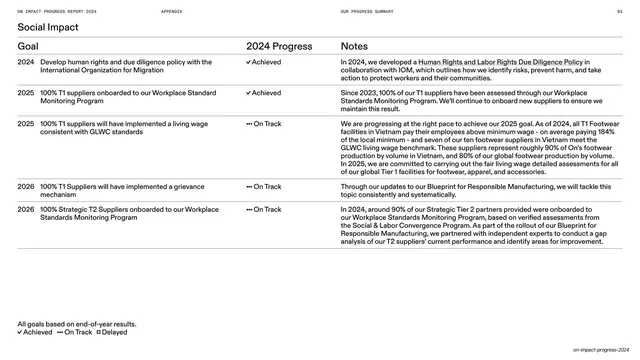 Social Impact goals table (mixed status)
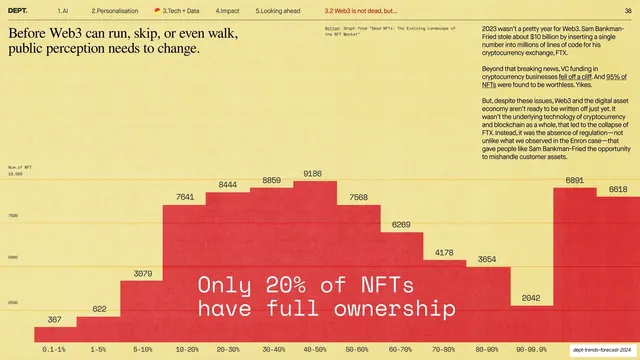 NFT ownership stepped bar chart
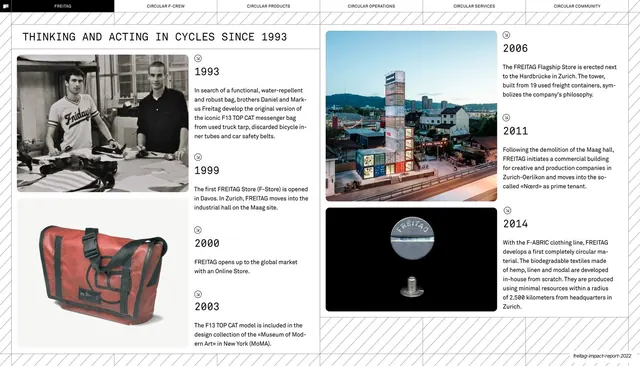 Company history timeline 1993 to 2014
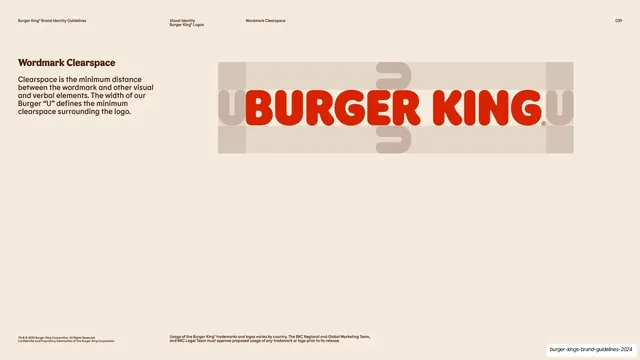 Wordmark clearspace diagram
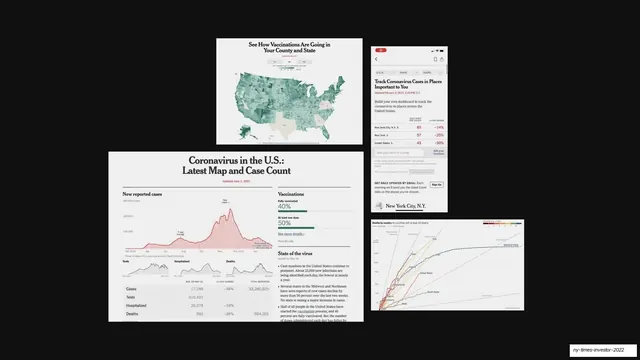 Data dashboard collage on light panels
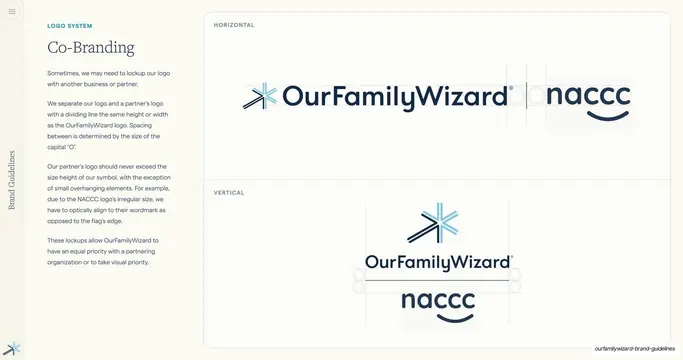 Co-Branding partner lockups
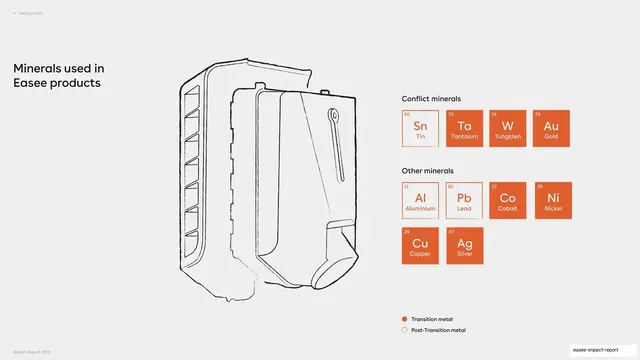 Periodic-table style mineral tiles with device sketch
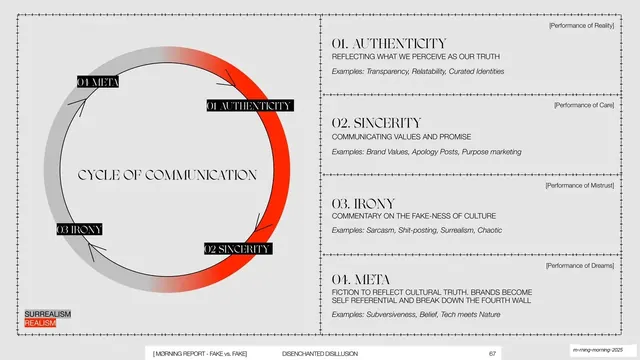 Circular cycle with four numbered stages
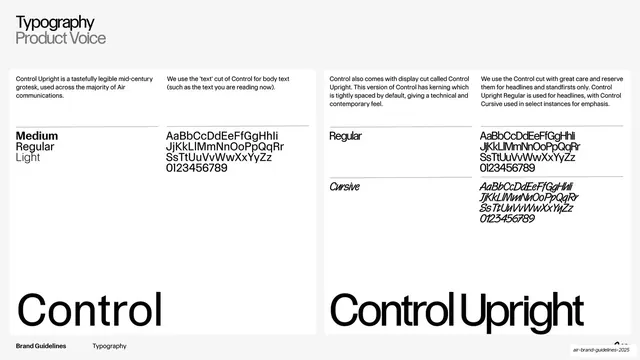 Control Upright product voice weights
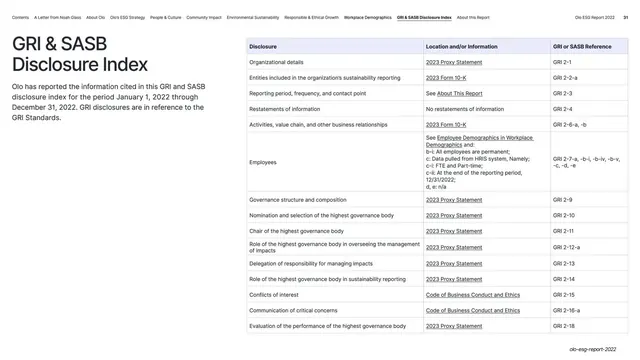 GRI & SASB Disclosure Index table
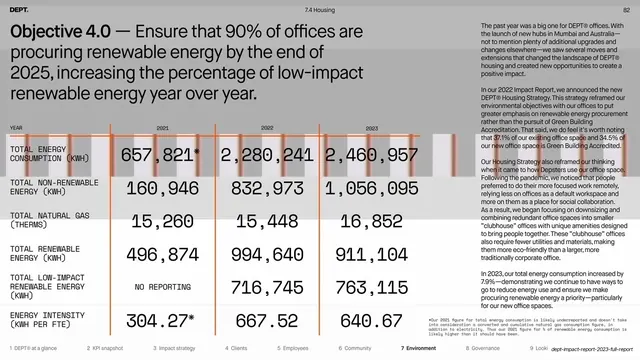 Renewable energy objective with data table
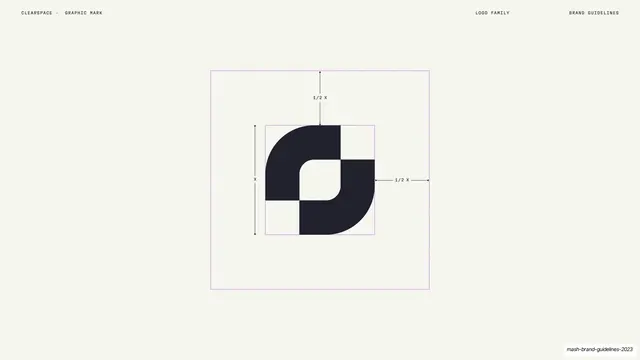 Graphic mark clearspace
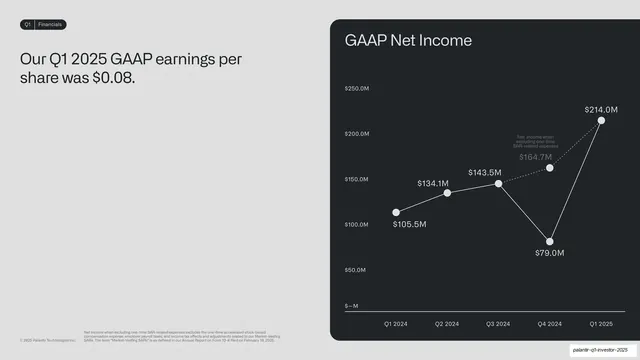 GAAP net income line chart with headline
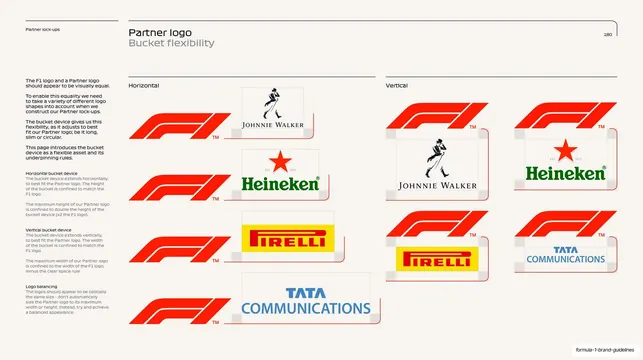 Partner bucket-device flexibility
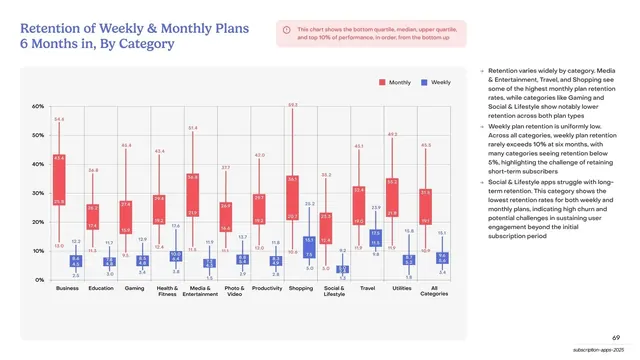 Six-month retention for weekly and monthly plans
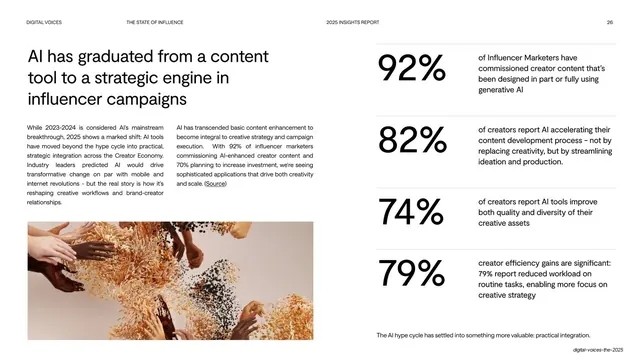 AI graduated stats and photo
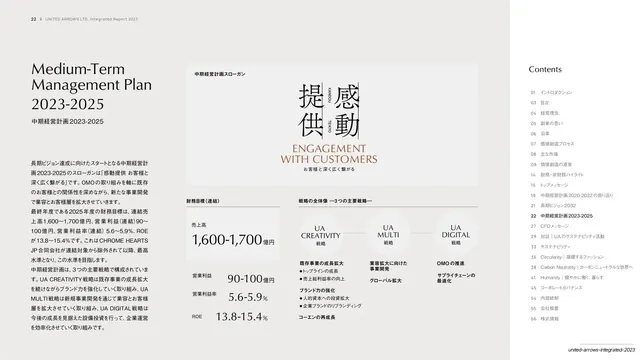 Medium-term plan 2023-2025 overview